

How do Facebook ad account and Business Manager differ?
A Facebook ad account is the workspace where you create, pay for, and run ads, while Business Manager is the layer above it that owns…
To run Facebook Ads for a business in 2026, you set up a Meta ad account with tracking, choose a campaign objective, define your audience, pick ad formats and placements, set a budget, publish in Ads Manager, and monitor results. These 7 steps take you from an empty account to a live campaign that is built to produce leads or sales. To get started, the guide begins with the step-by-step process and then covers the basics that sit behind it.
You run Facebook Ads in 7 steps: prepare your account and tracking, choose an objective, define your audience, select formats and placements, set a budget, build and publish the ad in Ads Manager, then monitor performance. Following this order gives you a campaign that is measurable from day one.
To make the process easier to follow, here is the sequence in the order you should work through it:
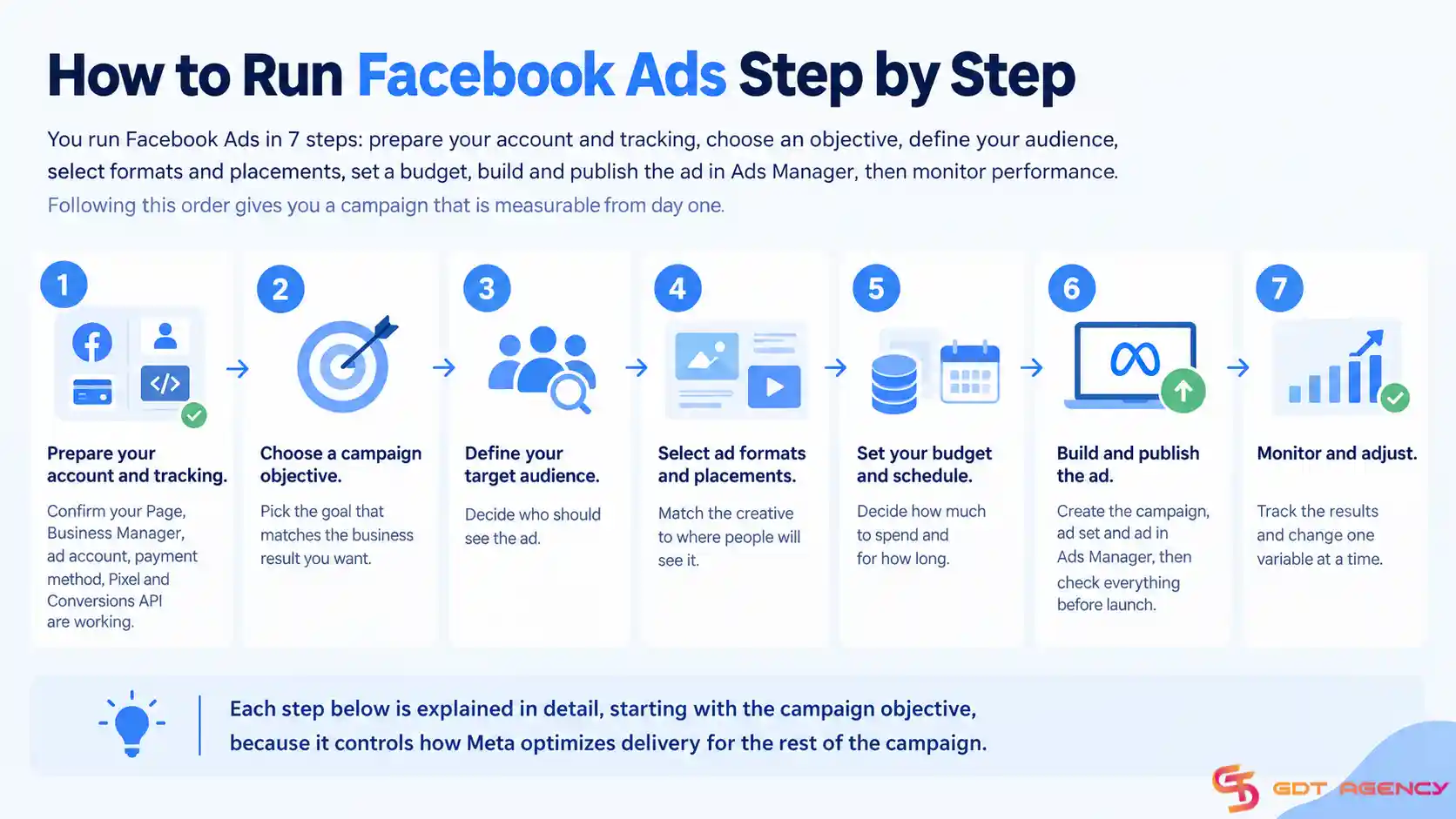
Each step below is explained in detail, starting with the campaign objective, because it controls how Meta optimizes delivery for the rest of the campaign.
Before you create a Facebook Ads campaign, make sure your advertising account and tracking system are ready. Your Facebook Page, Business Manager, ad account, payment method, Pixel, and Conversions API should all be active and properly connected.
Here is the key elements list you can use to start checking:
This step gives you the basic infrastructure that Facebook Ads needs to deliver, track, and measure your campaigns properly. If any part of the setup is missing, your campaign can face delivery, tracking, or payment problems later.
Next, you need to pick the goal that matches the business result you want. Facebook Ads has 6 main campaign objectives: Awareness, Traffic, Engagement, Leads, App Promotion, and Sales.
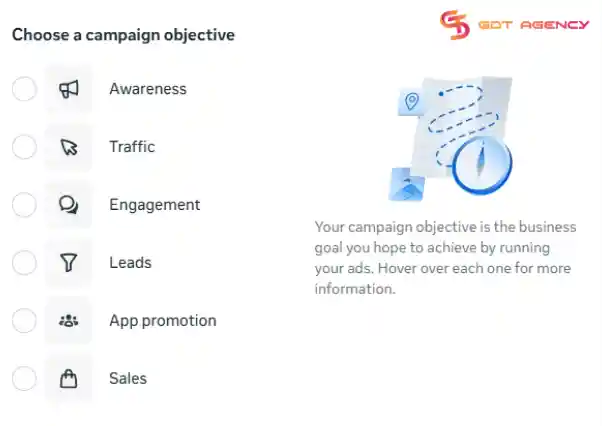
Meta groups them by the business outcome you want, and each one tells the delivery system which kind of action to look for and fits a different business purpose:
To choose well, match the objective to the result you can actually track. For example, if your goal is revenue and your Pixel records purchases, pick Sales. If you sell services through consultations, pick Leads.
After choosing your campaign objective, you need to define who should see your ads next. A clear audience helps Meta deliver your ads to people who are more likely to take the action you want. You choose a Facebook target audience from:
You define an audience using demographic, geographic, and, where available, interest or behavior-based signals. This can be useful when you have limited first-party data, although Meta may treat some manual targeting inputs as suggestions rather than strict constraints in Advantage+ audience setups.
You create this audience from your own data or from people who have interacted with your business on Meta. Sources can include website visitors, customer lists, app activity, catalog interactions, offline activity, video viewers, Page or Instagram engagement, and other eligible interactions.
Custom Audiences are commonly used for retargeting and can also serve as source audiences for Lookalike Audiences.
Meta uses a source audience to find new people who share similar characteristics with the people in that source. A source based on high-value customers, such as purchasers or customers with strong lifetime value, may be more useful than a broad source such as all Page engagers.
However, performance depends on source quality, audience size, conversion volume, creative, offer, and campaign setup. Meta states that a smaller Lookalike percentage creates a closer match, while a larger percentage provides a broader audience.
Advantage+ Audience plays a bigger role in 2026 when it uses Meta’s automated audience solution, which uses machine learning to find people who are likely to respond to an ad.
Advertisers can provide audience suggestions, such as Custom Audiences, Lookalike Audiences, or detailed targeting, while Meta may expand delivery beyond those suggestions when it predicts that doing so could improve performance.
Once you define your target audience, you will choose the ad format and placements that fit your campaign in the next step. Your creative should match the way people will see and interact with your ad across Meta platforms.
Meta structures Facebook advertising around 4 core visual formats, while placement-specific and automated options add more ways to deliver your creative across the ecosystem. The main options include:
You can also use placement-specific formats such as Reels Ads, Stories Ads, and Messenger Ads. These formats match the way users interact with each Meta surface, so vertical 9:16 creative often works best for Reels and Stories.
Meta also supports specialized and automated formats, including Advantage+ Catalog Ads, Lead Ads, Playable Ads, and Slideshow Ads. These formats use catalog data, instant forms, interactive previews, or lightweight image sequences to support specific advertising goals.
Next, you need to choose your ad placements, which determine where your ads can appear across Meta’s platforms.
Advantage+ placements allow Meta to distribute your budget across eligible placements and allocate delivery where the system predicts it can achieve your campaign objective most efficiently. Meta generally recommends this option because the system can optimize delivery across multiple placements.
Manual placements let you choose the specific locations where your ads can appear. This can be useful when your creative is designed primarily for certain placements, such as a vertical video for Reels and Stories.
To avoid presentation problems, don’t forget to preview your creative in each selected placement before publishing because a design that looks good in Feed may be cropped, covered by interface elements, or difficult to read in Stories and Reels.
Next, advertisers need to set a budget that matches your campaign goal, audience size, and expected results. Meta lets you control how much your campaign spends and when your ads run.
Before launching, decide these key settings:
A realistic budget gives the campaign enough room to collect data without creating unnecessary financial risk. Besides that, you need to plan for the learning phase. According to Meta's Business Help Center, an ad set generally needs around 50 optimization events within 7 days to exit the learning phase and deliver more stably.
You should also avoid making major budget changes too frequently because significant changes can affect campaign performance.
At this step, you will create the campaign, ad set, and ad in Ads Manager, then check everything before launch. Here is the process in practical order:
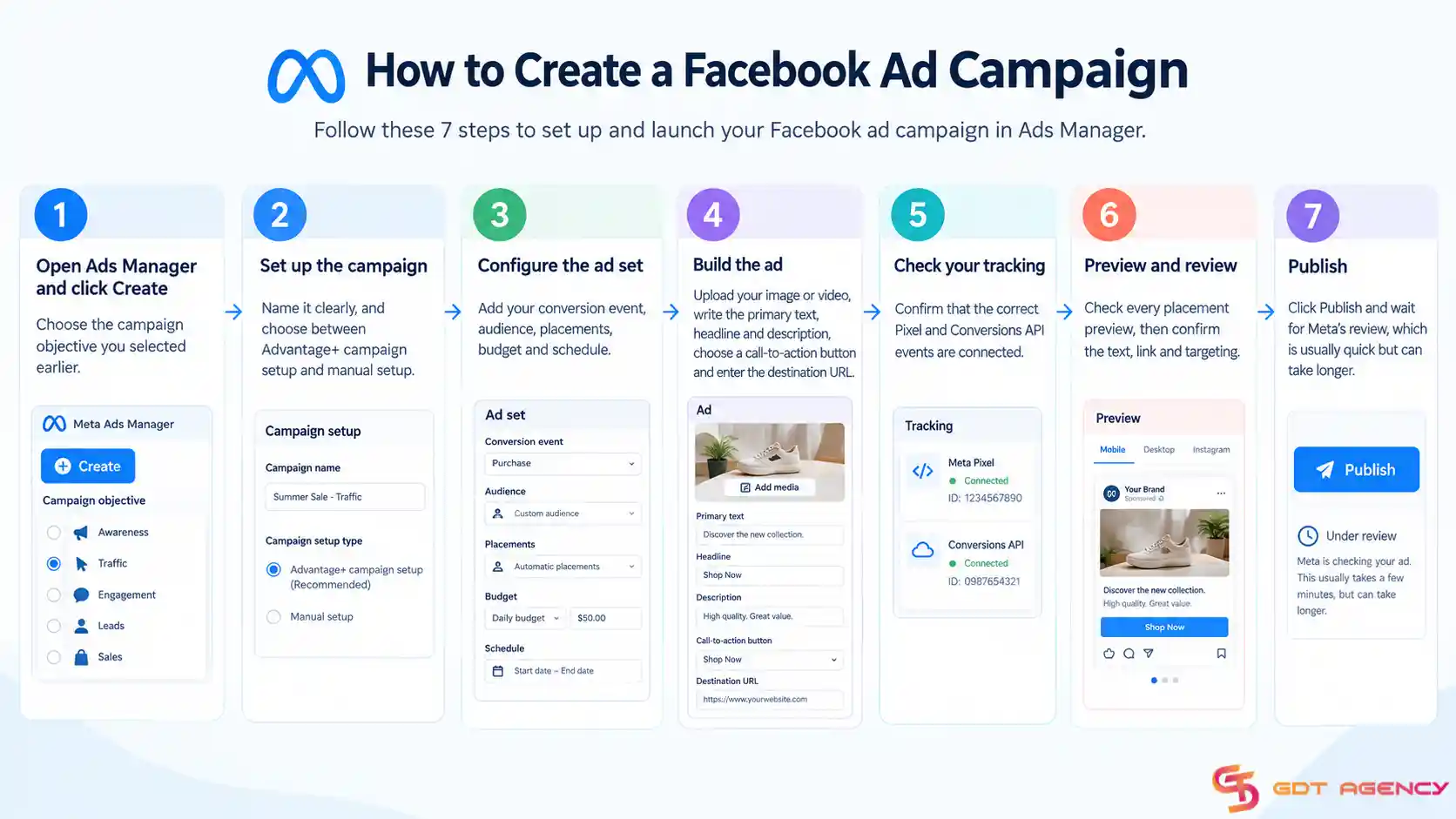
After you publish, do not edit the ad constantly. Frequent changes can reset learning and make results harder to read. Give the campaign enough time and data, and then make changes based on your key metrics, such as cost per result and return on ad spend.
Monitor your campaign after launch and use performance data to decide what needs to change. You should avoid changing multiple variables at the same time because you may not know which change affected the results.
Focus on these areas:
The goal is not simply to keep the ads running. The goal is to identify what works, remove what does not, and gradually improve the campaign based on reliable data
Facebook Ads is Meta's paid advertising system that businesses create through Meta Ads Manager to reach selected audiences on Facebook and other Meta platforms like Instagram, Messenger, and the Audience Network.
Businesses can use them to increase awareness, drive website traffic, generate leads, promote apps, encourage messages, or produce sales.
Yes, Facebook advertising can still be worth it in 2026, but it is not automatically the highest-return channel for every business. In Triple Whale’s ecommerce benchmark covering more than 40,000 brands from August 2025 to July 2026, Meta recorded a median ROAS of 1.88, a median CPA of $38.99, and a median conversion rate of 1.53%.
By comparison, Triple Whale’s 2025 ecommerce data reported a median ROAS of 2.21 for TikTok Ads, while Google Ads recorded a 3.31 ROAS. This suggests that Facebook is often strongest as a scalable demand-generation and retargeting channel, while Google may deliver stronger performance when users already have commercial intent.
For B2B advertisers, Meta can be more cost-efficient than LinkedIn. According to Metadata.io’s 2025 B2B Paid Social Benchmark Report, as cited by ScaleGrowth Digital, Meta delivered a 38% lower cost per click and a 44% lower cost per thousand impressions than LinkedIn across 4,200 B2B campaigns representing $130 million in ad spend.
However, LinkedIn may still justify its higher costs when the objective requires precise job-title, company, or account-based targeting, or when lead quality and opportunity conversion matter more than media cost.
Running Facebook Ads gives a business four main benefits: wide reach, precise targeting, clear measurement, and scalability. Together, they let you find the right customers, prove what works, and grow spend only when results justify it.
Specifically, each benefit works like this:
In addition, these benefits support one another. Better measurement improves targeting, and better targeting makes scaling safer. As a result, a business can use Facebook Ads as a repeatable growth channel instead of a one-off promotion.
To run Facebook Ads for business in 2026, you prepare your account and tracking, choose the right objective, define your audience, match formats and placements, set a budget that can clear the learning phase, and publish carefully in Ads Manager. After launch, you review results and improve one variable at a time.
In addition, Facebook Ads is worth the investment when your offer is clear, your tracking works and your budget is large enough to test. Overall, success comes from a structured setup, steady testing, and patient scaling. If you want to launch with a stable account and a smoother start, GDT Agency can support you with Facebook agency ad account rental solutions, giving your campaigns a more reliable advertising infrastructure from day one.
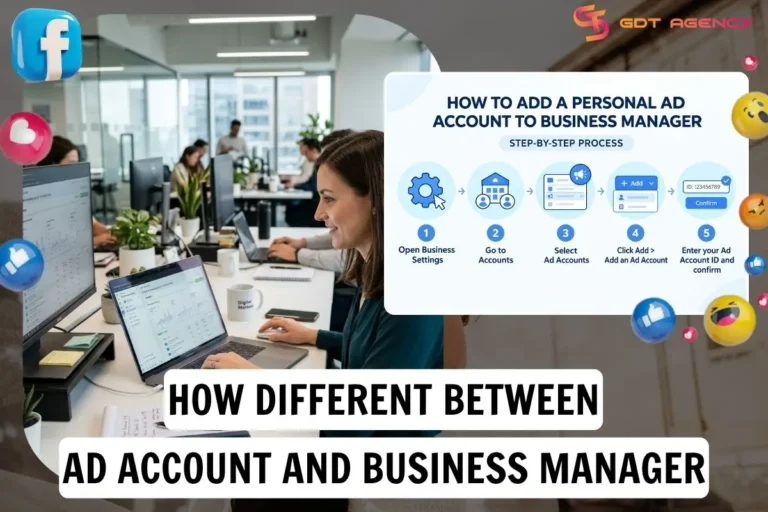
A Facebook ad account is the workspace where you create, pay for, and run ads, while Business Manager is the layer above it that owns…
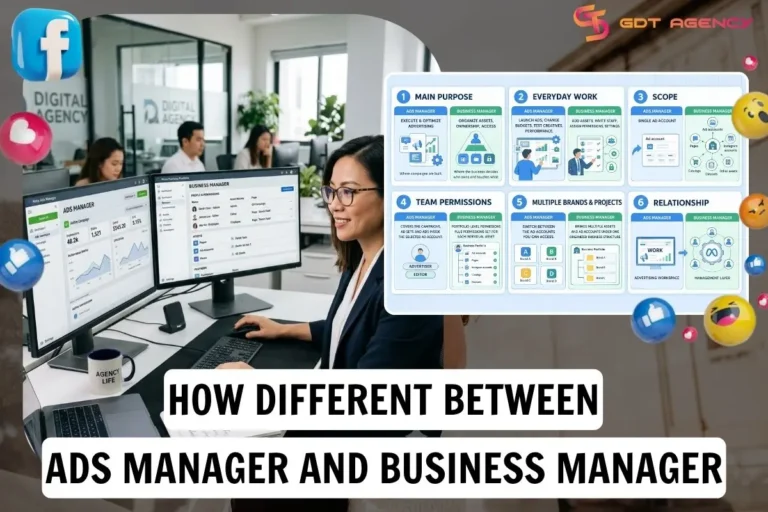
Facebook Ads Manager and Business Manager differ in 6 areas: purpose, tasks, scope, team permissions, multiple brands and projects, and relationship, from main purpose to…
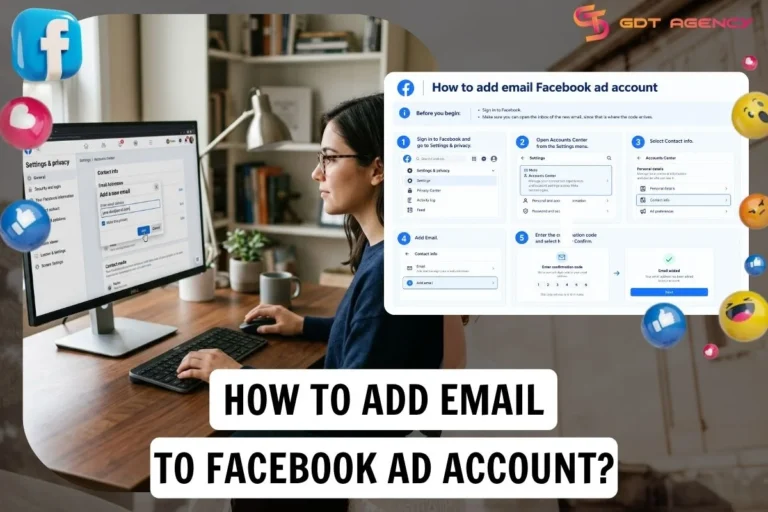
Adding email to a Facebook account takes 5 steps on both the mobile app and the website: sign in and open Accounts Center, then select…
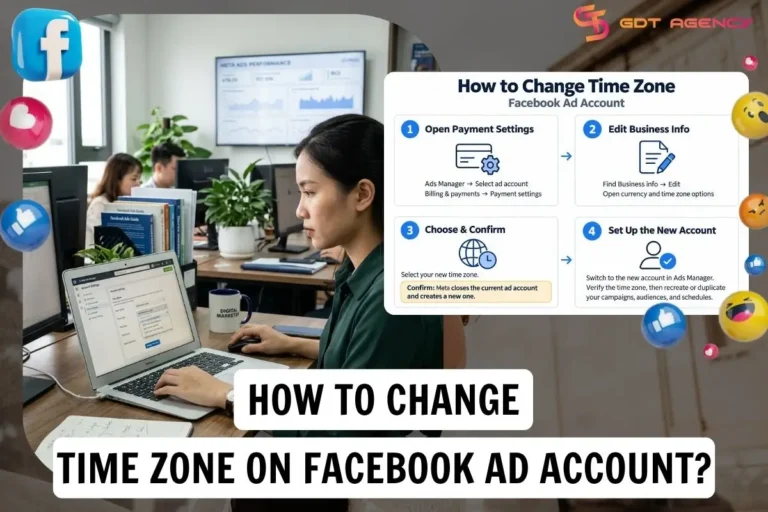
You can’t change time zone Facebook ad account once it’s been created and used. If you need to change it, you must create a new…
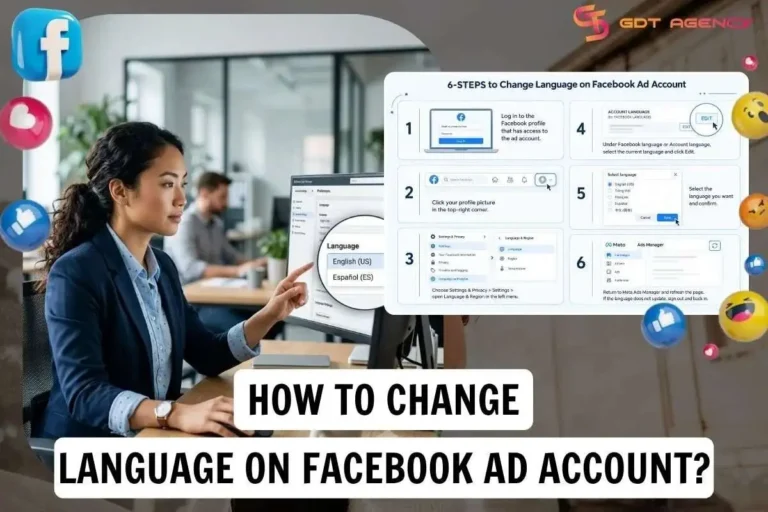
Changing the language on a Facebook ad account means changing the interface language in Meta Ads Manager, and you do it in 6 steps by…
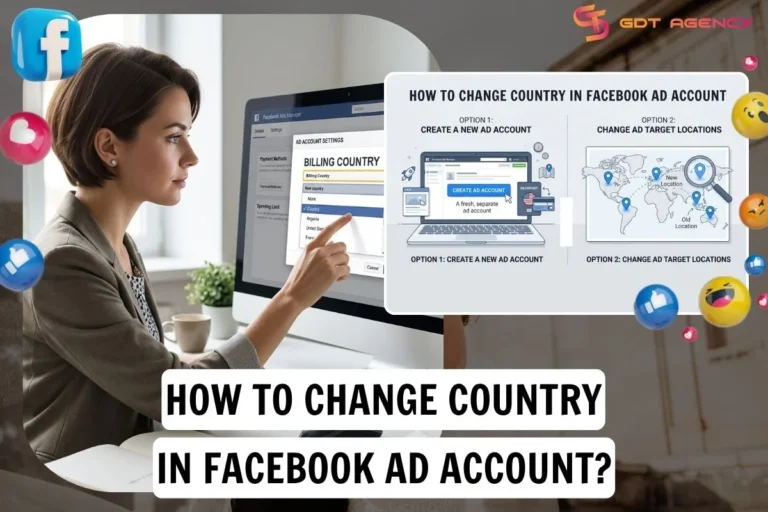
If you need to change country in Facebook ad account, the answer is no. The country is set when the ad account is created and…
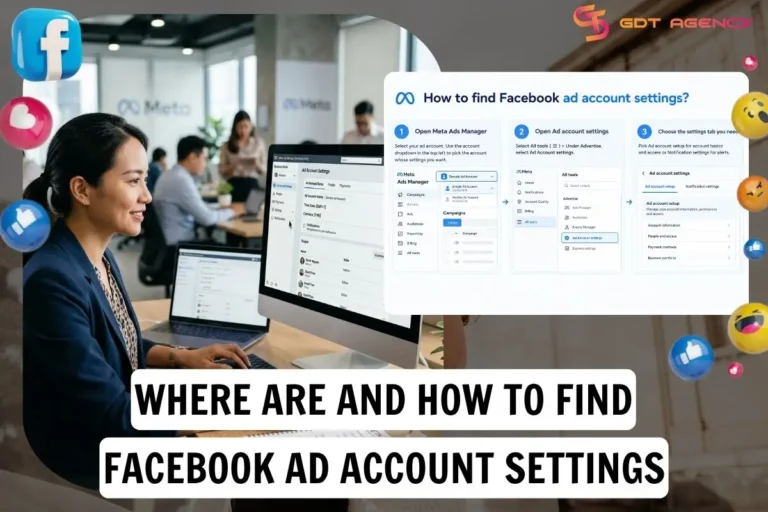
Ad account settings on Facebook aren’t a separate app or a menu on your personal profile; they’re in Meta Ads Manager and control your ad…
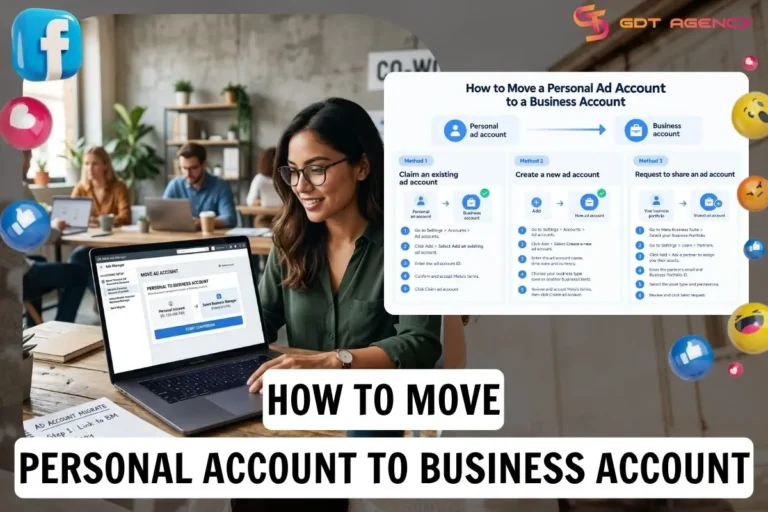
Meta offers three ways to move a personal ad account to a business account: claim an existing one, create a new or request access to…
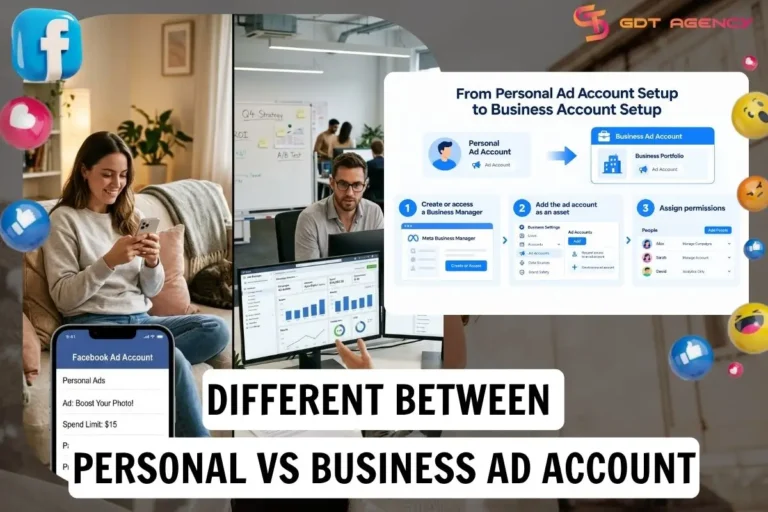
Facebook personal and business ad accounts differ in 5 areas: structure and control, access, spending limits, setup and security. A personal ad account is tied…
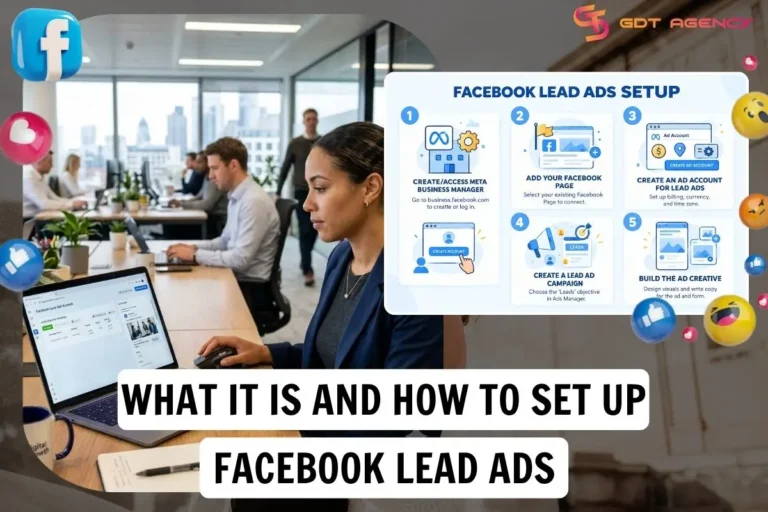
Facebook Lead Ads are Meta ads that collect contact details, such as name, email address or phone number. In practice, this lets advertisers capture interest…