


5 Steps To Conduct A Facebook Ad Account Audit For Optimal Results 2026


Facebook Ad Account Audit is a thorough process that reviews your Facebook ad accounts to highlight gaps in setup, targeting, tracking, and spending. This process helps advertisers have a full picture of how their campaigns run and where problems might be hiding to maximize the effectiveness and the return on ad spend (ROAS) metric. In this article, I’ll give you 5 detailed steps to conduct a Facebook ad account audit to help you know exactly what to adjust for stronger, more consistent results.
5 Detailed Steps To Conduct A Facebook Ad Account Audit
Let me tell you 1 thing first: “Though running Facebook ads is easy, running them profitably is not”. Just a small inefficiency in your ad account can compound into massive wasted spend.
Just take a quick calculation: you have 10 campaigns, one campaign wastes $5/day, one month will waste $150, then $1800/year. Multiplying all the campaigns you have, you will realize that you’re wasting tens of thousands of dollars per year. That’s why I audit every account I touch.
Step #1: Assess Your Facebook Ad Account Structure
Your ad account structure is paramount when conducting a Facebook ad account audit. This is where I find the most problems. Though account structure sounds boring, a bad account structure can cost you 20 to 30% in efficiency.
After managing over 3,500 ad accounts and handling campaigns across 18 countries for more than a decade, here are some common structural disasters I constantly see:
- Multiple purchase campaigns targeting the same audience: Some advertisers have the habit of creating a new campaign without checking the existing one. Did you know what happens if you have 3 or 4 campaigns set for the same audience aged and interested in the same product? The answer is they will be competing against each other, driving up your CPCs, and make you wasting your budget.
- Ad sets with 15+ ads: When you’re testing too many variables at once, Facebook’s algorithm can not properly optimize, which leads to your performance data being diluted.
- No audience segmentation: Another mistake is putting prospecting, retargeting, and lookalike audiences in the same campaign. They need different strategies, different creatives, different budgets. Mixing them together just leads to suboptimal performance.
How To Audit Account Structure
Go to Facebook Ads Manager, and review your existing campaigns in 3 levels: campaign level, ad set level, and ad level.
- Campaign: Your campaigns should be structured around the objective, such as brand awareness, leads, or sales. It would help if you create separate campaigns for different business goals to monitor your budgets and results more effectively.

- Ad set: Ad sets should be named and organized by the targeting method, such as website visitors and lookalikes of website visitors. By that means, you can identify which target audience works or which doesn’t, and allocate your budget accordingly.

- Ad: Ads should be named by creatives for easy monitoring and evaluation. Remember to run a maximum of 5 ads in one ad set for best delivery.

Here’s an example of a Facebook ad account structure.

Real example from a client audit:
Recently, I audited an e-commerce account spending $40k/month. The thing that most surprises me is not the money they spent, but that they had 7 different purchase campaigns, all targeting variations of the same lookalike audience.
The result? Of course, 7 campaigns were competing against each other in the auction. Then, we consolidated them and divided them into 3 properly structured campaigns:
- Campaign 1: Cold traffic (interests + broad audiences)
- Campaign 2: Warm traffic (engaged but didn’t purchase)
- Campaign 3: Retargeting (visited site in last 30 days)
After the first 2 weeks, CPA dropped 23% just from fixing the structure. No matter that you have the same ads, the same landing pages, and the same products, knowing how to fix the structure can help you get nothing except better organization.
Step #2: Analyze Performance Metrics
Now it’s high time to get into the numbers. This is where you separate profitable campaigns from money pits.
Review your conversion tracking setup
Setting up conversion tracking for your Facebook ads allows you to track users’ actions after interacting with your ads, including purchasing your product, downloading your app, or signing up for newsletters.
With proper tracking setup, you can figure out which ads really convert into leads or sales, which target audiences to concentrate on, and where to allocate your budget.
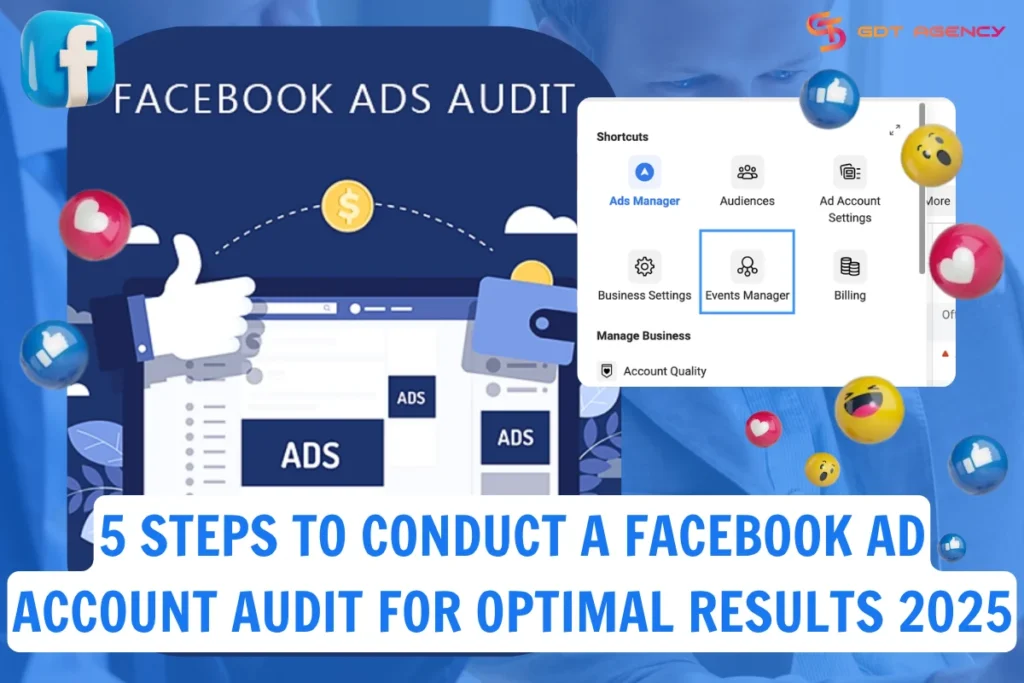
Advertisers can set up conversion tracking using Meta Pixel. To check if the pixel is already set up in this ad account or installed correctly on the website, go to Ads Manager > All tools > Events Manager. If the pixel is not set up yet, select Data Sources to start configurations.

When conducting a Facebook ad account audit regarding tracking setup, you should compare data from Meta Pixel with the activity on Google Analytics in the same period. If they match, your pixel is tracking correctly.

Evaluate your audiences and placements
The next step in the Facebook ad account audit process is accessing your audiences and ad placements.
Audiences

First, go to Ads Manager > Audiences to review all audiences you created, including custom audience, lookalike audience, and saved audience.
You can see all information regarding your audiences, from the type, size, targeting details, etc.
Name your audiences clearly according to the type or targeting details, and include dates and times if possible.
Example: Webvisitors_March_2025.
Custom audiences and lookalike audiences
It’s recommended that you update your custom audiences and lookalike audiences every 1 to 3 months. It can be done manually by uploading new customer lists or automatically with a third-party tool.
Audience size: Another thing worth your attention is the audience size. Keep it broad enough, because a too-narrow or specific audience can negatively impact the ad delivery and performance. Setting your audience to at least 500,000 users is ideal.

2. Audience exclusions: Setting up rules to exclude audiences helps you avoid running ads to existing customers or unlikely-to-convert users, and make the most out of your ad spend.
3. Ad placements: You can let Facebook determine ad placements for you, or manually choose where you want your ads to appear across Facebook, Instagram, Messenger, and Meta Audience Network. Based on the products or services you advertise, you can remove some ineffective ad placements. For example, if you are promoting a tech product that doesn’t work on mobile, you should exclude mobile placements.
Step #3: Analyze your ad creatives
Compelling ad creatives are crucial for increasing click-through rate (CTR), driving better ROI, and resulting in winning campaigns. When reviewing your ad creatives, focus on three main elements.
Ad copy
To create engaging ad copy, you must understand your audiences and identify and resolve their pain points. Focus on the benefits, not functionalities.
Start with a striking headline that immediately piques the curiosity of the audience, then create a sense of urgency with a strong CTA that aligns with your desired action.
Ad visuals
Craft original ad images and videos that are highly relevant to your product and suitable for your target audience.
Reduce the amount of text in images – even though Facebook has done away with the 20% text rule, images with less text are generally the ones that receive the most positive engagement. Use powerful visuals and transfer the vital text parts to the ad copy area.
Landing pages
Landing pages are an inseparable part of your ad creatives. Make sure the content in your landing pages is unified with your ad copy and ad visuals to create a seamless experience for users when being redirected to your page.
You also don’t want to upset your potential customers with low loading speed or a user-unfriendly interface.
Step #4: Review your ads reporting

Facebook Ads Manager empowers you with a customizable reporting setup so that you can tailor your reports to your business objectives.
By pinpointing the metrics that matter most, you can gain actionable insights into your campaign performance.
7 core ad metrics we usually use to track our campaigns:
- CPA: cost per acquisition
- CPC: cost per click
- CVR: conversion rate
- CPM: cost per mille
- CTR: click-through rate
- Video plays at 25%, 50%, 75%, 100%
- Video average playtime
Protip: to lower your CPA to 10-15%, you can consider use Facebook agency accounts for rent, these accounts offer higher spending limits, allowing businesses to scale successful campaigns as well as priority support to get resolved faster.
Step #5: Evaluate Compliance and Account Health
No matter how strong and how good your campaigns are, just one compliance issue has the power to shut down your whole account overnight. I’ve witnessed it, and this step is preventing this situations. Critical compliance checks:
1. Ad Disapprovals and Policy Violations
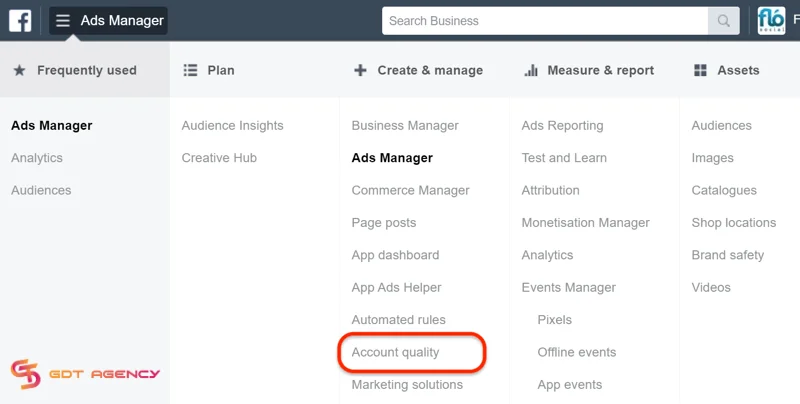
In Ads Manager, you can access your Account Quality and then look for:
- Currently disapproved ads (fix these immediately)
- Historical violations (patterns indicate bigger problems)
- Warnings from Meta (address before they become restrictions)
Advertisers ignore disapprovals for “less important” campaigns, but in my opinion, it’s a completely bad idea. Though even each individual violation seems minor, multiple violations across your account can hurt your overall account health.
2. Payment Issues
Though it sounds quite basic, I’ve seen major accounts suspended due to some basic reasons like expired credit cards or incorrect billing addresses. Therefore, you need to check for:
- Is your payment method current and valid?
- Are there any failed payment attempts in your history?
- Is your billing threshold appropriate for your spend level?
- Do you have backup payment methods added?
I’ve seen our clients who almost lost their $100k/month account due to their primary card having expired, and the backup card had an insufficient limit. Luckily, we caught it during an audit before Meta automatically disabled their account.
3. Page Quality and Account Reputation
Typically, Meta will track your overall account health through these elements below:
- Page quality score
- Account spend history
- Violation patterns
- User feedback on your ads and page
It’s hard to deny the fact that a damaged reputation will make everything harder, from higher CPCs, more manual reviews, to stricter restrictions. To improve your account health, you should respond to all customer comments and messages promptly, remove negative feedback, provide good experience to customers on your landing pages, and never run violating content.
>>>Read Now: Main Facebook Ads Account Problems and How to Solve Them
Tools and Templates That Make Audits Easier
You don’t need to use expensive tools for the Facebook ad account process, as most of the tools that you need are already available in Meta Ads Manager.
1. Reports from Facebook Ads Manager: You can use this tool to export campaign data with custom columns (such as ROAS, CPA, frequency, etc.). I prefer the Google Sheets format for receiving all of my data, which I will then analyze.

2. Audience Overlap Tool: This tool is used to display occasions when the viewer groups compete. Find it under Audiences → select multiple → Actions → Show Audience Overlap.

3. Account Quality Dashboard: This tool displays the number of violations, warnings, and the overall account status. You should use this tool to do a check at least once a week.
4. Breakdown Analysis: In Ads Manager, select the “Breakdown” option from the dropdown menu to conduct performance analysis based on placement, age/gender, device, time of day, etc. This will help you discover areas where you have been inefficient.

Conclusion
This article covers the full and detailed steps for conducting a thorough Facebook ad account audit. Just remember that a complete audit is not just about numbers, but it’s also about recognizing trends, identifying gaps, and making actionable improvements.
By following these guidelines and auditing your account regularly, you can optimize campaign performance and boost your ROAS. If you have any questions or need additional help, feel free to contact GDT Agency. Our support teams are always here to assist you!

Follow if you find it useful


You can contact us, with our experience in successfully deploying thousands of conversion advertising campaigns, GDT Agency confidently believes we can help you optimize effectiveness and maximize cost savings with advertising operations.


