


Facebook Ads Not Spending: 10 Main Reasons & How To Fix It Quickly?


Reaching account spending limit, audience overlap or too narrow, and too low bid … all of them are the main reasons that lead to Facebook ads not spending status. To make sure your spending is not still sitting at $0.00, reset or change your account spending limit to a higher number, broaden targeting use Advantage+ Audience, raise your budget, switch to Highest Volume bidding, or ensure the ads are approved, and the payment method is active.
10 Reasons Why Facebook Ads Not Spending Money And How To Fix
Facebook ads may stop spending for many reasons. Though Facebook’s system is smarter with the power of the AI system that can automatically scan and make enforcement decisions in milliseconds, like Andromeda, it can still get stuck.
Here are the most common reasons Facebook ads are not spending, explained in a practical way so you can quickly spot the real issue.
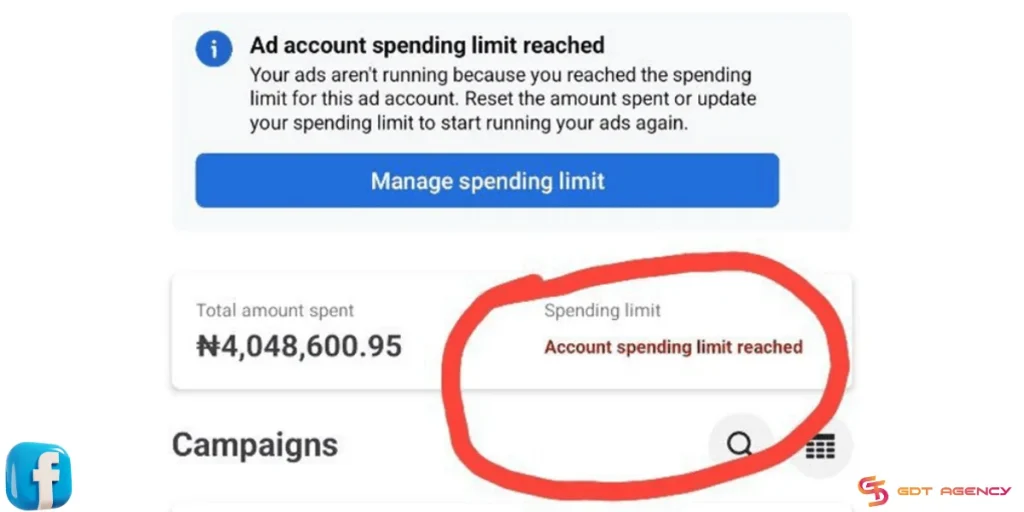
1. You Hit Your Account Spending Limit:
This is the #1 silent killer. If you (or a previous manager) set a lifetime limit for the entire ad account, all ads will stop once you hit that dollar amount.
How to Fix:
- Go to Billing & Payments in your Ads Manager. Look for “Account Spending Limit.“
- If it is full, click “Reset” or “Change” to a higher number.
2. Audience overlap
If you have multiple ad sets targeting the same audience inside one account, they can compete against each other. This drives up costs and may cause some ad sets to stop spending entirely.
To avoid this, Facebook prioritizes the ads with the highest total value and pauses the rest. This causes zero ad spend to appear.
How to Fix:
- Go to the Audience section in Meta Ads Manager and check the audience overlap percentage.
- If this number is higher than 40%, you need to eliminate these overlapping audiences. It is best to keep it below 20%.
3. Your Audience is Too Narrow
In the past, “hyper-targeting” was the goal. However, in 2026, it’s a delivery killer.
In 2026, targeting under 100,000 people is almost impossible for spending due to privacy updates. Meta’s auction system might struggle to find enough “available” users to bid on.
If you’re targeting a tiny niche with high competition, you might simply be getting outbid by everyone else.
How to Fix:
Check your “Audience Definition” meter. If it is in the red zone, remove some interests or expand the age and location settings.
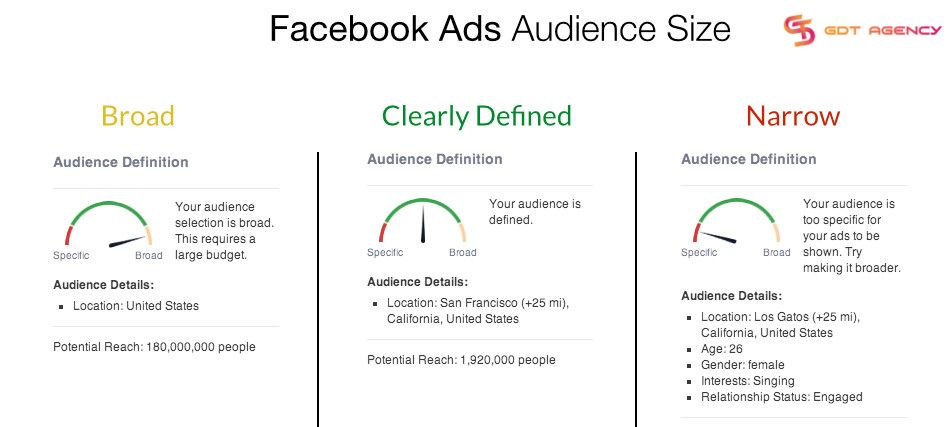
In 2026, Broad Targeting often works best. You can use Advantage+ Audience settings and let the AI find the right people based on your creative signals rather than just interests.
4. The Bid is Too Low
If you are using manual bidding (Cost Caps or Bid Caps) and your cap is too low, you will lose every auction.
In 2026, CPMs (cost per 1,000 impressions) have risen. If you tell Facebook you only want to pay $2.00 for a lead that actually costs $15.00 in the current market, the system will stop spending because it can’t meet your goal.
Even with automatic bidding, unrealistic cost controls can kill delivery.
How to Fix:
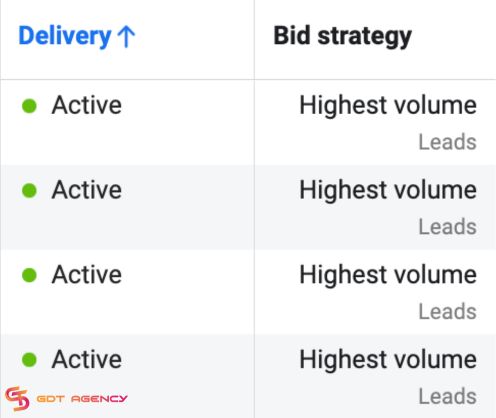
Switch to Highest Volume (formerly Lowest Cost) bidding for 48 hours to see if spend resumes. This lets Facebook’s AI find the best price for you automatically.
5. Poor “Signal” Quality
Meta now relies heavily on the Conversions API (CAPI) and your Pixel. If the selected conversion event rarely fires, Facebook has no data to optimize.
If your tracking is broken and Meta isn’t receiving “signals” (like purchases or sign-ups), the algorithm assumes the ad is a failure. Facebook will stop showing ads that don’t get engagement or results to protect its user experience.
How to Fix:
Verify your events in Events Manager. If your “Signal Quality” is low, your delivery will suffer.
6. Creative Fatigue
If you’ve been running the same image for months, your Frequency might be too high. When the same people see the same ad too many times without clicking, your “Relevance Score” drops, and delivery slows.
Besides, the 2026 Andromeda algorithm now includes a Pre-auction filter. If you try to use the exact same image across multiple ad sets, the AI flags it as ‘Repetitive Content’ and can block your spending immediately.
How to Fix:
You can combat Facebook ad fatigue by reducing ad frequency, diversely targeting audiences, and diversifying your formats like mixing in Videos, Reels, and Carousels to show the system your content is fresh and varied.
7. Your Ad Quality is Low
Low-quality ads could be the reason your ads aren’t spending. Facebook wants its users to be happy and will track how users interact with the ads.

Therefore, Facebook will stop showing ads with weak creatives, misleading claims, or low engagement history that struggle to get impressions, or if people are clicking “Hide Ad” or have a lot of negative feedback, resulting in slow or zero spend.
How to Fix:
Check your Account Quality page. If your ad has a low ranking, try using a new video or image that is more helpful and less “spammy.”
8. Payment Issues
If your credit card expired or a payment failed, low balance, spending thresholds not met, or rejected cards, Facebook will pause your campaign even if the campaign status still shows “Active”.
Even after you add a new card, you often have to “Pay Now” to clear the old balance before ads start again.

How to Fix:
Go to your Payment Settings. Make sure your primary card is valid, and there are no “Temporary Hold” errors.
9. Campaign or Ad Set Is Still In Learning Or Review
Every ad must be checked by Facebook’s team or AI. This usually takes 2 to 24 hours. Sometimes it can take longer if the platform is busy.
New campaigns need time to exit the learning phase. If your ad is stuck in review or keeps getting re-reviewed, delivery can pause or slow down without clear warnings.
How to Fix:
Look at the Delivery column. If it says “In Review,” you just need to wait. Don’t make changes now, or the timer will start over!
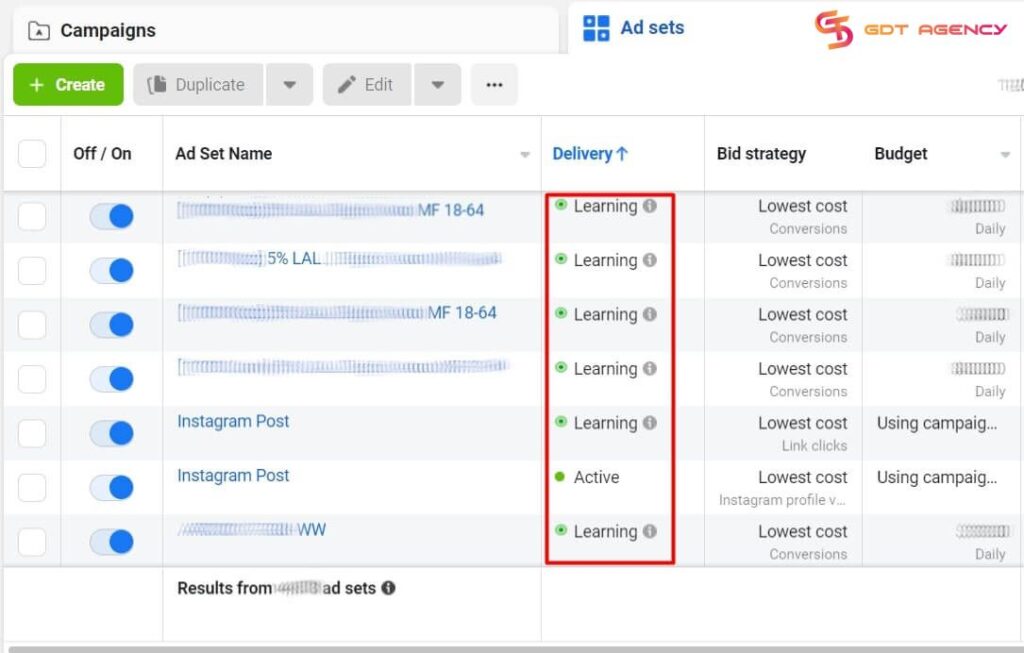
Refer to our dedicated blog to learn how to escape from “In review” status now: 9 Main Reasons Why Facebook Ad Stuck in Review & How to Fix
10. Your Daily Budget is Too Low
A small daily budget combined with a competitive objective like conversions can block delivery. If you are trying to get sales for a $100 product but your daily budget is only $2, Facebook might not even try to show your ad.
Facebook prioritizes higher-budget competitors in the auction, so your ads simply do not win impressions. The system needs enough money to “bid” against other companies.
How to Fix:
A good rule for 2026 that I always advise GDT’s customers is to set your daily budget at least 5 times higher than what you want to pay for one result. If you want a lead for $5, set your budget to at least $25.
How Did I Know If My Facebook Ads Not Spending Money
Facebook ads not spending usually happens when your ads are not being delivered to the intended audience, even though the budget is available. As a result, the ads receive little to no impressions, which directly reduces their reach and overall performance.
You can tell your Facebook ads are not spending money by checking a few clear signals inside Ads Manager.
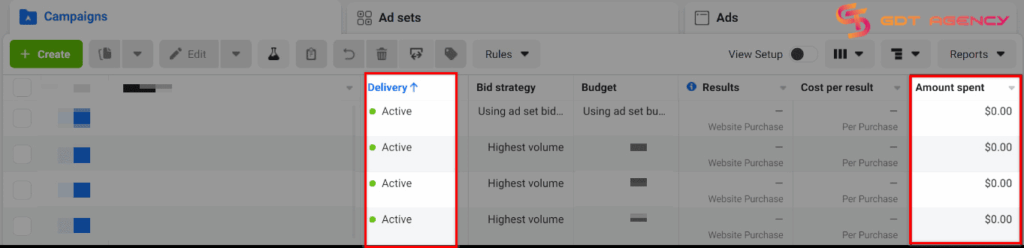
- Look at the Amount Spent column: If your campaign or ad set is active but the amount stays at $0 or barely increases after several hours, it is not delivering.
- Check impressions and reach: Ads that are spending normally will show impressions quickly. If both numbers remain at zero or very low, your ads are not being distributed.
- Review the delivery status: If you see messages like “Learning limited,” “In review,” or “No delivery,” Facebook is restricting or delaying your ads.
You can also compare the budget vs the results. If you have a daily budget set but see no clicks, no impressions, and no spend after 24 hours, that is a strong sign that something is blocking delivery.
Expert Tips To Avoid Facebook Ads Not Spending in The Future
Though our Facebook agency account for rent with higher initial trust scores and direct lines to Meta support can drastically reduce the chances of your ads not spending by removing common roadblocks like low daily limits and payment-related freezes.
However, an agency account isn’t a magic wand. You should still refer to expert troubleshooting tips to stay consistent and scale profitably.
1. Combine ad sets with overlapping audiences

For ad sets with overlapping audiences, consider combining them.
This will make your ads easier to deliver. In addition, it also has some very good effects. You can control and spend your budget accordingly. It also helps you reduce the time and budget needed during the machine learning phase.
This is an extremely important technique in Facebook Ads that helps you optimize your ads effectively. It also helps you get easy-to-understand metrics to control your campaign.
2. Make your rules less strict
Many ads stop spending because the setup is too tight. If the system cannot find a good chance to win, it will not even try.
- Check your cost caps: If you use Cost Cap or Bid Cap, you should set it 20 to 40% higher than your real target. If the cap is too low, your ad will not enter auctions.
- Use a bigger audience: In 2026, broad targeting works best now. You should target only age, gender, and location. If your audience is under 200k to 300k, your budget will be hard to spend.
- Avoid splitting your budget too much: One campaign with $500 per day works better than five campaigns with $100 each. You should combine campaigns to give the system more data.
3. Improve your creatives often
Your ad content decides if you win auctions. If your creatives get old, the system will show them less. To improve your creatives, you should:
- Prepare new creatives early: You should have 3 to 5 backup ads ready. If your CTR drops below your 7-day average, you can switch quickly.
- Review dynamic creatives: You should check dynamic creatives every 72 hours. If one image takes all the budget and results drop, you should pause it to test others.
- Focus on vertical video: Most users are on mobile. Vertical videos perform better than images. If your ads stop spending, you should test the 9:16 video.
4. Avoid changing things too often
The system prefers stability. Big or frequent changes can reset learning and stop delivery.
- Follow the 20 percent rule: You should only increase the budget by 10 to 20% every 2 to 3 days. Big changes force the system to learn again.
- Group your edits together: You should not edit campaigns every day. You should make changes in one batch once or twice a week.
5. Use Advantages+ Shopping Campaign
If a good ad suddenly stops spending, you should move it to a new Advantage+ Shopping Campaign instead of deleting it. This gives the ad a fresh start with a new budget and different competition.
To check the efficiency of these tips, GDT Agency has conducted a test with 20 campaigns on our Facebook agency account and a personal ad account in 1 month. After 1 month, the result is truly amazing when we do not experience any “not spending” status.
The only problem that we met was scaling. While the advertiser who used a Facebook agency account could easily scale up the winning campaigns to $15000 per day, advertisers using personal ad accounts faced a lot of trouble when trying to scale, even at a much lower daily budget of $500.
>>> Learn More: Main Facebook Ads Account Problems and How To Solve Them
Summary
Facebook Ads not spending is a common situation, but it will also have a big impact if you do not fix it promptly. Through this article, I hope you will gain valuable experience so you can use Facebook Ads more stably.
If you have any questions, need additional help, or want to rent Facebook agency account, feel free to contact us. Our expert teams are always ready to help you achieve your marketing goals.

Follow if you find it useful


You can contact us, with our experience in successfully deploying thousands of conversion advertising campaigns, GDT Agency confidently believes we can help you optimize effectiveness and maximize cost savings with advertising operations.

Top 8 Anti-detect Browsers for Multi-Ad Accounts Management
Managing multiple ad accounts across platforms like Meta, Google, and TikTok can be a significant
25/05/2026

How to Get More Followers on Instagram to Grow Your Audience in 2026?
To get more followers on Instagram in 2026, you must focus on creating highly shareable
23/05/2026

How to Run Successful Instagram Ads in 2026: The Creative & Infrastructure Blueprint
To run successful Instagram ads in 2026, advertisers must combine vertical-first creative optimization (specifically high-energy
19/05/2026


