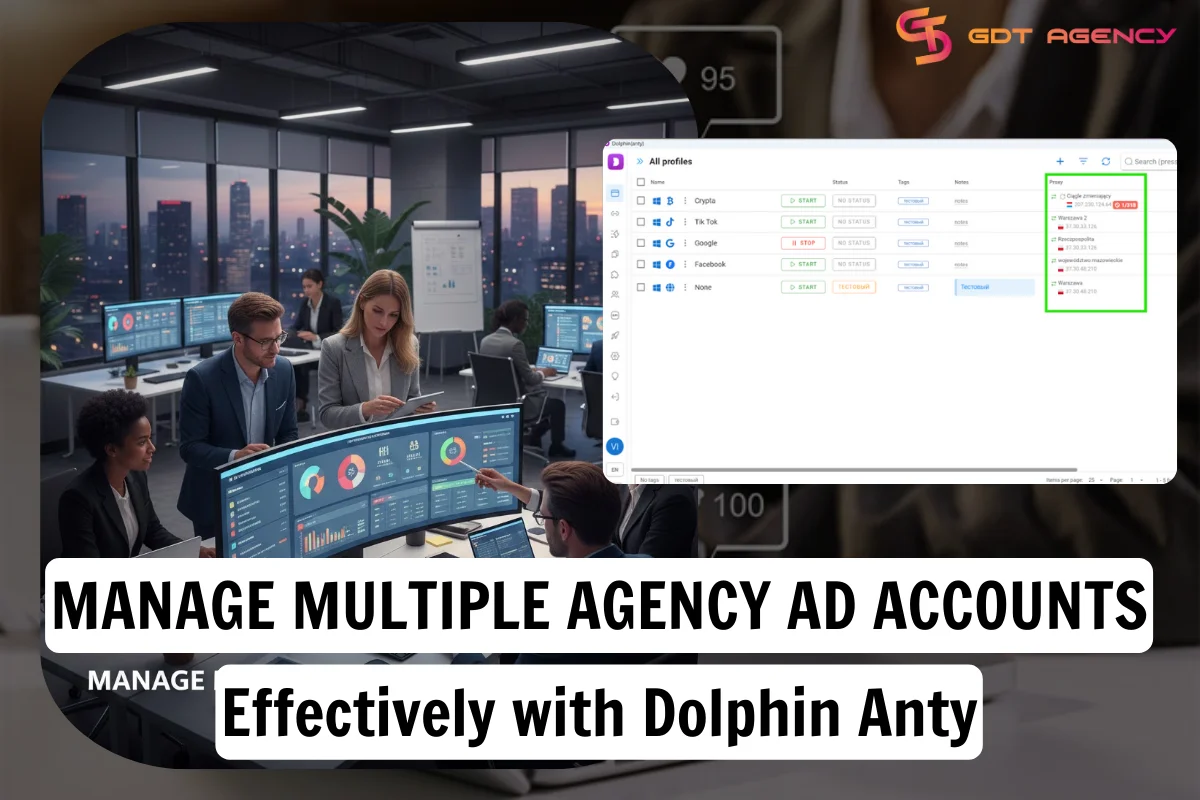
Manage Multiple Agency Ad Accounts Effectively with Dolphin Anty


Advertising on platforms such as Meta, Google Ads, and TikTok is increasingly becoming harder due to the strict policies. Agency ad accounts have become the light in the dark for modern advertising agencies. To manage campaigns efficiently, specialists often have to control hundreds of accounts simultaneously. However, using a regular browser on a single device is not enough when it increases the risk of restrictions and blocks. That is the time Dolphin Anty appears as a solution that allows safe management of multiple agency accounts at the same time. Let’s discover how Dolphin Anty can help manage multiple accounts effectively.
Why Are Managing Multiple Agency Ad Accounts Challenges for Advertisers?
Managing multiple advertising accounts is not an attempt to bypass platform rules. It’s rather a practical necessity. Key use cases include:
- Separate ad accounts for clients and projects: Agencies often manage several clients simultaneously, each with their own business account.
- Testing creatives and hypotheses: To validate advertising hypotheses without overlapping data, campaigns must run from separate accounts.
- Multi-regional campaigns: When working across different countries or regions, accounts need to appear local and independent, as anti-fraud systems also track this parameter.
When you’re managing multiple agency ad accounts, one of the biggest “silent killers” isn’t bad creative or high bids, but it’s platform detection.
Why Platform Detection Becomes A Challenge For Advertisers?
Modern advertising platforms like Meta, Google, and TikTok are incredibly good at “fingerprinting” your device.
They use sophisticated tracking methods beyond simple cookie or IP analysis. They consider: geolocation, browser and device fingerprint, user behavior patterns, browser history, and local data.
Even if your activity complies with platform rules, algorithms may restrict or block an account if it has connections with other profiles sharing similar characteristics.
Why Regular Browsers Are Not Suitable for Multiple Agency Ad Account Management?
If multiple accounts are managed through the same browser or with identical device settings, they can easily be linked.
Even different proxies or clearing cookies do not guarantee full isolation. In these conditions, accounts become vulnerable to automated checks and platform restrictions.
If an account gets blocked, explaining the situation to support can be extremely difficult, even if no rules were actually broken.
If one agency account gets flagged for a policy violation and the platform sees it’s linked to your other accounts via your browser fingerprint, they can trigger a “chain-reaction ban,” shutting down everything at once.
How Dolphin Anty Solves the Multiple Agency Ad Account Management Problem?
Dolphin Anty is an anti-detect browser that creates fully isolated profiles for each account. Each profile simulates a separate device belonging to a real user and preserves unique parameters, reducing the likelihood of account blocks.
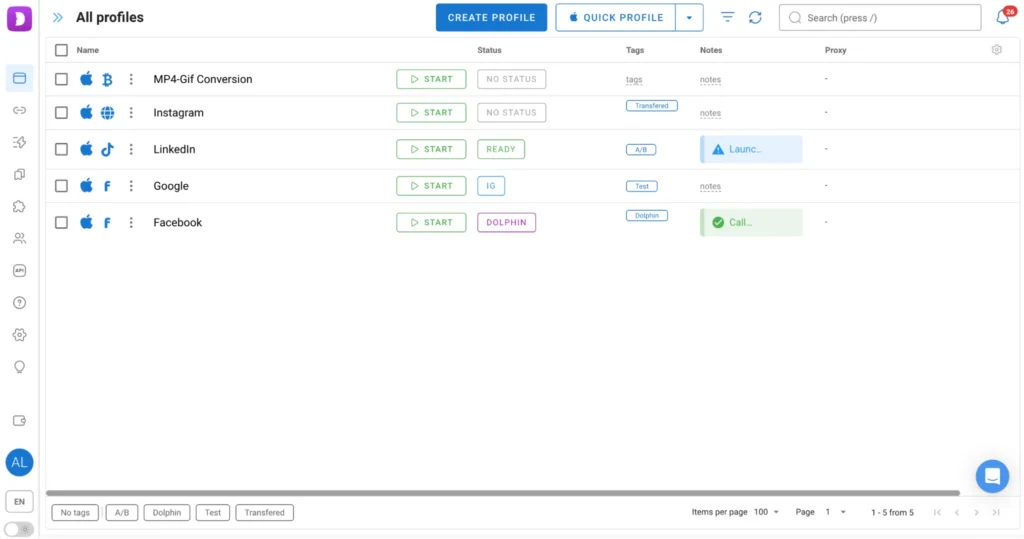
Key Dolphin Anty features:
- Browser profiles with unique fingerprints: More than 50 parameters can be configured manually or automatically. The automatic mode ensures that suspicious contradictions in the fingerprint are avoided.
- Proxy support: Each account can use a separate IP address for additional independence and anonymity. Proxies can be added during profile creation or through a dedicated menu. Integrated providers also offer free traffic options, so you don’t even need to leave the browser.
- Full data isolation: Cookies, local storage, and system parameters are not shared between profiles.
- Automation tools: Dolphin offers the Dolphin Cloud platform for marketers and affiliates that automates the management of multiple Facebook agency accounts, enabling mass campaign launches, page management, comments, and maps, speeding up processes through integration with the antidetect browser.
Thanks to these features, each agency ad account appears to platforms as an independent user with a unique device, reducing the chance of accounts being linked and subsequently blocked.
This is the main difference from Meta Business Suite, which links all user ad accounts within a single dashboard. If violations are detected in one account, there is a risk that all other accounts will be affected, potentially leading to financial losses.
How to Work with Dolphin Anty and Agency Accounts by GDT Agency
Managing multiple ad accounts through Dolphin Anty follows this process.
Step 1: Create a Separate Profile for Each Account
Click “Create Profile” in the “Browser Profiles” tab. Each ad account gets its own environment, similar to a window in any Chromium-based browser.
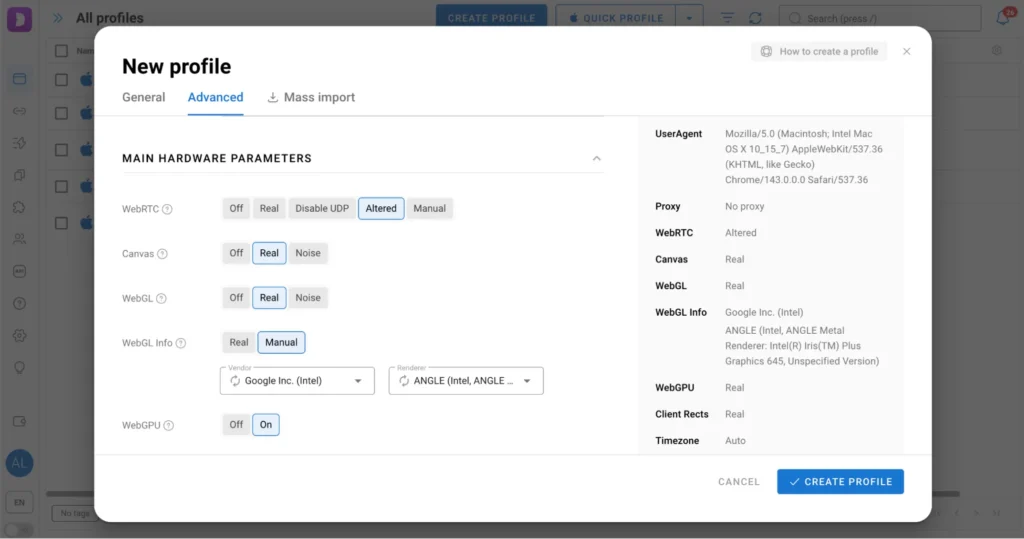
Step 2: Select Profile Type
Dolphin Anty allows choosing a profile type: Facebook, Google, TikTok, or Crypto. This sets up pre-configured bookmarks commonly used on the selected platform, saving time on manual adding.
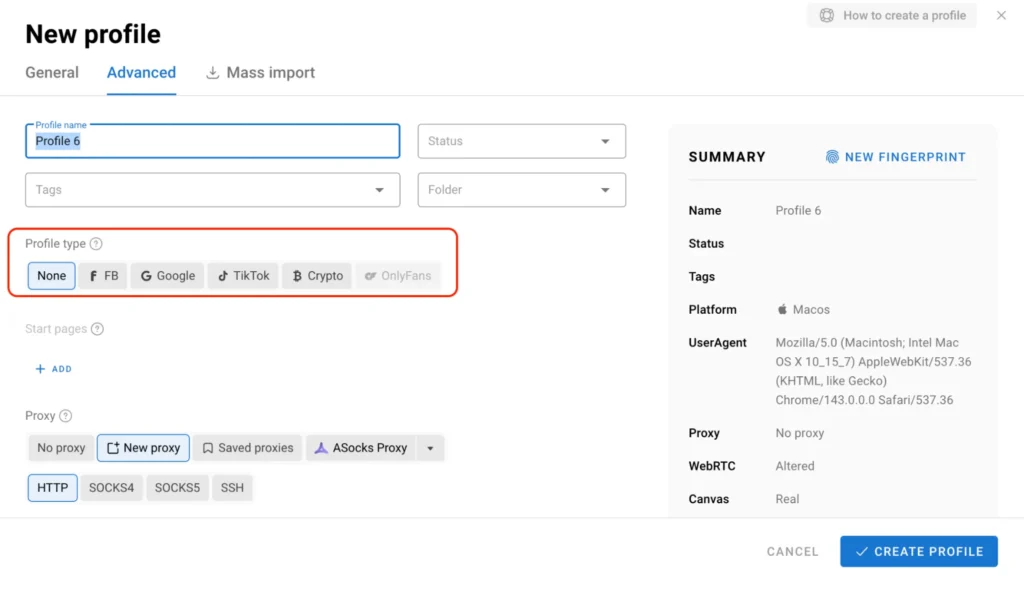
Step 3: Add Proxies
At this step, you should add proxies manually or select from integrated providers offering free traffic.
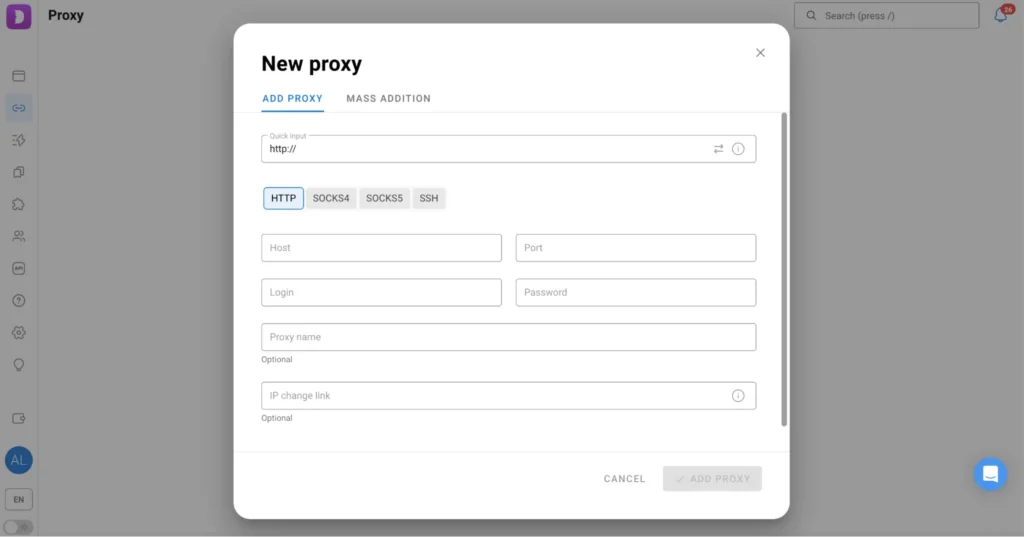
Step 4: Log In to the Ad Account.
You get all the credentials in GDT Agency. Dolphin Anty profiles open in separate windows. You need to visit Facebook or any other website and log in. All cookies and session data are saved after closing, so there is no need to re-enter login and password during next sessions.
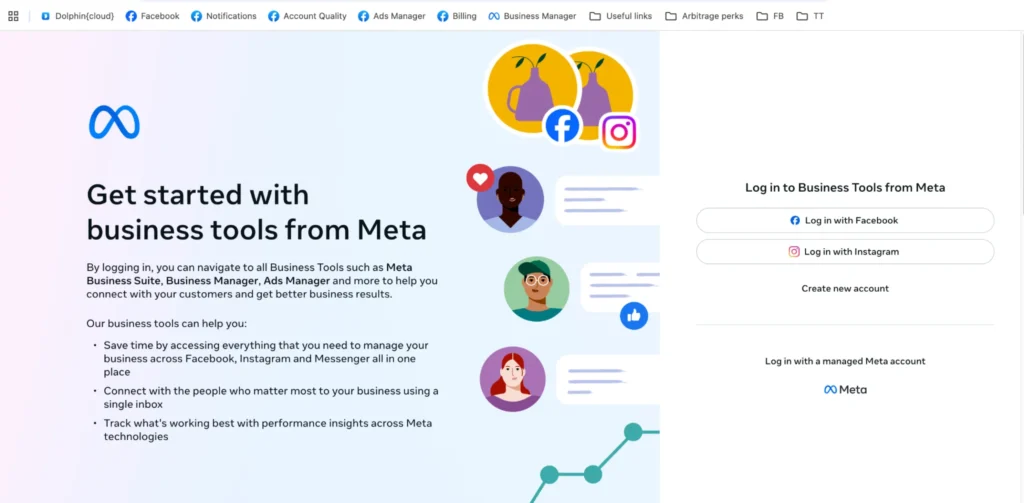
Step 5: Scale Operations
Repeat the process for each new account, enabling structured and secure management of dozens or even hundreds of accounts simultaneously.
This approach allows you to run campaigns in parallel without the risk of one account affecting another.
Conclusion
For agencies and advertisers, a regular browser is insufficient, especially when managing dozens of accounts at once. Dolphin Anty ensures anonymity, isolation, and the uniqueness of each profile, which is critical for safe advertising campaigns.
By using an anti-detect browser, specialists can manage multiple accounts, test hypotheses, and scale campaigns without risking blocks, maintaining control over the workflow, and minimizing errors caused by platform restrictions.
For GDT Agency users, Get 20% off your first Dolphin{anty} subscription with code GDT20. Check out Dolphin[anty} today.

Follow if you find it useful


You can contact us, with our experience in successfully deploying thousands of conversion advertising campaigns, GDT Agency confidently believes we can help you optimize effectiveness and maximize cost savings with advertising operations.