What Is Instagram Ad Spending Limit? 2026 Most Complete Guide


What is Instagram ad spending limit? How can you take advantage of it? This blog will cover everything you need to know, including how to set spending limits, address common issues, and maximize your campaign ROI. Read on to discover actionable strategies to make the most of Instagram Ads.

What Is The Instagram Ad Spending Limit?
An ad spending limit on Instagram is a cap to control how much money is spent on ad campaigns. Imagine it like a wallet for your ads. You can only spend what you’ve decided to put inside.
This feature is available for both prepaid and postpaid accounts. It ensures you can stay within your financial limit while running effective campaigns.
Continue with GDT Agency to understand more about the spending limit for Instagram ads.
Is Spending Limit on Instagram Ads Crucial To Your Campaign?
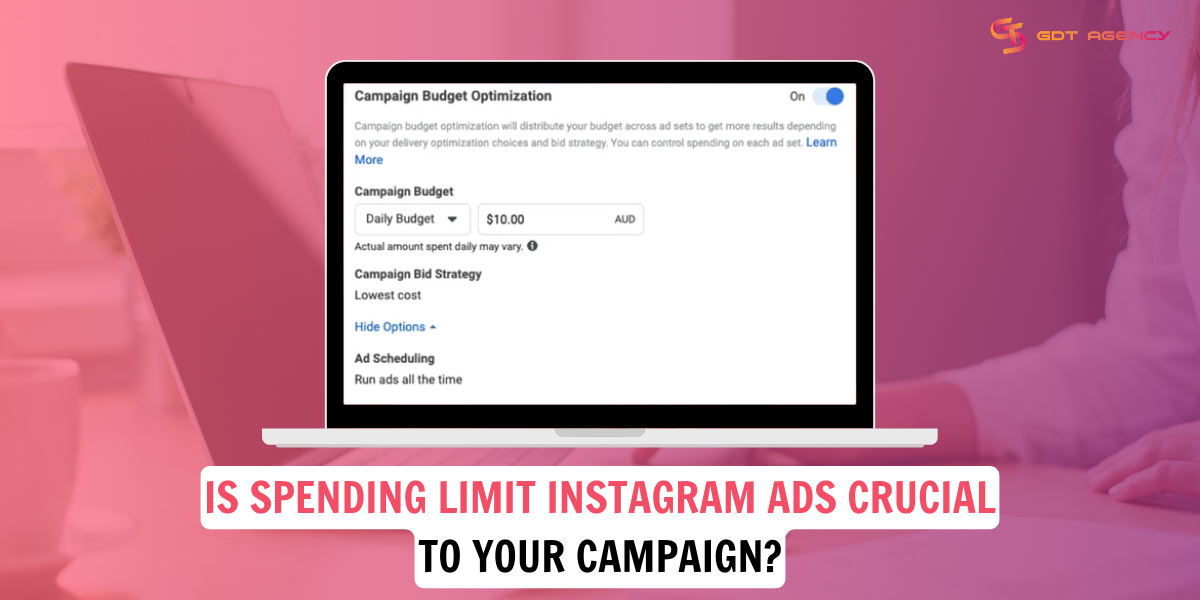
Setting an ad spending limit on Instagram is essential for maintaining effective budget management. Here are some key benefits:
- Prevent Overspending: Spending limits ensure you never exceed your allocated advertising budget, providing peace of mind.
- Better Budget Management: By setting a clear cap, you can allocate resources more strategically across different campaigns.
- Avoid Unexpected Costs: Limits safeguard against unforeseen spikes in spending, especially when running multiple or overlapping campaigns.
These measures are integral to maintaining a healthy return on investment (ROI) and ensuring that your ad strategy remains effective and sustainable.
How To Set And Adjust Ad Spending Limit On Instagram?
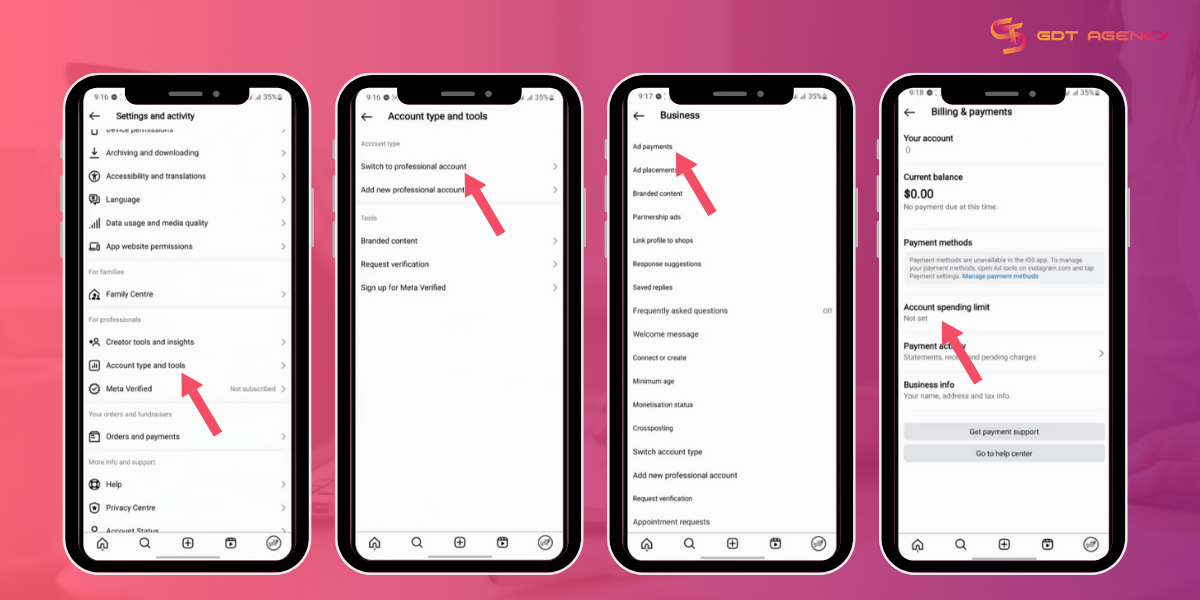
Adjusting your Instagram ad spending limit is straightforward. The good news is that you can do it in 2 ways. Follow these detailed steps to get started.
Change the Instagram ad spending limit through Meta Ads Manager
Here is how you can adjust the ad spending limit on Instagram within Meta Ads Manager.
- Access Ads Manager
- Open the Instagram app or go to the Facebook Ads Manager linked to your Instagram account.
- Log in.
- Navigate to the menu
- Select the Billing or Payment Settings.
- Set an Initial Spending Limit
- Click on the Account Spending Limit or Set Limit option.
- Enter the amount you want as your spending cap.
- Confirm.
- Adjust Limits as Needed
- To modify an existing limit, go back to the Billing section.
- Click on the Edit Spending Limit.
- Enter the new desired amount.
- Save the changes.
>>> See more:
- How to fix ad account disabled on Instagram?
- Why is my instagram ad disabled? What are the best fixes?
Change the spending limit for Instagram ads on the Instagram app
You can directly manage the Instagram spending limit on Instagram. But firstly, you have to change your account to a Professional account.
Step 1: Switch to a Professional account
- Tap the hamburger menu at the top right corner
- Tap Account type and tools.
- Tap Switch to professional account => Next
Step 2: Set or change the spending limit
You can directly set, change, or even reset your ad spending limit in the Instagram app. These steps are identical for iPhone and Android devices.
Note: These screenshots were taken on an iPhone.
1. Access Settings and Privacy

- From your profile page on the Instagram app, hit the three-line icon on the top right to open the Menu.
- Tap Settings and Privacy.
2. Hit Payment Methods
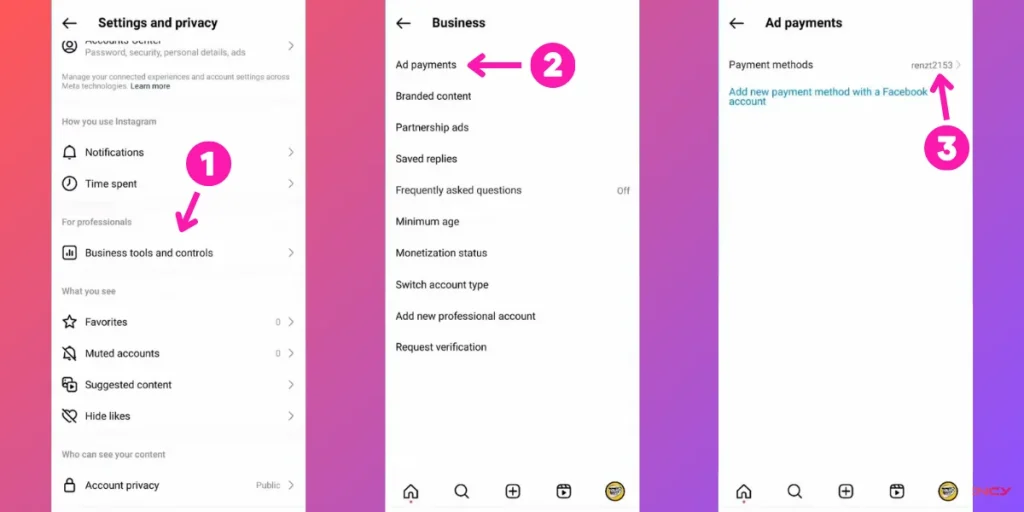
- Under the For Professionals section, tap Business Tools and Controls.
- Tap Ad payment.
- Hit Payment Methods to open your account’s Billing & Payments settings.
3. Adjust ad spending limit
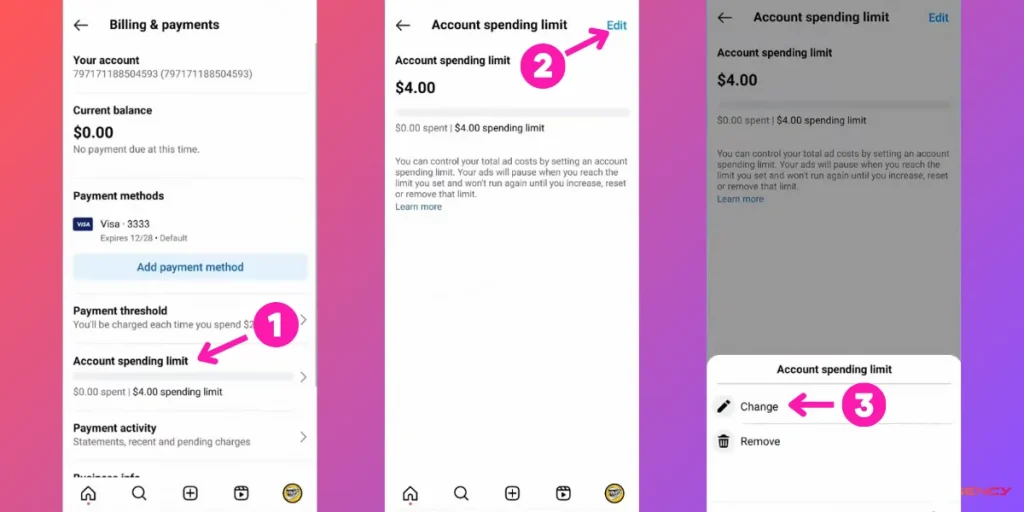
- On the Billing & Payments page, hit Account Spending Limit.
- Hit Edit at the top right corner.
- Select Change. Now you can adjust your ad spending limit according to your needs.
4. Enter the new spending limit
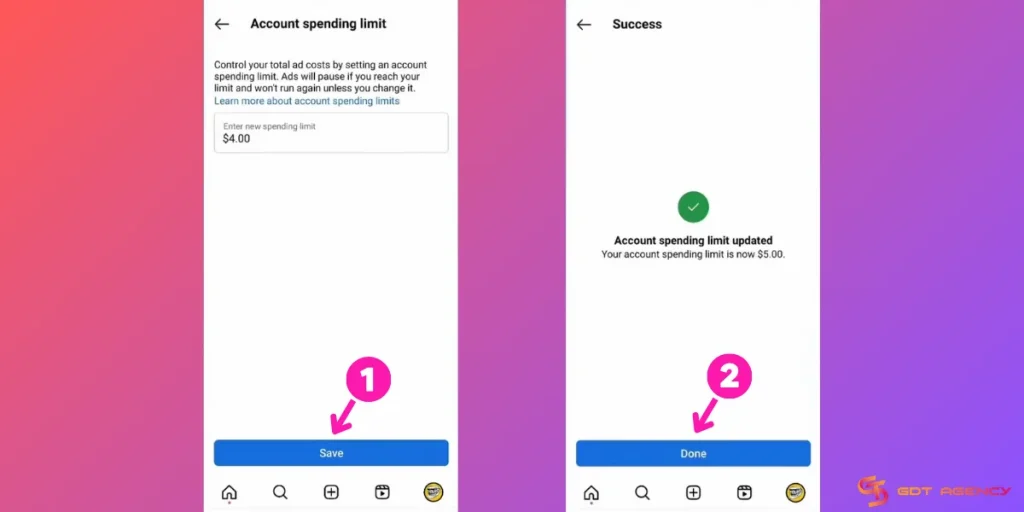
- Enter your desired ad spending limit for the account.
- Hit Save to confirm the change.
- Hit Done to finish.
Note: If you want to remove your ad spending limit on Instagram, select Remove instead of Change in Step 3.
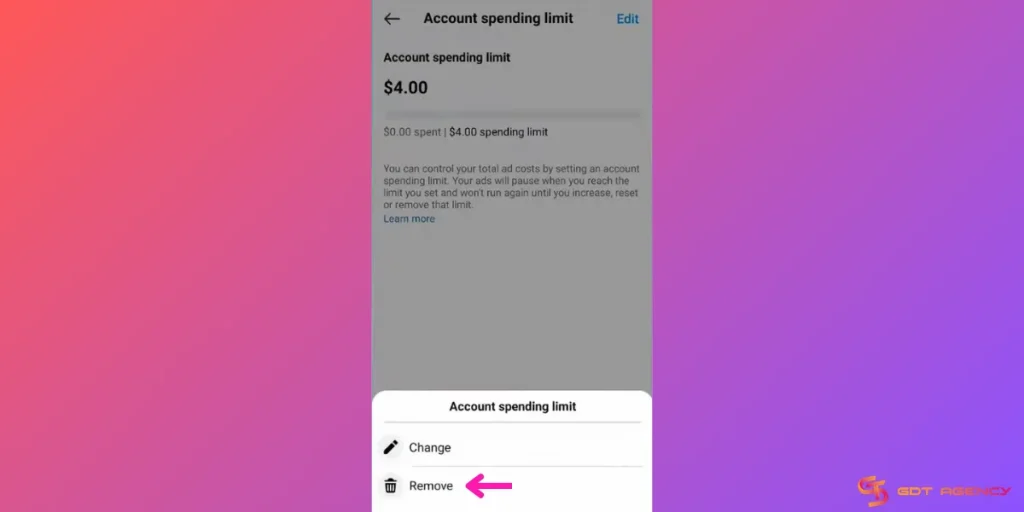
By following these steps, you’ll maintain full control over your ad expenses while allowing for flexibility as your campaign objectives evolve.
To get more tips on Instagram Ads, you can read our Meta Ads articles.
Common Issues With Ad Spending Limit on Instagram
Managing your spending limit on Instagram ads can sometimes come with challenges. This part can help you avoid disruptions in your campaigns.
You’re over the spending limit set in Ads Manager for Instagram
This error occurs when your campaign’s expenses exceed the predefined spending cap. Instagram typically sends this notification via email or an in-app alert in Ads Manager, ensuring advertisers are immediately informed about the issue.
So, how to address this Instagram ad spending limit issue?
1. Review Your Current Limit: Check the spending cap set in your Ads Manager.
2. Pause Campaigns Temporarily: Stop running ads that are causing the overage.
3. Increase Your Spending Limit: Adjust the limit to accommodate higher costs if necessary. Here is how to increase the Instagram ad spending limit in Meta Ads Manager:
- Step 1: In Meta Ads Manager, click Billing & Payments on the left side.
- Step 2: Select Payment Settings, then scroll down to the Account Spending Limit section.
- Step 3: Click the (…) icon next to it, then select Change.

- Step 4: Enter the new ad spending limit for the account.

- Step 5: Click Save, then click Done.
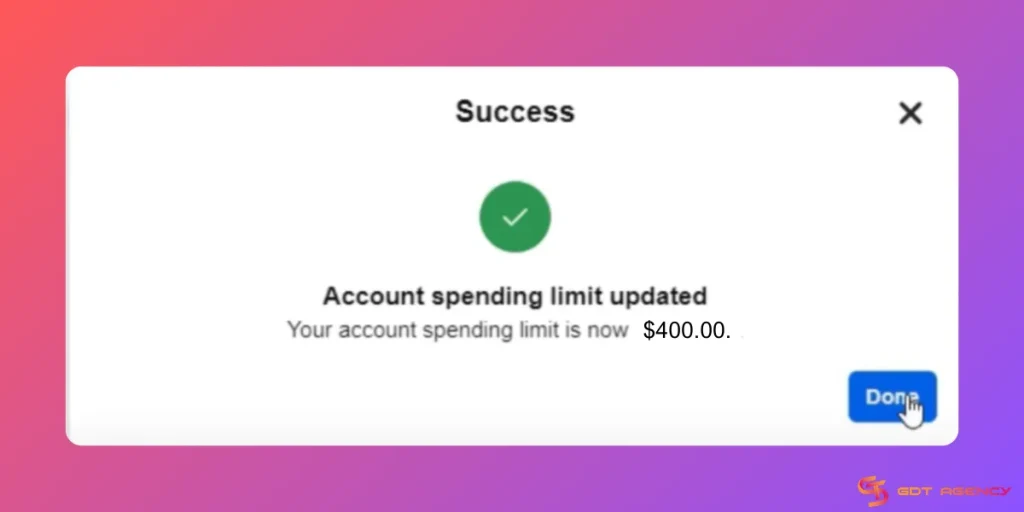
After you update the new ad spending limit to the account, it will take about 15 minutes for the change to become active.
Instagram ad limit reached
The Instagram ad limit reached issue typically arises when your account hits the maximum threshold allowed for ad spend. When this happens, your active campaigns may stop running until the issue is resolved, potentially impacting your marketing momentum and audience engagement.
Instagram notifies you through in-app alerts in Ads Manager or email, ensuring prompt awareness of the issue.
Here’s how you can fix it:
- Analyze Campaign Performance: Identify high-cost, low-performing ads and pause them.
- Reallocate Budgets: Shift funds to higher-performing campaigns.
- Contact Support: If the limit persists, reach out to Instagram Support for assistance.
Conclusion
Managing your Instagram ad spending limit is fundamental for all campaigns. By implementing them effectively, you can prevent overspending and achieve better ROI.
Remember, proactive budget management is key to sustainable advertising success. If you found this guide helpful, feel free to return for more insights on Instagram ad management and other digital marketing strategies. If you have encountered any problems related to Instagram Ad, feel free to contact us. GDT Agency embodies Global Platforms, Local Support, and Instant Growth by pairing worldwide advertising reach with dedicated regional assistance. Our advertising ad account access means you can advertise on Facebook, Google, and TikTok globally, while enjoying responsive, local customer care.

Follow if you find it useful


You can contact us, with our experience in successfully deploying thousands of conversion advertising campaigns, GDT Agency confidently believes we can help you optimize effectiveness and maximize cost savings with advertising operations.