Facebook Personal Ad Account: Complete Guide for Beginners In 2026

icon
icon
Author Henry Duy
icon
15m reading

A Facebook personal ad account is a basic advertising account that Meta Platforms automatically creates for every personal profile. This account type is designed for individuals to run simple ads or boost posts without setting up a formal business structure. A Facebook personal ad account allows advertisers to create campaigns, manage budgets, and track performance. Many beginners start here before moving to Business Manager. In this complete beginner’s guide, we will break down everything that you need to know about a Facebook personal ad account in 2026.
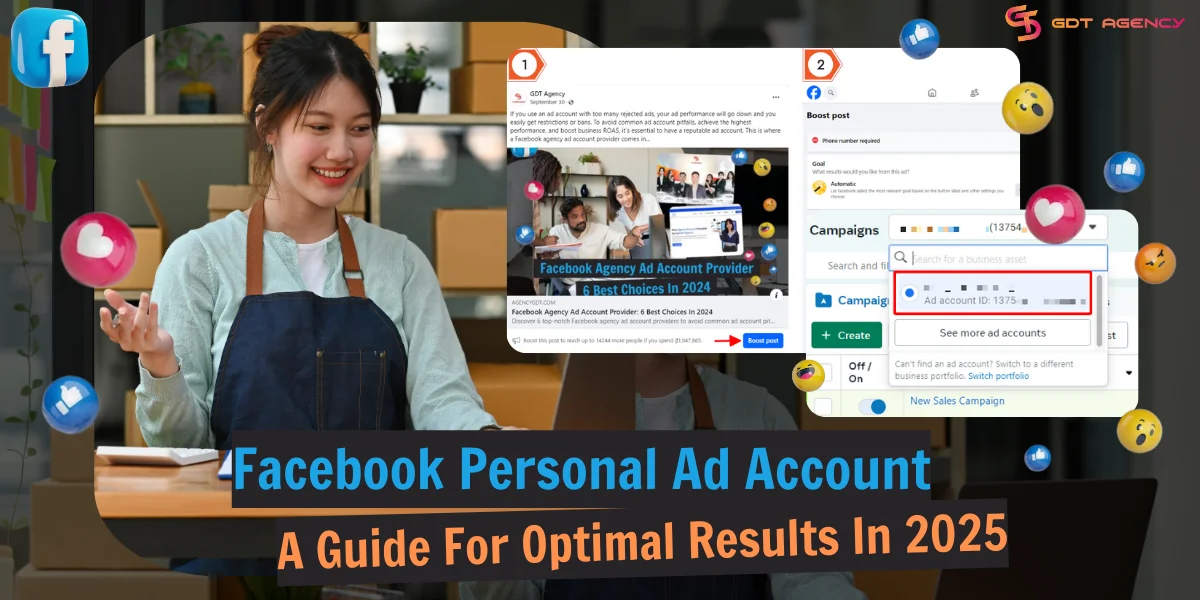
Mastering Facebook Personal Ad Account: A Guide For Optimal Results In 2025

What Is A Facebook Personal Ad Account?

What is a personal ad account on Facebook? The name says it all. A Facebook personal ad account is the default advertising account that is automatically assigned to every individual who has a personal Facebook profile.

Even if you have never run an ad, you technically already have one. It’s connected directly to your personal identity rather than a specific business entity, which makes it easy to start advertising right away.

How a Facebook Personal Ad Account Works?

A personal ad account works as a direct extension of your Facebook profile. This type of account is the first step for anyone who wants to run ads on Meta. You access it through your account without needing extra setup steps like creating a Business Manager.

With a Facebook personal ad account, an individual can:

  • Create, edit, and manage ad campaigns
  • Pay for ads, see insights and analytics,
  • Set budgets and track basic performance metrics inside Facebook Ads Manager.

However, the features remain limited compared to business-level accounts. The system is designed for simplicity. You choose a post, click “Boost,” set your audience and budget, and publish the ad within minutes.
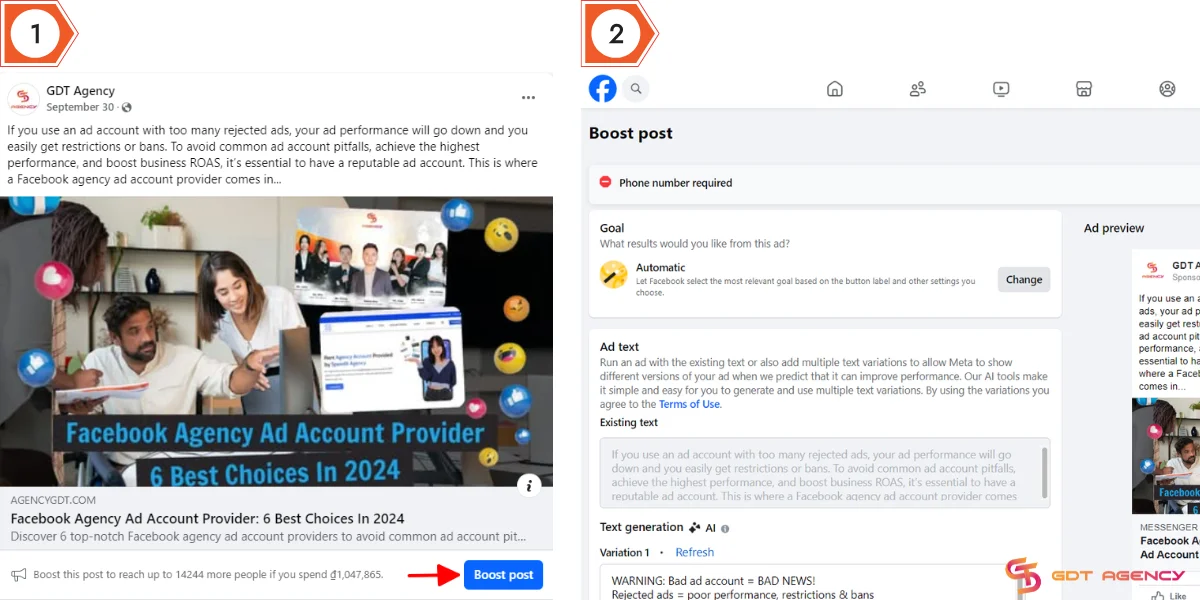
How to boost posts
How to boost posts

A Facebook personal ad account includes different campaigns, ad sets, ads, and billing information, grouping all advertising activities.

Facebook Personal Ad Account: Advantages and Limitations

Many advertisers wondered whether Facebook personal ad accounts were the right choice for them. To help you answer this question, let’s explore the benefits and limitations of this account type:

Advantages of Personal Ad Account:

A Facebook personal ad account offers a simple and fast way to start advertising on Meta Platforms. It removes the need for complex setup and lets users launch campaigns directly from their personal profile. Below are the advantages of this account type:

1. Easy Setup:

A personal ad account starts working as soon as your profile is active on Meta Platforms. You do not need technical knowledge, submit documents for business verification, or configure a complex structure.

The platform gives you instant access once your profile is active. You can go from zero to running ads in just a few clicks, which saves time and removes friction for beginners.

2. Direct Post Boosting:

You can promote any posts to an ad directly from your timeline. This means you do not need to build a campaign from scratch inside Facebook Ads Manager. You simply choose a post, set a budget, pick an audience, and publish.
This feature works well for beginners who want quick visibility or to test which content performs best.

3. Basic Targeting Options:

With a Facebook personal ad account, you can select audience factors like location, age, gender, and interests without dealing with complex settings.

The options are simple but still effective when it helps you launch campaigns faster and reduce the chance of setup mistakes, especially if you are new to advertising.

4. Built-in Payment Method:

A Facebook personal ad account connects directly to your personal payment method. You can add a credit card or debit card directly to the account and start running ads immediately.

You do not need to manage billing systems, invoicing, or multiple payment layers, which makes the process smooth and easy to control.

Limitations of Personal Ad Account

While it is the easiest way to start marketing on Meta, you can think about it like you are fishing. You have full control of everything from every piece of data, every audience insight, but you’re also responsible for everything that goes wrong.

I still remember those first days in my Facebook ads journey in 2020, working with my personal ad account. Though I have the ability to control every pixel, every dollar to every target option, I still have to deal with strict spending limits and a higher risk of being flagged during scale-up.

1. Limited Spending Capacity:

In 2026, Meta doesn’t trust the new ad account right away. Therefore, you often face lower spending limits compared to agency or business accounts.

In our experience managing various account tiers, we’ve found that new personal accounts are almost always restricted by a Daily Spending Limit that starts as low as $20 to $50. To scale safely, you must follow a strict “warming” phase: consistent, low-level spending for at least 4 – 6 weeks before the system trusts your payment reliability.

If you try to bypass this and jump too quickly, the AI-driven risk models will likely disable the account with very little chance of a successful appeal.

2. Higher Risk of Disablement:

The ad account connects directly to your personal profile. If your ads violate policies or trigger unusual activity signals, Meta Platforms can restrict or disable the account.
In some cases, this action can also affect your personal profile, which creates a bigger risk compared to business accounts.

3. Lack of Advanced Tools:

You miss access to features like detailed analytics, pixel management at scale, no catalog management or advanced business reporting, and structured asset control inside Meta Business Manager. This limitation makes it harder to optimize campaigns or manage multiple assets efficiently.

What’s Different Between Facebook Personal, Business, and Agency Ad Accounts?

Though all 3 types of ad accounts allow you to run ads on Facebook, there are huge differences in levels of protection, support, and scaling potential.

To help you understand these three options better, I’ve put them side-by-side in a comparison chart to identify the right ‘tier’ for your 2026 marketing budget:

Feature Personal Ad Account Business Manager (BM) Agency Ad Account
Ownership Linked to your personal profile. Owned by your business entity. Provided by a Meta Partner.
Creations Created manually via personal Facebook profile. Created within the Business settings dashboard. Pre-established and assigned by the Agency.
Daily Spend Limit Low (usually $50 – $250). Moderate (starts low, grows with history). Unlimited / High Limit from day one.
Account Limit Only 1 account allowed. Usually 1–5 (can increase up to 2500). Unlimited / Scalable as needed.
Access & Control Single user access only. Multi-user access with specific role assignments. Full campaign control for the client with Agency technical oversight.
Billing Direct payment via personal credit/debit card. Shared payment methods across the BM. Simplified billing via Agency (often via bank transfer or top-up).
Stability Level Very low (fragile). Moderate (depends on business verification). Highest (Whitelisted/Partner status).
Scalability Minimal. Restricted by strict daily limits. Possible, but requires a clean history to increase limits. Maximum, designed for rapid scaling and high-volume spend.
Support None (Automated only). Standard Ticket / Chat support. Priority Support + Human Dedicated Rep.

To better understand the real capabilities of a Facebook personal ad account, GDT Agency conducted a controlled test within the e-commerce sector. The team created 50 ad copies and worked with 100 advertisers, divided into two equal groups. One group used personal ad accounts, while the other used agency ad accounts.

Each ad copy was tested under the same conditions. One advertiser ran it through a personal ad account, while another ran it through an agency ad account. This setup ensured a fair comparison between the two account types.

After one month, the difference became clear. Advertisers using agency ad accounts were able to scale winning campaigns smoothly, reaching daily spending levels of up to $15,000 without any account bans. In contrast, advertisers using personal ad accounts faced repeated shutdowns when trying to scale, even at a much lower daily budget of $500.

Who Should Use Facebook Personal Ad Accounts?

Based on years of experience working with advertisers, we could say that choosing the right account type boils down to your specific risk tolerance, scale, your needs and goals. Based on the current landscape, you should start with a personal ad account if:

1. You Are a Beginner:

If you are a new advertiser who wants to make the acquaintance of Facebook ads, and want to cut off the learning curve and get running ads asap, you should start with a personal ad account.

Once you have gained enough experience, you can upgrade to a higher Facebook ad account tier as a BM account or an Agency ad account, with more complex features.

2. You are a Solopreneur/Small Business/Freelancer:

Facebook personal ad accounts fit individuals using Facebook ads for personal projects that don’t require large scalability or small-scale ventures, and small-sized businesses requiring only fundamental features.

Therefore, if you are a solopreneur or local shop with a budget under $500/month, and you only need to run basic “boosted” content or simple message ads, you should stay with a personal ad account.

3. Who Is Not Suitable Facebook Personal Ad Account?

If you need advanced features to run ads or you plan to scale your campaigns, then personal ad accounts might not be the best choice. Also, they don’t have many features to support team collaboration and brand security.

Besides, if your personal profile is flagged for a non-ad reason, your entire business presence also disappears.

Personal Facebook Ad Account Disabled

Therefore, if you are in a high-risk niche (health, finance, or supplements) or plan to spend from $200 – $500/day, transitioning to a BM account is a move we highly recommend, especially for anyone looking to build a brand that lasts beyond 2026.

If you want to scale your ads without hitting daily spending caps or worrying about sudden account shutdowns, switching to a Facebook agency ad account is obviously the best move in 2026.

Ready to take the freedom to run high-volume campaigns with much higher stability and support? If yes, explore Agency-tier solutions for high-volume advertisers to bypass personal account limitations.

cashback facebook agency account

How To Create A Facebook Personal Ad Account In 2026?

As I mentioned at the beginning, when you sign up for Facebook and create a Facebook account, Facebook automatically assigns a personal ad account to your profile, even if you don’t use it.

You can see your personal ad account by logging in to your personal Facebook account and accessing Ads Manager directly from your home page.

Facebook personal ad account login

From the Ads Manager, you can view your Facebook personal ad account identification (ID number) in the account dropdown menu in Ads Manager or your browser’s address bar in Ads Manager.

Facebook personal ad account number

How To Set Up A Facebook Personal Ad Account in 2026?

Setting up your Facebook personal ad account is crucial before you start advertising on Facebook.

Adding Payment Method

Step 1: From the Ads Manager dashboard, select Billing and Payments.

Billing and Payments

Step 2: Click Get Started.

Get Started
Get Started

Step 3: Add payment information.

Payment information
Payment information

You need to select the Business location and currency.

Then, fill out your Business and tax info (optional).

Finally, add a valid payment method and input your payment details.

Adding People to a Facebook Personal Ad Account

You can add a friend on Facebook to your personal ad account and assign roles for them as an admin, advertiser, or analyst.

Follow these simple steps:

Step 1: From Ads Manager, select All tools, then open Ad account settings.

Ad account settings
Ad account settings

Step 2: Under Ad account roles, Click Add people.

Add people
Add people

Step 3: Enter the Facebook name of the person you want to add and set a suitable role.

Set a role
Set a role

Depending on the role, they can view ads and reports, help you create and manage ads, edit payment methods, and manage permissions to your ad account.

how-to-set-up-a-facebook-ad-account
Facebook ad account roles comparison

Please note that there are limits to the number of people who can use a Facebook personal ad account and the number of ad accounts that one individual can use.

  • A Facebook personal ad account can have up to 25 associated admins, advertisers, or analysts.
  • You can manage up to 25 ad accounts.

Expert Tips To Run Effective Ads With A Facebook Personal Ad Account In 2025

As someone who has worked with digital advertising for years, I understand that knowing the process of how to run ads is not enough to succeed in Facebook advertising. Here are some useful tips from GDT Agency for optimal ad results that I often advise advertisers:

Research your competitors

Before you commit a single dollar to a campaign, you need to understand the digital landscape you are entering. In our experience, the most successful advertisers don’t just “look” at competitors – they analyze the gaps those competitors are leaving behind

We recommend using the Meta Ad Library to observe real-time data on what your rivals are running. Don’t just copy their style. Instead, look for:

  • Offer structures: Are they focusing on discounts or value-added bundles?
  • Creative fatigue: How long have their ads been active? Ads that have been running for months usually indicate a high-performing “winning” creative that you can learn from.
  • The “Why”: Identify if their goal is immediate conversion or long-term brand awareness. Your strategy should solve a problem that your competitors are currently ignoring.

Defining Your Audience in the AI Era

In 2026, targeting has shifted from manual “interest picking” to “algorithmic signaling.” To make this work, you must define your audience’s pain points with extreme clarity.

Thoroughly analyzing your customers’ characteristics (such as their daily challenges and specific needs) does more than just fill out your ad settings. It dictates your creative direction.

We’ve found that when you speak directly to a specific struggle (e.g., “stop wasting time on manual data entry” vs. “we have great software”), Meta’s AI identifies your ideal customer much faster.

This reduces your initial “learning phase” costs and stabilizes your CPA (Cost Per Acquisition) earlier in the campaign.

Engineering High-Utility Ad Creatives

A high-quality ad creative is more than just a “pretty” image; it is a bridge between a user’s problem and your solution. From a search quality perspective, your content must be helpful and relevant to the user’s intent.

  • Visual Quality: Use high-resolution, original assets. Stock photos often feel impersonal and can lower the “Trustworthiness” score of your brand.
  • Contextual Messaging: Tailor the tone to the specific relationship. For instance, an ad for a corporate gift should focus on “professional appreciation,” while an ad for a personal gift should lean into “emotional connection.”
  • The “Action” Factor: Your Call to Action (CTA) must be clear and low-friction. In our testing, we noticed that ads with a “Learn More” button often lead to higher-quality traffic than “Shop Now” for products that require a bit of education before a purchase.

By focusing on these expert-level details, you move from just “running ads” to “engineering results” that Meta’s 2026 algorithm is designed to reward.

Use A/B Testing

Use A/B Testing
Use A/B Testing.

A/B Testing is one of the functions you should never ignore, as it can help you test different ad creatives, target audiences, or budgets to see what delivers the best result. From that, you can scale high-performing ads and stop low-performing ones.

The “Meta Verified” Advantage & Identity Mandates

One of the most important updates for 2026 is the role of identity verification. We’ve found that subscribing to Meta Verified ($14.99/month) is no longer just for a blue checkmark, but it’s a “safety pass” for personal advertisers.

Facebook-personal-ad-account
Meta verify

Our data from the internal report shows that verified personal accounts experience 30% faster ad approval times and are significantly less likely to be flagged for “unusual activity” when logging in from different locations.

Furthermore, if you are running ads in the EU or Brazil, you must now navigate specific consent frameworks (like the Digital Marketing Act).

We recommend always ensuring your Facebook profile name matches your government ID exactly, and turn on 2FA. In our experience, even a small nickname discrepancy can cause permanent account bans during the 2026 identity sweeps.

Conclusion

I hope that this complete beginner’s guide on Facebook personal ad account can help you have a comprehensive look at this Facebook ad account tier. Don’t forget to apply our tips to craft effective campaigns, optimize your ads, and see your sales soar.

For businesses that want to run ads with fewer limitations and risks, switching to a Facebook agency account gonna be a wiser choice. If you have any questions or need more information, don’t hesitate to contact us. Our expert team is always ready to support you.

  • Herry Duy

    Henry Duy - CEO and Founder of GDT Agency, is a digital advertising specialist with years of hands-on experience managing and optimizing Facebook Ads campaigns in the Philippines, Vietnam, and the international market. His work focuses on lead strategy development and running structured testing, and he trains the internal team on best practices. He often shares practical insights, step-by-step guides, and case-based lessons to help advertisers understand how Meta Ads really works and how to apply it effectively to make advertising knowledge simple, actionable, and grounded in real-world experience.


Contact
x