


- Spoof browser fingerprinting: Facebook tracks Canvas, WebGL, AudioContext, and system fonts. Spoofing these parameters isolates each profile and prevents associated bans.
- Avoid cheap datacenter proxies: Only use mobile or residential proxies to match your IP location with the geographic location of your Facebook account.
- Sandbox session data: Keep cookies, local storage, and history completely isolated between profiles to prevent cross-contamination.
- Collect cookies before logging in: Use the cookie robot feature to build browsing history and mimic a natural human user before opening Facebook.
- Stabilize with premium accounts: While anti-detect browsers protect your hardware fingerprint, you must combine them with a premium rent Facebook ads account service to safely scale high budgets without trigger-happy bot restrictions.
How to Use Anti-detect Browser to Stop Facebook Account Bans in 2026

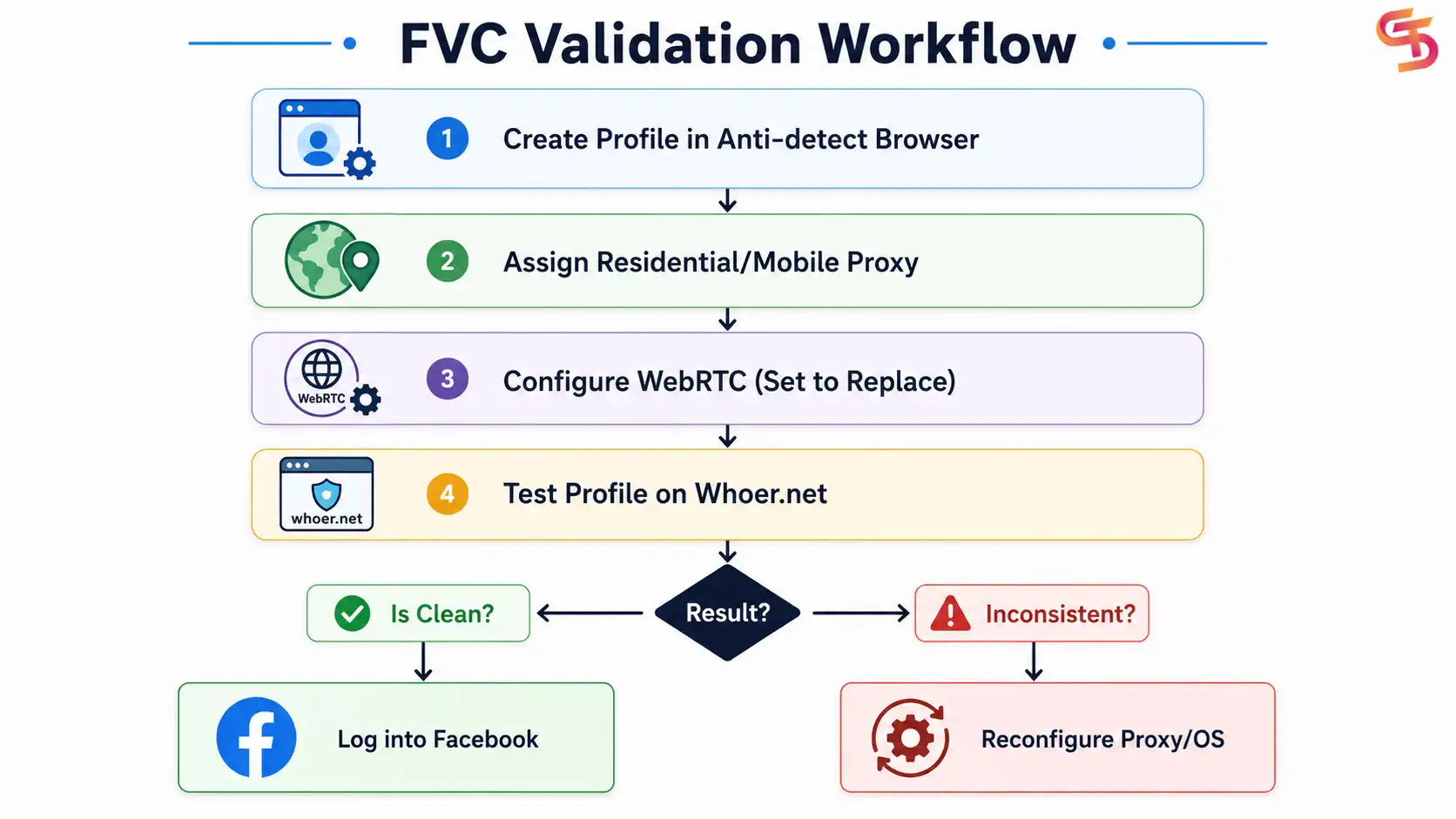
Step 1: Create a Profile and Match the User-Agent
Download a trusted anti-detect browser like MoreLogin or PhoneGrid. Click “Create Profile.” Ensure that your profile’s User-Agent matches the operating system of your physical machine.

If you are running Windows, configure your virtual profiles to use Windows User-Agents. Mixing a macOS User-Agent with Windows hardware APIs can trigger browser inconsistency flags in Facebook’s AI.
Step 2: Assign a Dedicated Proxy
Under the proxy settings, input your proxy credentials. We recommend using high-quality residential or mobile proxies. Do not use cheap datacenter proxies. Check that the proxy’s location matches the country of the Facebook profile you intend to use.

Step 3: Configure WebRTC and Geo-location
Step 4: Validate Your Fingerprint Setup
- Your IP and DNS locations match perfectly.
- Your WebRTC leak reveals your proxy IP, not your local IP.
- The fingerprint test displays a green “Clean” or “Consistent” status.
How Anti-detect Browsers Work to Stop Facebook Account Bans
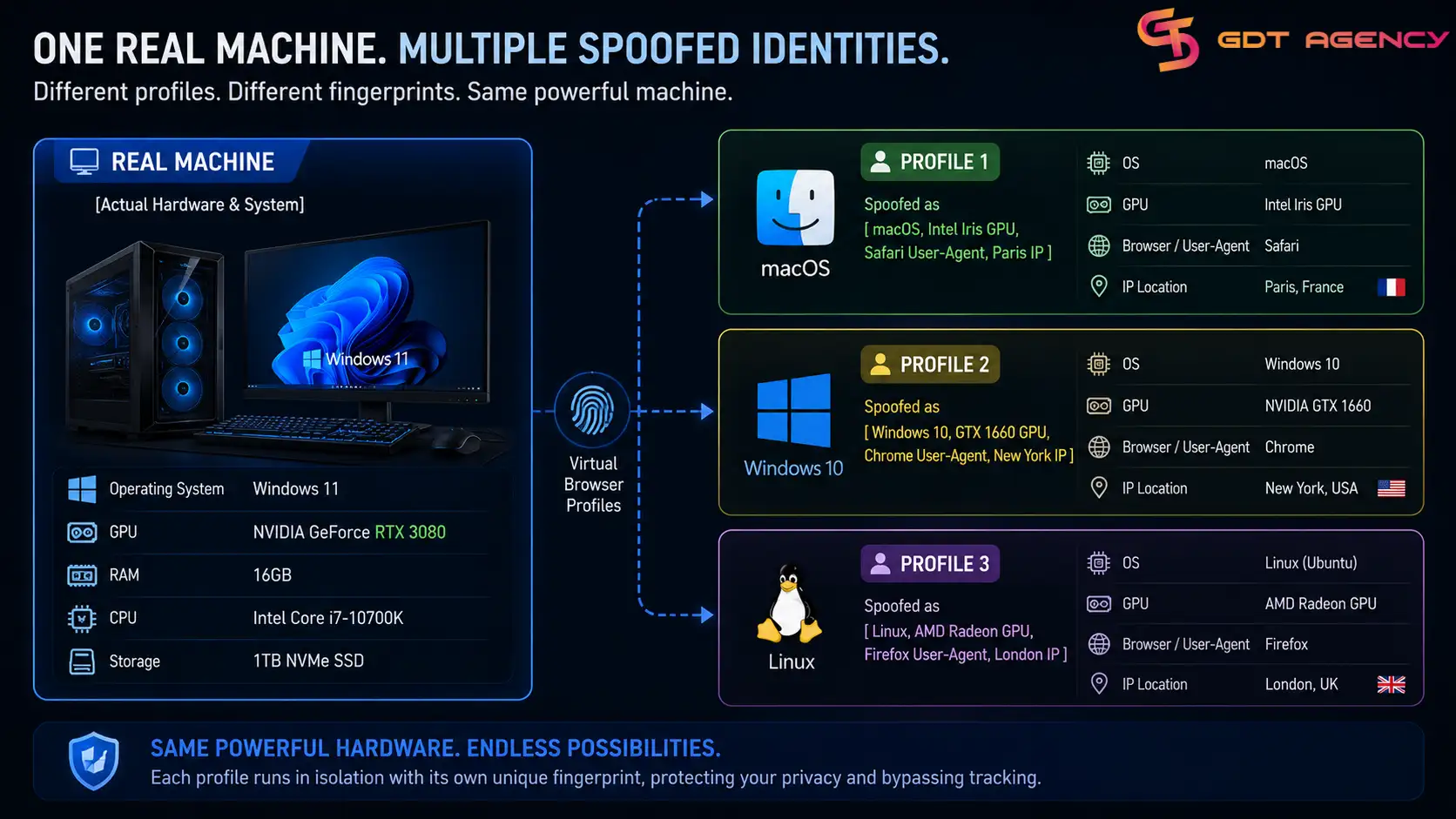
To Facebook, these 3 profiles look like 3 entirely different computers operating in different cities. The cookies, local storage, and cache for each profile are kept in completely isolated sandboxes. There is zero data leakage between profiles, meaning an issue on one profile will never contaminate the others.
Top 5 Reliable Anti-detect Browsers You Should Try
1. MoreLogin

What makes MoreLogin stand out is its built-in Cloud Phone feature. Besides browser-based account management, users can run cloud-based Android environments for mobile logins, app workflows, account warm-up, testing, and mobile-side operations. This gives MoreLogin an advantage over many traditional anti-detect browsers that only focus on desktop profiles.
| Pros: | Cons: |
|
|
Best for: Agencies, affiliate marketers, and businesses managing multiple accounts.
2. Phonegrid
PhoneGrid is a cloud phone platform for teams that need scalable Android environments without buying or maintaining physical devices. For Facebook advertisers, it can be useful when workflows involve mobile-side account checks, app logins, ad testing, verification tasks, or Android-based operations.
Instead of running local emulators on a computer, PhoneGrid lets users access cloud-based Android phones from one dashboard, keep sessions available remotely, and manage mobile workflows in a cleaner way.
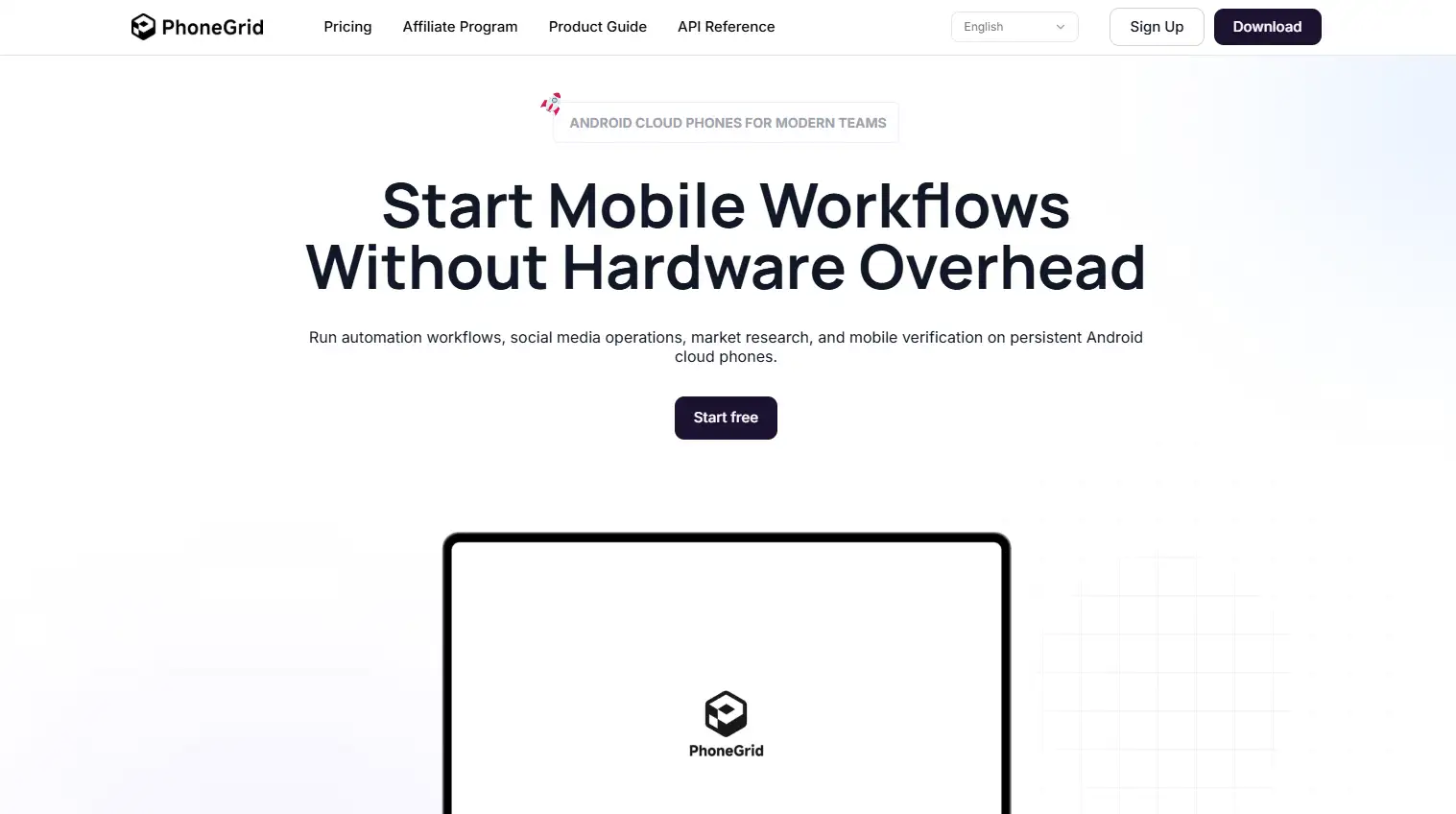
Its main advantage is that it focuses directly on cloud phone infrastructure. This makes PhoneGrid suitable for teams that need mobile environments at scale, especially when they want to reduce hardware costs, avoid maintaining multiple physical phones, and manage Android workflows remotely.
| Pros: | Cons: |
|
|
3. Adspower

It offers advanced browser fingerprint customization, proxy management, team permission controls, and automation tools. Its extensive feature set makes it a popular choice for businesses operating at scale.
| Pros: | Cons: |
|
|
4. Dolphin Anty

The browser enables users to create separate browser environments, integrate proxies, and automate repetitive tasks. Its balance of usability and performance makes it suitable for both beginners and experienced users.
| Pros: | Cons: |
|
|
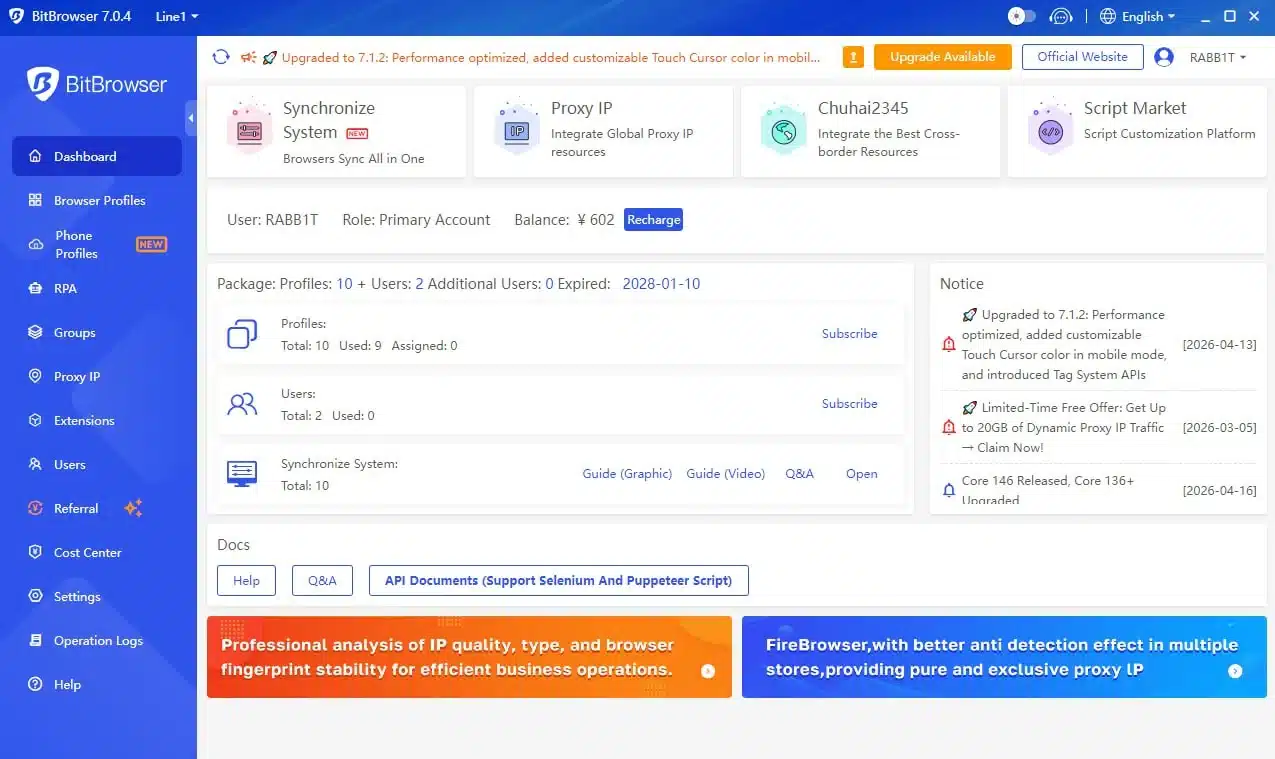
5. Bitbrowser
| Pros: | Cons: |
|
|
Best Practices: Proxies, Cookies, and Account Warming
The Importance of Residential and Mobile Proxies
- Residential Proxies: These route your traffic through residential home internet connections, making them highly trusted.
- Mobile Proxies (4G/5G): These are the gold standard. Because hundreds of real mobile users share the same cellular IP pool daily, Facebook cannot easily ban a mobile IP range without affecting legitimate users.
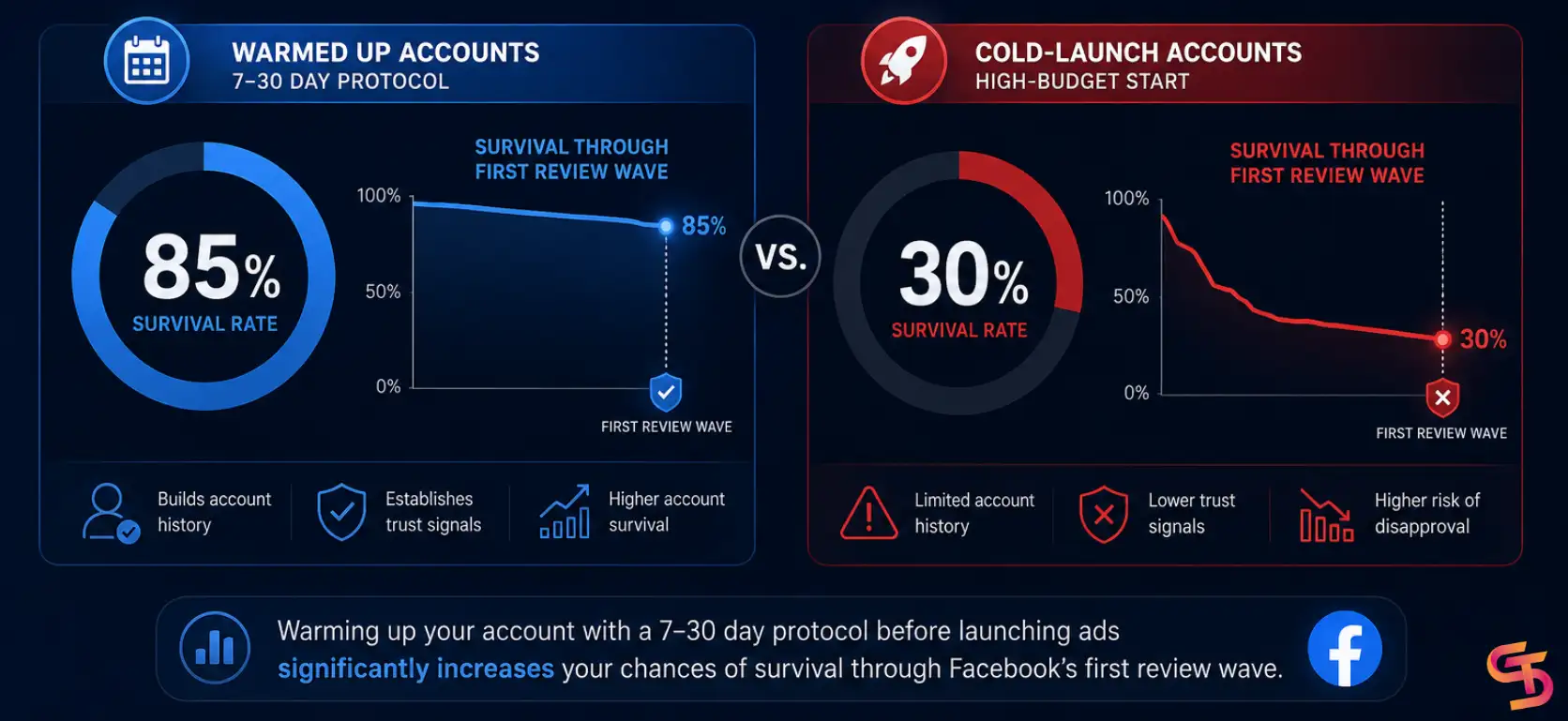
The Cookie Robot and Profile Warming
The Ultimate Upgrade: Premium Facebook Agency Accounts
The Limits of Self-Managed Accounts
- Strict daily spending limits (often starting at $50/day).
- Aggressive automated compliance sweeps that trigger bans for minor issues.
- Days or weeks of waiting for automated Meta support responses when a ban occurs.
Why Combine Anti-detect Browsers with GDT Agency Accounts?
- Unlimited Daily Spend: Scale your winning campaigns from $100/day to $10,000/day instantly without triggering automated compliance flags.
- High-Trust Meta Status: Agency accounts are pre-vetted and whitelisted by Meta partners, meaning your ads skip the harshest automated filters and benefit from stable CPMs.
- Direct Agency Support: If a compliance issue arises, GDT Agency handles the appeal directly with Meta representatives, resolving restrictions in hours rather than weeks.