
Top 8 Anti-detect Browsers for Multi-Ad Accounts Management


Agencies need anti-detect browsers to manage multiple ad accounts safely, and the 8 best anti-detect browsers right now are MoreLogin, AdsPower, Dolphin Anty, Incogniton, Octo Browser, Kameleo, Multilogin, and GoLogin. Each tool creates a separate, isolated browser profile with its own fingerprint, so ad platforms see each account as a different device and user. This matters because Meta, Google, and TikTok watch for shared devices, shared IPs, and shared payment methods, and they restrict accounts the moment they spot a pattern that looks like multi-account activity.
Ad platforms detect multi-account activity through a handful of specific signals. They flag the same device running several Business Managers, the same card funding several accounts, the same IP address logging into unrelated accounts, and login behavior that shifts too fast between accounts. Any one of these signals can trigger a risk score high enough to freeze an account, even when the agency running it has a legitimate contract with every client.
Anti-detect browsers work by giving each account its own digital identity. A profile can look like a Windows laptop in Texas while another profile looks like a MacBook in California, and neither profile shares cookies, cache, or fingerprint data with the other. Paired with a dedicated proxy, the setup lets an agency run dozens of accounts from one workstation without tying them together in the eyes of a detection system.
Below, I compare the top 8 anti-detect browsers based on hands-on use and buyer feedback, then walk through how ad platforms detect multi-account activity and how these tools counter it. If you run a Facebook, Google, or TikTok ad account through an agency setup, this comparison will help you pick a browser that fits your team size and budget.
- Top 8 Anti-Detect Browsers for Multi-Ad Accounts Management
- 1. MoreLogin
- 2. AdsPower
- 3. Dolphin Anty
- 4. Incogniton
- 5. Octo Browser
- 6. Kameleo
- 7. Multilogin
- 8. GoLogin
- How Can Anti-Detect Browsers Help Agency Ad Accounts?
- How Do Ad Platforms Detect Multi-Account Activity?
- How Do Anti-Detect Browsers Help Advertisers?
- Final Thoughts
- FAQs
- Do anti-detect browsers violate Facebook, Google, or TikTok’s terms of service?
- How many ad accounts can one anti-detect browser handle?
- Do I need a separate proxy for every profile?
- Which anti-detect browser is best for a small team just getting started?
Top 8 Anti-Detect Browsers for Multi-Ad Accounts Management
8 anti-detect browsers stand out for multi-ad account management: AdsPower, MoreLogin, Dolphin Anty, Incogniton, Kameleo, Multilogin, GoLogin, and Octo Browser, ranked by fingerprint quality, ease of use, and price. Each one takes a different approach to isolating profiles, and the right pick depends on team size, technical comfort, and how many accounts you run at once.
Here is a closer look at each browser, based on hands-on testing and buyer reviews.
1. MoreLogin
MoreLogin lets a team build an unlimited number of browser profiles, and each one carries its own fingerprint, IP address, and device environment. New users pick it up fast because the backend stays simple: one click builds a new configuration, with no complex setup required, and it connects to most mainstream proxy services out of the box.
This combination of speed, simplicity, and price makes MoreLogin a common pick for agencies and solo marketers running ads, affiliate campaigns, or multi-account e-commerce stores.

Key features:
- Unlimited browser profiles with unique fingerprints
- Proxy integration across residential, datacenter, and mobile options
- Cloud sync so teams can share access
- Automation and API support for scaling campaigns
Pros:
- Strong balance of price and performance
- Fast setup for beginners
- Reliable across Facebook, TikTok, Google, and Amazon accounts
- Role-based permissions for teams
- Responsive customer support
Cons:
- Advanced features like RPA, API access, and team permissions take time to learn, even though basic use stays simple
Buyers who use MoreLogin regularly call out the smooth day-to-day experience, the bookmark import option, the fingerprint quality, and the clean interface. Some report friction during the payment process, though the team appears to keep refining that part of the product.
2. AdsPower
AdsPower gives each ad account its own clean browser profile, and it holds up well for agencies running hundreds of Facebook, Google, TikTok, or Alibaba accounts at once. Every profile runs in its own bubble, so no fingerprint or cookie data crosses over between accounts, which cuts down on bans and frees up time to run campaigns instead of fixing them.
AdsPower fits agencies that manage high account volume, run scripts against their profiles, or need bulk profile creation built into their workflow.

Key features:
- Multi-account browser profile creation
- Proxy integration built for social media management
- Automation support through a local API
- Strong fingerprint customization
- Team permission management
Pros:
- Reliable across most social media and ad platforms
- Works with most automation tools on the market
- Includes a multi-window synchronizer
- Solid proxy compatibility
- Scales well for larger teams
Cons:
- Advanced fingerprinting sits behind higher-tier plans
- The interface takes some getting used to
- New users face a real learning curve
Trustpilot reviewers rate AdsPower well overall, and most praise the product, the pricing, and the support team. A smaller group of reviewers report the app crashing when they open or create a new profile, and some call the setup process difficult.
3. Dolphin Anty
Dolphin Anty runs core anti-detect features through a lighter, faster interface than many competitors offer. Profiles launch quickly, fingerprinting runs in the background without slowing anything down, and switching between accounts feels close to instant.
The browser targets high-volume account operations, particularly Facebook ads, affiliate marketing, and agency workflows, and it trades some of the broader feature set other tools offer for raw speed and simplicity.
Key features:
- Advanced fingerprinting and environment simulation
- Fast profile switching on a lightweight Chromium engine
- Team roles, access control, and profile sharing
- Built-in automation and script support
- Cookie import and export, plus account warming tools
Pros:
- Fast and lightweight overall
- Very smooth day-to-day performance
- Simple profile creation
- Strong stability on Facebook and other ad platforms
- Affordable pricing
- Automation ready
Cons:
- Advanced features need time to configure well
- Fewer collaboration tools than larger platforms
- Limited management options for bigger teams
According to Trustpilot data, 72% of Dolphin Anty users report a good experience, with stable performance and profiles that hold up over time. The remaining 28% report account suspensions tied to forced updates that broke core functionality, and some users say the browser failed to protect them from Google’s detection systems.
4. Incogniton
Incogniton covers the essentials of multi-account isolation without piling on features a new user does not need. Each profile carries its own fingerprint, so it behaves like a distinct device to any platform checking for duplicates, and the built-in proxy marketplace removes the need to shop for proxies elsewhere.
Profile data stays encrypted in the cloud, so a team can pull up any profile from any location without exposing client data, which lets agencies, media buyers, and e-commerce teams scale without extra chaos.
Key features:
- Multi-profile isolation with unique fingerprint control
- Built-in proxy marketplace with easy assignment per profile
- Role-based team access
- Bulk profile creation, cookie import and export, fingerprint generator
- API support for Selenium and Puppeteer automation, with encrypted cloud sync
Pros:
- Clean interface that balances usability and depth
- Smooth integration with proxies and automation tools
- Reliable for standard multi-account use
- Affordable entry-level plans
Cons:
- Advanced features can overwhelm solo users
- Fewer advanced tools than top-tier competitors
Reviewers describe Incogniton as fast, effective, and well supported, particularly among teams in airdrop management, e-commerce, and X account creation.
5. Octo Browser
Octo Browser targets small businesses, startups, social media managers, and freelancers who want core anti-detect features without paying for tools built for enterprise scale. It lets a small team juggle profiles across social platforms, e-commerce stores, and ad accounts without extra overhead.
Key features:
- Proxy integration per profile
- Multi-profile management with isolated fingerprints
- Fingerprint spoofing based on real device data, with regular Chromium updates
- Proxy manager supporting HTTPS, SOCKS5, and SSH
- Profile templates and tagging for quick organization
- API access for automation and scripting
Pros:
- Simple, intuitive interface
- Affordable for small teams and solo operators
- Fingerprints pass most detection checks and mimic real devices well
- Stable performance with regular kernel updates
- Templates and tags make profile organization easy
Cons:
- No free trial
- Missing enterprise features like a built-in proxy marketplace or team roles
- Proxy purchases happen outside the platform
- Limited collaboration tools
Some Octo Browser users report frustration with the lack of a trial, slower support, and occasional crashes. Others highlight the high anonymity, one-click cookie import, profile cloning, and easy profile downloads as reasons they stick with it.
6. Kameleo
Kameleo gives technical users granular control over fingerprint and device emulation, which suits sellers and researchers who need precision over convenience. A profile can mimic a different operating system, device type, or screen size, which lets it blend in as a real user from almost any region.
Key features:
- Advanced fingerprint spoofing
- Mobile and desktop profile emulation
- Local and cloud profile support
- Strong anti-detect protection per profile
Pros:
- Strong fingerprint technology
- Mobile environment support
- High level of customization
- Well suited to QA, testing, and security research
- Built-in stealth mode
- Setup takes about five minutes
Cons:
- More technical to configure
- Not ideal for beginners
- Priced higher than simpler tools
Kameleo ranks below the top names in overall popularity, but its users value both the fingerprint quality and the customer service behind it. Some customers report slower support response or friction with the platform’s policies.
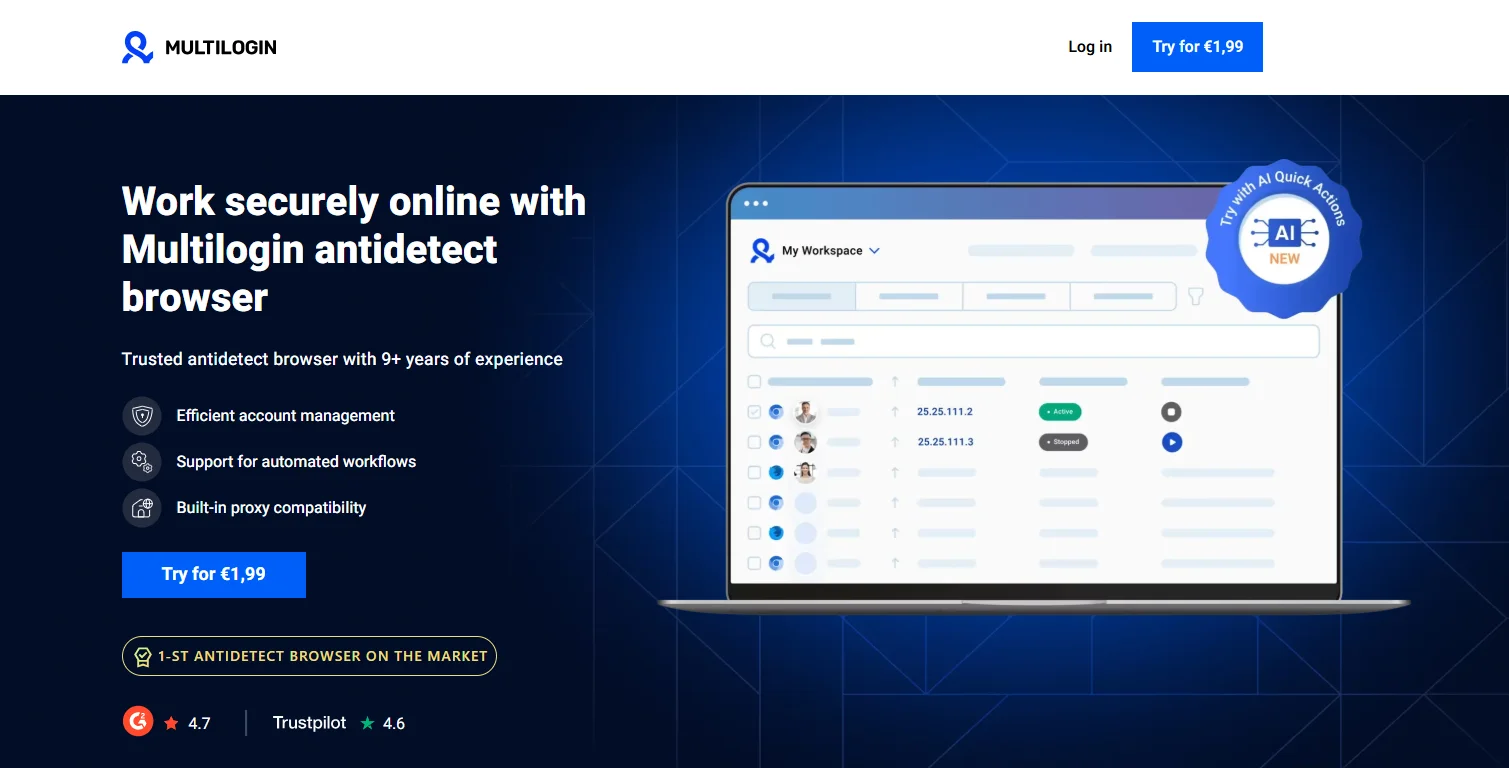
7. Multilogin
Multilogin holds one of the longest track records in the anti-detect browser space, and enterprises and large agencies lean on it for long-term account safety at scale. The platform pairs a wide feature set with premium residential proxies, aimed at sellers who need real automation and account protection across many profiles.
Key features:
- Industry-leading fingerprint masking
- Enterprise-grade security and compliance focus
- Large-scale automation support
- Multiple user roles and permissions
- Premium residential proxies
- Cloud-based team collaboration
Pros:
- Strong reputation in the industry
- Stable performance for high-budget buyers
- Solid support documentation
- Consistent fingerprint quality
- Strong team management tools
Cons:
- Priced higher than newer competitors
- Steeper learning curve for beginners
Trustpilot reviewers rate Multilogin well for stable profiles and reliable proxy service. A number of reviewers report frustration with support responses that stick to standard scripts instead of resolving harder technical issues.
8. GoLogin
GoLogin manages large batches of profiles, each with its own user agent, screen resolution, language setting, WebGL data, and canvas fingerprint. Teams can build, edit, and manage profiles through code instead of clicking through a dashboard, which suits teams that want reliability without extra complexity.
Key features:
- Multi-profile management with fingerprint customization
- API and automation support for hundreds of profiles
- Proxy integration for session control
- Cloud-based profile access
Pros:
- Simple to use
- Strong API support for programmatic control
- Scales well for teams managing many profiles
- Unified dashboard
- Built for team and VA management
- Competitive pricing
Cons:
- Limited advanced fingerprint control
- Not built for highly complex workflows
Buyers describe GoLogin as stable, reasonably priced, and easy to navigate. Some report slower customer support and delays around policy questions.
How Can Anti-Detect Browsers Help Agency Ad Accounts?
Anti-detect browsers help agency ad accounts by isolating each profile so ad platforms cannot link them to the same operator, which cuts down on bans, protects client relationships, and reduces billable hours lost to appeals. An agency managing several client accounts from one workstation runs into ban risk constantly, since Facebook, Google, and TikTok all track fingerprint patterns across their platforms.
To see why this matters, it helps to look at exactly how these platforms detect multi-account activity, then at how anti-detect browsers counter each signal.
How Do Ad Platforms Detect Multi-Account Activity?
As an expert at GDT Agency who spent more than 6 years working with Facebook ads and Facebook agency ad accounts, I understand that ad platforms detect multi-account activity through four main signals: shared devices, shared payment methods, shared IP addresses, and irregular login behavior. Facebook, Google Ads, and TikTok run detection systems aggressive enough to flag any of these patterns on their own.
Same device managing multiple accounts: Switching between 15 Business Managers from one laptop reads as a red flag to the platform, not just a convenience for the operator managing them. That single pattern can trigger a permanent restriction across every account tied to the device.
Shared payment methods: Using the same card across several accounts is one of the fastest ways to get flagged. Once one account tied to that card gets banned, the platform blacklists the card itself, which drags down every other account still using it.
- Same IP address: Twenty accounts logging in from the same IP, say 123.45.67.89, reads as an obvious pattern to any detection system built to catch multi-account activity.
- Login behavior: Rapid switching between accounts, logins from unusual locations, or sudden shifts in access patterns all feed into what Facebook calls a risk score. That score can trigger an automatic restriction regardless of whether the agency running the account holds a legitimate contract with the client.
How Do Anti-Detect Browsers Help Advertisers?
Anti-detect browsers help advertisers by giving each account its own isolated environment, complete with a distinct fingerprint, separate cookies, and its own proxy connection. This setup addresses each of the detection signals covered above, one at a time.
Unique fingerprints per profile: Rather than hiding a fingerprint, which itself can look suspicious, anti-detect browsers generate realistic fingerprints modeled on real devices. One profile can appear as a Windows 10 machine while another looks like a MacBook Pro, all from the same physical computer.
Separate cookie storage: Every profile keeps its own cookies, cache, and local storage, so no data crosses between accounts.
Proxy integration: Each profile can run through its own proxy, so an account tied to a client in Texas shows login activity from Texas, and an account tied to a client in California shows activity from California.
Session isolation: Unlike switching between browser profiles or separate browsers on the same connection, anti-detect browsers isolate sessions completely, so platforms cannot draw a line between profiles run from the same machine.
Taken together, these features turn anti-detect browsers into a legitimate operating tool for agencies managing several client accounts safely, not a workaround that skirts platform rules.
What Are the Real Benefits of Anti-Detect Browsers for Agency Operations?
Anti-detect browsers benefit agency operations in three concrete ways: they let teams scale account volume safely, they open up market research options, and they cut down on costly downtime.
Scale without fear: A single workstation can manage 50 or more client accounts without tripping platform security systems, provided the setup follows good fingerprint and proxy practices. Agencies running hundreds of accounts this way report far fewer bans than teams working without any isolation.
Testing and research: Profiles set to different geolocations let a team see how a competitor’s ads appear in another region, without touching the main accounts running live campaigns.
Reduced downtime: Every hour spent appealing a ban is an hour not spent on billable client work. Isolating accounts properly cuts down on these disruptions and keeps campaigns running without interruption.
Final Thoughts
Picking the right anti-detect browser is one of the most practical steps an agency can take to cut environment-related ban risk across multiple client accounts. AdsPower and MoreLogin work well for teams that want strong automation without a steep learning curve, Dolphin Anty and Octo Browser fit smaller teams that value speed and simplicity, and Multilogin and Kameleo suit agencies or technical users that need enterprise-grade fingerprint control. Match the tool to your account volume and technical comfort, and the ban risk that comes with managing multiple ad accounts drops significantly.
If you want a side-by-side comparison table with pricing, features, and recommended use cases for each browser, let us know. For any questions about agency ad account access, reach out to GDT and our team will help you find the right setup.
FAQs
Do anti-detect browsers violate Facebook, Google, or TikTok’s terms of service?
Anti-detect browsers themselves are legal tools built for legitimate multi-account management, though using them to violate a platform’s specific ad policies still carries the same risk as any other policy violation. Agencies with proper client contracts typically use these tools to manage accounts safely, not to break platform rules.
How many ad accounts can one anti-detect browser handle?
Most tools on this list support anywhere from dozens to thousands of profiles, depending on the plan. AdsPower, Incogniton, and GoLogin all scale well past 100 profiles, while Multilogin is built specifically for enterprise-level volume.
Do I need a separate proxy for every profile?
Yes, pairing each profile with its own proxy matters as much as the fingerprint itself. Without a dedicated proxy, several profiles can still share the same IP address, which defeats the purpose of isolating them in the first place.
Which anti-detect browser is best for a small team just getting started?
MoreLogin and Octo Browser both work well for smaller teams, since they keep setup simple and price stays low. Teams that expect to scale quickly may want to start with AdsPower or Incogniton instead, since both handle larger volumes without switching tools later.