Facebook Ads Not Spending: 10 Main Reasons & How To Fix It Quickly?

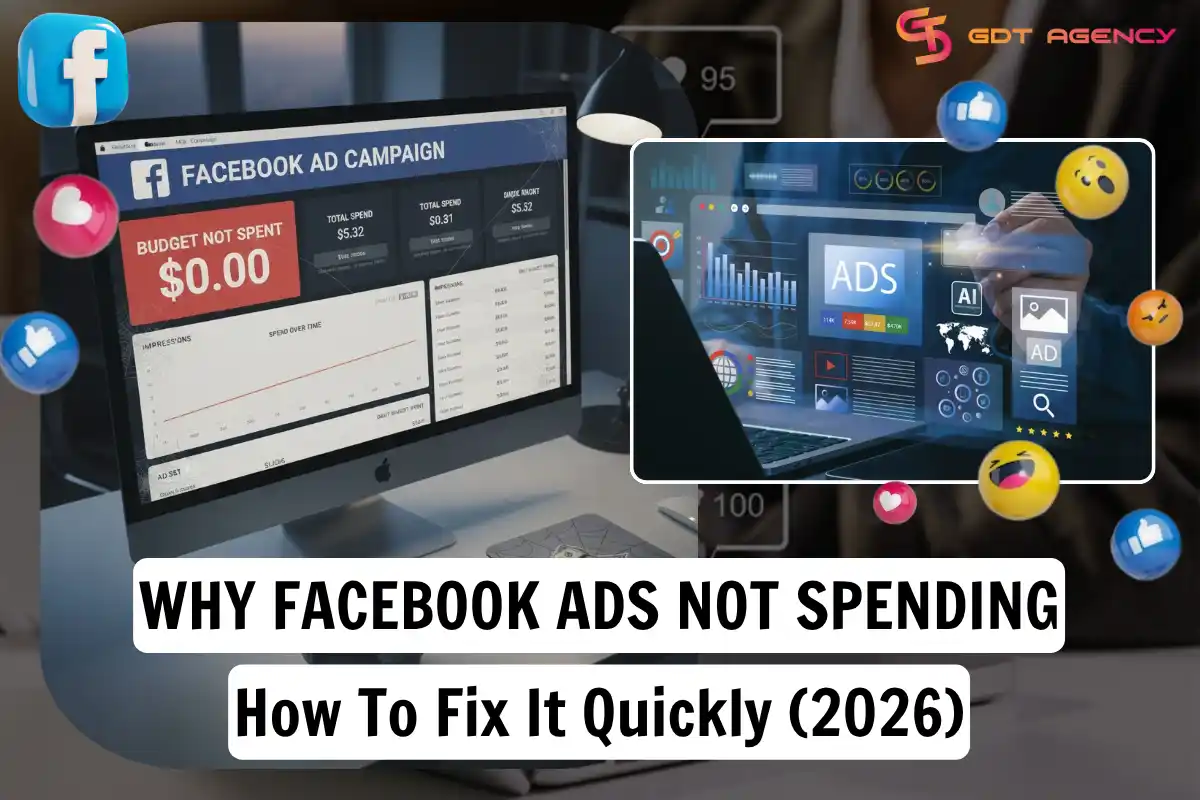
Facebook ads stop spending money for ten common reasons: a maxed-out account spending limit, audience overlap, an audience that is too narrow, a bid that sits too low, weak signal quality, creative fatigue, low ad quality, payment problems, an ad stuck in review, or a daily budget that can’t compete in the auction. Each cause has a direct fix, and most advertisers can resolve the issue within a few hours once they know where to look.
Before you touch your ad settings, you need to confirm that your ads are actually stuck. If your spend sits at $0.00 or barely moves after several hours, that is your first signal. The next thing to check is the account itself, since a single setting like an old spending limit or an expired card can block every campaign at once, no matter how good your targeting or creative is.
Beyond the account-level issues, the auction itself can work against you. Meta’s system in 2026 relies on AI signals, real-time bidding, and audience size to decide which ads it shows. If your targeting is too tight, your bid too conservative, or your creative repeated across too many ad sets, the algorithm simply stops trying to place your ad.
Below, we walk through each of the ten reasons in the order you should check them, then cover how to confirm a stalled account and the habits that keep your campaigns spending consistently going forward.
- Why Facebook Ads Not Spending Money And How To Fix It?
- You Hit Your Account Spending Limit
- Audience Overlap
- Your Audience Is Too Narrow
- The Bid Is Too Low
- Poor Signal Quality
- Creative Fatigue
- Your Ad Quality Is Low
- Payment Issues
- Campaign or Ad Set Is Still In Learning Or Review
- Your Daily Budget Is Too Low
- How to Know If My Facebook Ads Are Not Spending Money
- Expert Tips To Avoid Facebook Ads Not Spending in The Future
- 1. Combine Ad Sets With Overlapping Audiences
- 2. Make Your Rules Less Strict
- 3. Improve Your Creative Often
- 4. Avoid Changing Things Too Often
- 5. Use Advantage+ Shopping Campaigns
- Final Thought
- FAQs
- 1. How long should I wait before deciding my Facebook Ads are not spending?
- 2. Can Facebook Ads show as active but still spend $0?
- 3. Does editing my campaign restart Facebook’s learning phase?
- 4. Why are my Facebook Ads getting impressions but no spending increase?
- 5. Will using a Facebook agency ad account stop Facebook Ads from not spending?
- 6. Can a broken Meta Pixel cause Facebook Ads to stop spending?
Why Facebook Ads Not Spending Money And How To Fix It?
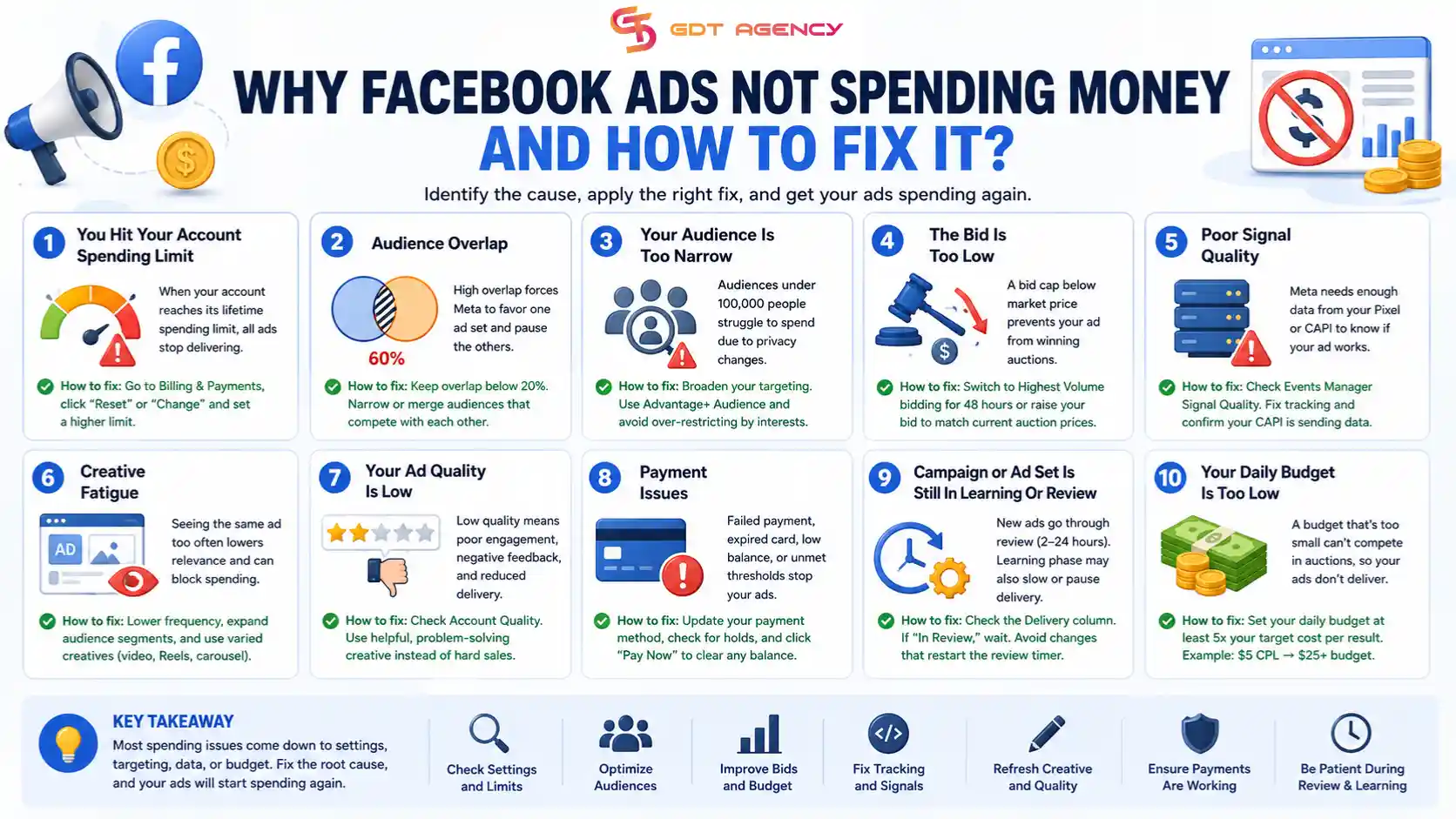
Though Facebook’s system is smarter with the power of the AI system that can automatically scan and make enforcement decisions in milliseconds, it can still get stuck. Here are the most common reasons Facebook ads are not spending and how to fix them.
You Hit Your Account Spending Limit
Your account spending limit is the most common reason Facebook ads stop spending, and it is easy to overlook. Once your account reaches the lifetime limit set in Billing & Payments, every ad in that account stops delivering, even if the campaigns show as active.
To check this, open Ads Manager and go to Billing & Payments, then look for “Account Spending Limit.”
If the limit shows as full, click “Reset” or “Change” and enter a higher number. This single fix restores delivery within minutes in most cases, since Meta does not require additional review once the limit is raised.
Audience Overlap
Audience overlap happens when two or more ad sets in the same account target the same people, and it causes at least one of those ad sets to stop spending. Meta’s system does not run both ad sets fairly. It picks the one with the highest value and pauses the other, which shows up as zero spend on your end.
To fix this, go to the Audience section in Meta Ads Manager and check the overlap percentage between your ad sets.
Anything above 40% needs attention right away. Keep overlap below 20% by narrowing or merging audiences that compete with each other, since two ad sets fighting for the same users only drives up your cost per result and starves one of them of any budget.
Your Audience Is Too Narrow
An audience under 100,000 people struggles to spend in 2026 because of privacy changes that limit how much data Meta can use to find those users. When your pool is that small, the auction system cannot find enough available people to bid on, and your ad stalls no matter how good your bid is.
To fix it, you should check your Audience Definition meter first.
If it sits in the red zone, remove a few interests or widen your age and location settings. Broad targeting tends to perform better than narrow targeting in the current auction. Advantage+ Audience settings let Meta’s AI find the right people based on your creative, rather than limiting delivery to a list of interests you picked manually.
The Bid Is Too Low
A bid cap that sits below the real market price stops your ad cold, since Facebook will not spend money it cannot use to win auctions. CPMs have climbed steadily through 2026, so a bid cap set months ago may no longer match what advertisers are actually paying for the same audience.
If you use manual bidding, check whether your Cost Cap or Bid Cap reflects current auction prices, not last year’s numbers.
Switch to Highest Volume bidding for 48 hours and let Meta’s algorithm find the right price on its own. Even advertisers running automatic bidding can run into this problem if they set unrealistic cost controls, since those controls limit delivery the same way a manual cap does.
Poor Signal Quality
Weak signal quality means Meta is not receiving enough data from your Pixel or Conversions API to know whether your ad is working, and a system with no data has no reason to keep spending on that ad. If your chosen conversion event rarely fires, the algorithm treats your ad as a failure and pulls back delivery to protect the experience of its users.
Open Events Manager and check your Signal Quality score.
A low score points directly to a tracking problem, not a targeting or creative one. Fix the event setup, confirm your Conversions API is sending data correctly, and delivery usually recovers once Meta starts receiving reliable signals again.
Creative Fatigue
Creative fatigue sets in when the same audience sees the same ad too many times, and it drags down your relevance score along with your delivery. Meta’s 2026 Andromeda algorithm adds another layer to this problem. It runs a pre-auction filter that flags identical images used across multiple ad sets as repetitive content, which can block spending outright.
Watch your frequency and relevance metrics closely.
Reduce how often the same person sees your ad, spread your targeting across different audience segments, and mix in video, Reels, and carousel formats instead of relying on one static image. Fresh, varied creative signals to the algorithm that your ad still deserves impressions.
Your Ad Quality Is Low
Low ad quality tells Meta that users respond poorly to your creative, and the platform reduces delivery on ads with weak engagement, misleading claims, or a history of negative feedback. Facebook protects its users first, so an ad ranked poorly on quality will struggle to get impressions no matter how much budget sits behind it.
Go to your Account Quality page and review your current ranking.
A low ranking means it’s time for a new image or video, one that solves a real problem for the viewer instead of reading as an obvious sales pitch. Swapping in more helpful, less promotional creative tends to lift both engagement and spend within a few days.
Payment Issues
A payment problem pauses your campaign even when the dashboard still shows it as active, and this catches a lot of advertisers off guard. An expired card, a failed charge, a low balance, or an unmet spending threshold all trigger the same result: Meta stops running your ads until the payment issue clears.
Go to Payment Settings and confirm your primary card works.
Check for any temporary hold on the account too. Even after you add a new card, you often still need to click “Pay Now” to clear the old balance before your ads start spending again, so don’t assume adding a card alone solves the problem.
Campaign or Ad Set Is Still In Learning Or Review
Every new ad goes through a review process, whether by Meta’s AI or its human team, and this usually takes between 2 and 24 hours. During busy periods, that review can take longer, and a campaign stuck in learning behaves the same way, since delivery slows or pauses while the system gathers enough data to optimize.
Check the Delivery column for your ad set.
If it reads “In Review,” the right move is to wait it out. Making changes now restarts the review timer, which only delays your ad further. Patience here saves more time than any workaround.
Your Daily Budget Is Too Low
A daily budget that is too small blocks delivery when it’s paired with a competitive goal like conversions, since Facebook won’t even try to show an ad it can’t fund through a full auction cycle. If you want a $5 lead but set a $2 daily budget, the system has no room to bid against advertisers spending more, so your ad loses every auction before it starts.
A reliable rule for 2026 is to set your daily budget at least five times higher than your target cost per result. Want a $5 lead? Set your budget to at least $25. This gives Meta enough room to test, learn, and actually compete for the placements you want.
→ As your campaigns begin generating consistent results, increasing the budget requires a careful approach. Raising budgets too quickly can reset the learning phase, increase CPA, and reduce ROAS. If you want to grow your campaigns safely, read our guide on How to Scale Your Facebook Ad Account Budget Without Losing ROAS, where we explain proven budget scaling strategies that help maintain stable performance while increasing spend.
How to Know If My Facebook Ads Are Not Spending Money
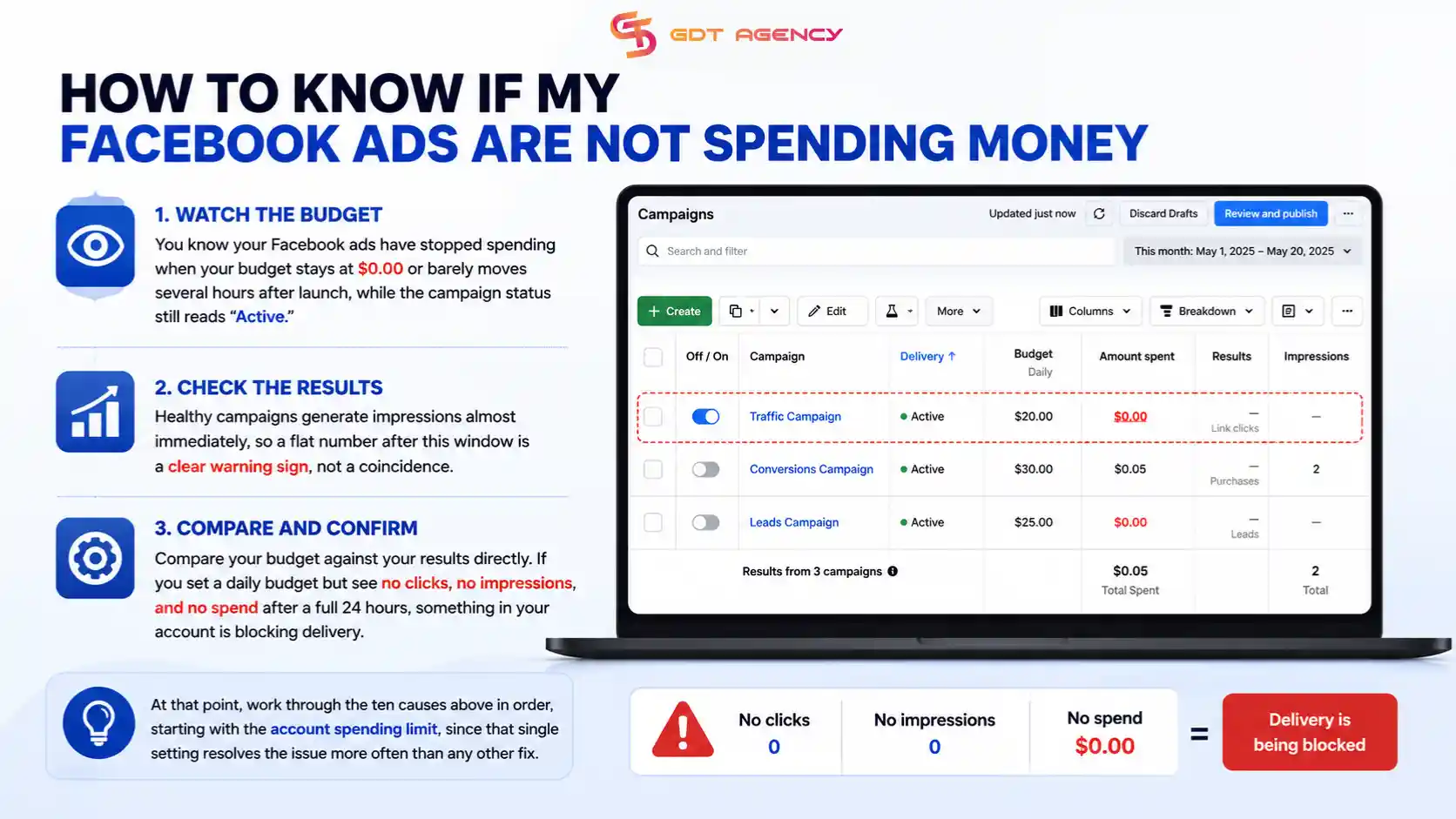
You know your Facebook ads have stopped spending when your budget stays at $0.00 or barely moves several hours after launch, while the campaign status still reads “Active.” Healthy campaigns generate impressions almost immediately, so a flat number after this window is a clear warning sign, not a coincidence.
Compare your budget against your results directly.
If you set a daily budget but see no clicks, no impressions, and no spend after a full 24 hours, something in your account is blocking delivery. At that point, work through the ten causes above in order, starting with the account spending limit, since that single setting resolves the issue more often than any other fix.
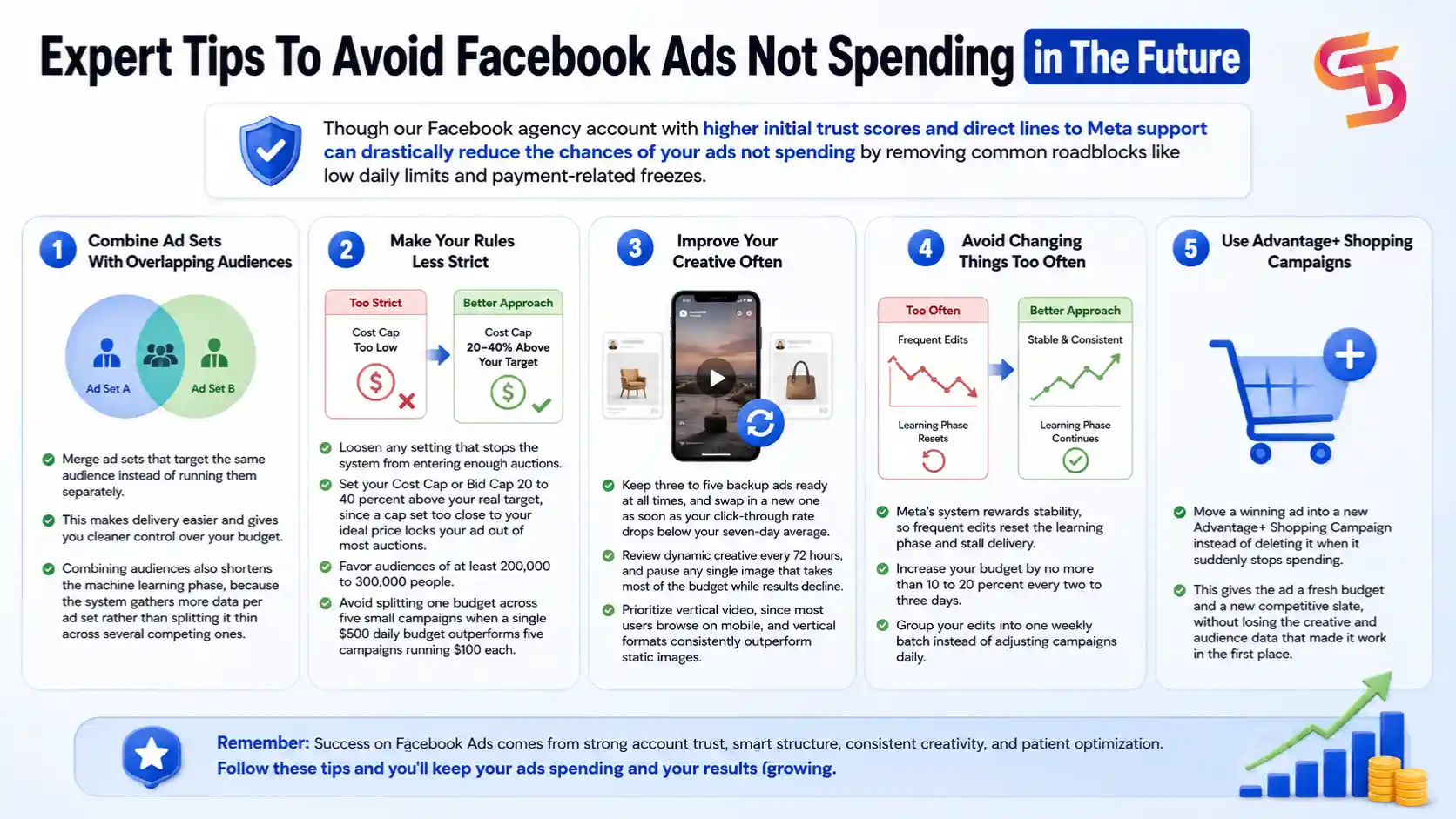
Expert Tips To Avoid Facebook Ads Not Spending in The Future
Though our Facebook agency account with higher initial trust scores and direct lines to Meta support can drastically reduce the chances of your ads not spending by removing common roadblocks like low daily limits and payment-related freezes.
1. Combine Ad Sets With Overlapping Audiences
Merge ad sets that target the same audience instead of running them separately, since this makes delivery easier and gives you cleaner control over your budget. Combining audiences also shortens the machine learning phase, because the system gathers more data per ad set rather than splitting it thin across several competing ones.
2. Make Your Rules Less Strict
Loosen any setting that stops the system from entering enough auctions. Set your Cost Cap or Bid Cap 20 to 40 percent above your real target, since a cap set too close to your ideal price locks your ad out of most auctions. Favor audiences of at least 200,000 to 300,000 people, and avoid splitting one budget across five small campaigns when a single $500 daily budget outperforms five campaigns running $100 each.
3. Improve Your Creative Often
Keep three to five backup ads ready at all times, and swap in a new one as soon as your click-through rate drops below your seven-day average. Review dynamic creative every 72 hours, and pause any single image that takes most of the budget while results decline. Prioritize vertical video, since most users browse on mobile, and vertical formats consistently outperform static images.
4. Avoid Changing Things Too Often
Meta’s system rewards stability, so frequent edits reset the learning phase and stall delivery. Increase your budget by no more than 10 to 20 percent every two to three days, and group your edits into one weekly batch instead of adjusting campaigns daily.
5. Use Advantage+ Shopping Campaigns
Move a winning ad into a new Advantage+ Shopping Campaign instead of deleting it when it suddenly stops spending. This gives the ad a fresh budget and a new competitive slate, without losing the creative and audience data that made it work in the first place.
GDT Agency tested these 5 habits across 20 campaigns over one month, split between a Facebook agency account and a personal ad account. Not a single campaign hit a “not spending” status during that period. The only limitation showed up in scaling: advertisers on the agency account scaled winning campaigns up to $15,000 per day without friction, while advertisers on personal accounts struggled to scale even at $500 per day.
Final Thought
Facebook ads not spending is a common problem, but it carries a real cost when it goes unresolved. Work through the ten causes in order, confirm the stall with your budget and impression data, and apply the five habits above to keep your account spending consistently going forward. If you run into a wall you can’t clear, or you want to rent a Facebook agency account, reach out to GDT Agency and our team will help you get your campaigns back on track.
FAQs
1. How long should I wait before deciding my Facebook Ads are not spending?
You should wait at least 24 hours after your ad is approved. New campaigns often need time to exit the learning phase, and Meta may also take several hours to review your ads. If your campaign still shows zero impressions and zero spend after 24 hours, you should start checking your budget, audience, payment method, and account settings.
2. Can Facebook Ads show as active but still spend $0?
Yes. An ad can display an “Active” status while spending nothing. This usually happens because of account spending limits, payment failures, audience restrictions, low bids, or ads that are still in review. Always check the Delivery column and Ads Manager diagnostics to identify the exact issue.
3. Does editing my campaign restart Facebook’s learning phase?
Yes. Major edits such as changing your optimization event, audience, bidding strategy, or large budget increases can restart the learning phase. Frequent edits may reduce delivery and delay spending, so it is better to make changes in batches and allow the system time to optimize.
4. Why are my Facebook Ads getting impressions but no spending increase?
If impressions increase very slowly while spending remains minimal, your campaign may be limited by a very small audience, a low daily budget, poor ad quality, or aggressive bid controls. Improving your creative, expanding your audience, or increasing your budget can often restore normal delivery.
5. Will using a Facebook agency ad account stop Facebook Ads from not spending?
No. A Facebook agency ad account cannot guarantee that every campaign will spend normally. However, agency accounts often provide higher account trust, fewer payment interruptions, stronger infrastructure, and higher spending limits, which can reduce many common delivery issues. Your campaign quality, audience, creative, and tracking still determine whether your ads spend successfully.
6. Can a broken Meta Pixel cause Facebook Ads to stop spending?
Yes. If your Meta Pixel or Conversions API is not sending reliable conversion data, Meta’s algorithm has fewer signals to optimize delivery. You should regularly verify your events in Events Manager and fix any tracking errors before scaling your campaigns.