What is Facebook Agency Account? Everything You Should Know [2026 Edition]


Facebook agency accounts are premium advertising profiles issued by authorized Meta partners to marketing firms that are designed for high-volume spending and offer much higher stability against random flags or rejections. From our experience handling large-scale campaigns, using an agency account is often the optimized way to maintain a consistent ROAS and scale budgets without the constant fear of being disabled. So, what is Facebook agency account, and how do these accounts differ from regular ones? This article will provide clear explanations to help you understand the topic thoroughly.

What Is Facebook Agency Account?
A Facebook agency account (often called a “Whitelisted” ad account) is a high-level advertising account provided by official Meta Business Partners.
Unlike a personal account or a standard Business Manager (BM) account that you create yourself, these accounts are part of an Agency’s specialized infrastructure.
Essentially, when you have these accounts, you have an account that carries the established trust and reputation of a verified Meta partner.
Key Benefits of Facebook Agency Ad Account for Advertisers
In our experience managing thousands of campaigns, we have found that many advertisers mistake agency accounts for just having higher spending limits. In reality, the difference lies in what we call the Architecture of Trust established by Meta.
Higher Trust Score (Whitelisting):
From what we have seen, when a Meta Business Partner (MBP) creates an account, it is born with a high “Trust Score.” This means your ads often bypass the aggressive automated filters that trigger “unusual activity” bans on personal accounts.
>>> Curious about the things that make the ad account get banned? Click HERE to discover the top reasons why your Facebook ad account is disabled and how to fix it.
Improved Performance Metrics:
We have noticed that agency accounts often access higher-quality inventory because Meta trusts the agency’s payment history and compliance record.
Agency accounts tend to deliver better results in key metrics like cost-per-click (CPC), click-through rate (CTR), and cost-per-acquisition (CPA). These accounts frequently see a 10-15% drop in CPA compared to standard accounts running the exact same creative.
Unlimited spending limits
Personal accounts often start with a cap (e.g., $50 or $250/day) and require weeks of consistent spending to increase. Agency accounts come with unlimited daily spend from day one, allowing businesses to scale quickly without budget restrictions.
Unlimited campaigns
Standard accounts often impose limits on the number of active ads, ad sets, and campaigns, while agency ad accounts allow advertisers to create and manage an unlimited number of campaigns without needing to delete or pause existing ones.
Thanks to that, advertisers can preserve valuable campaign data for ongoing analysis and optimization.
Direct Support from Meta Representatives:
Agency providers have Dedicated Account Managers at Meta. If an issue arises, they can chat directly with a human at Facebook to resolve technical bugs or appeals much faster.
Not only that, when restrictions happen, the agency can provide a replacement account immediately and transfer any remaining ad balance, allowing campaigns to resume without delay.
Quicker ad reviews
New or lower-trust accounts often experience slow ad approval processes. Agency accounts benefit from quicker ad review times, helping advertisers launch time-sensitive campaigns faster and stay ahead of their competition.
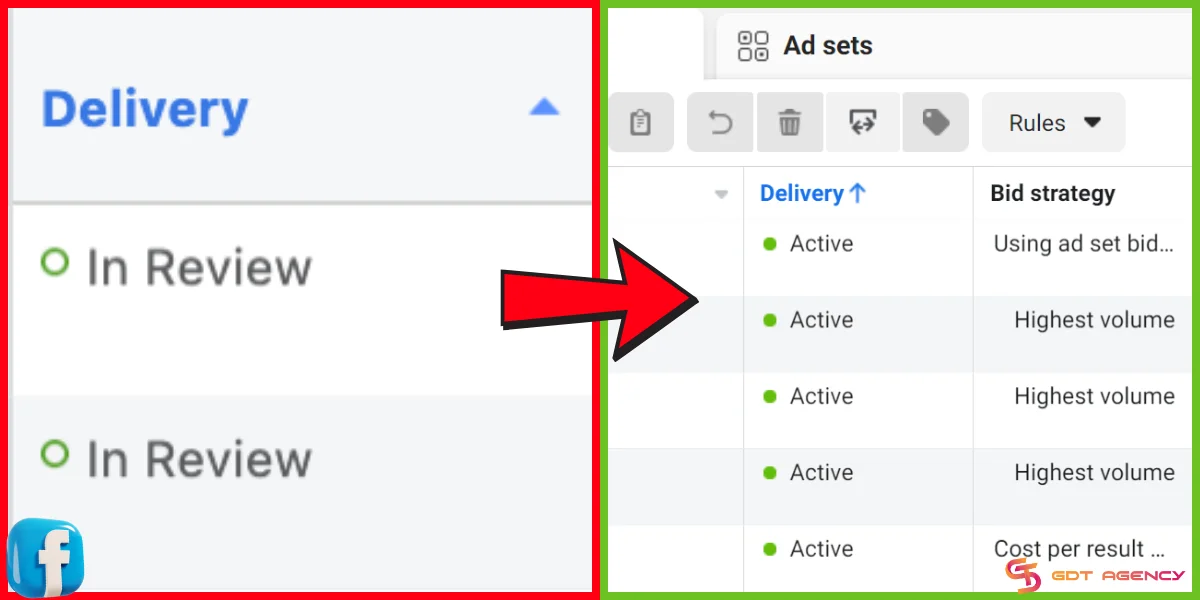
Instead of waiting 24 hours for an ad to go live, approvals often happen within minutes or a few hours, helping advertisers launch time-sensitive campaigns faster and stay ahead of their competition.
Exclusive Meta perks
Meta-approved agencies enjoy access to advanced advertising tools, beta testing opportunities, and dedicated support channels directly from Meta. These benefits are typically not available to standard advertisers and can provide a significant edge in campaign management and strategy.
Quick Comparison: Personal vs. BM Account vs. Agency Ad Account
Though all 3 types of accounts allow you to run ads on Facebook, there a huge differences in levels of protection, support, and scaling potential. Use the table below as a quick-reference guide to identify the right ‘tier’ for your 2026 marketing budget.
| Feature | Personal Ad Account | Business Manager (BM) | Agency Ad Account |
| Ownership | Linked to your personal profile. | Owned by your business entity. | Provided by a Meta Partner |
| Daily Spend Limit | Low (usually $50 – $250) | Moderate (starts low, grows with history) | Unlimited from day one |
| Account Limit | Only 1 account allowed | Usually 1–5 (can increase to 2500) | Unlimited / Scalable as needed |
| Stability Level | Very low | Moderate (depends on business verification) | Highest (Whitelisted/Partner status) |
| Support | None (Automated only) | Standard Ticket / Chat support | Priority Support + Human Dedicated Rep |
Who Should Use a Facebook Agency Account?
We often get asked if everyone should switch to an agency account right away. The honest answer is that not every advertiser needs an agency account. If you are just starting out with a budget under $50/day and your content is 100% “clean,” stick with your personal account.
Based on our data managing diverse portfolios, we have found that an agency account is suitable for these specific groups:
- Advertisers Hitting the “Scaling Wall”: If you are running successful campaigns and want to scale from $500 to $5,000 in daily spend, but Meta is sticking you with low daily spending limits, you will need an agency account.
- Businesses in “High-Sensitivity” Niches: Meta’s AI filters are quite aggressive for industries like Supplements, Real Estate, or FinTech. We have noticed that using a whitelisted account reduces “false positive” bans by up to 70%.
- Professional Media Buyers: If you manage multiple ad accounts or scale spend fast, agency accounts help reduce sudden bans, daily spend caps, and random review loops.
- E-commerce brands scaling aggressively: Brands spending serious budget often hit spending limits or trust issues with regular ad accounts. Agency accounts are built for higher spend and more stability.
Should I Buy or Rent a Facebook Agency Account?
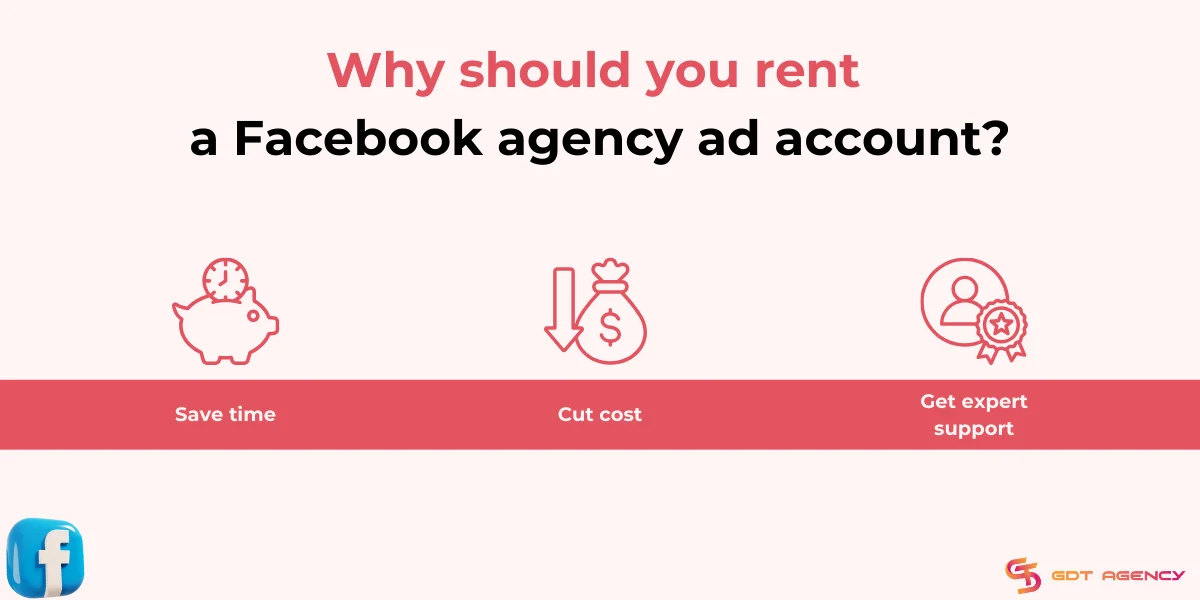
Though both buying and renting give you access to Facebook agency account with unlimited spending and better stability, renting comes with clear advantages, especially for small to mid-sized businesses or those looking for flexibility.
No risk of account ownership issues
Buying a Facebook agency account may seem like a one-time solution, but it often violates Meta’s Terms of Service. These accounts are usually tied to an agency’s Business Manager and can be revoked at any time. Renting through an official provider ensures compliance and gives you access without the risk of being permanently banned or losing access.
Faster setup and launch
Buying often involves lengthy negotiations, ownership transfers, or even questionable backdoor deals. In contrast, renting a Facebook agency ad account is quick and easy—you can get started as soon as your provider sets up the account, usually within hours.
Lower upfront costs
Purchasing an agency-level account often comes with high initial costs and no ongoing support. With rental services, you pay a monthly fee, often based on your ad budget. This model is more cost-effective, especially for businesses just getting started or scaling slowly.
Ongoing support from experts
Renting from a reputable provider means you often get ongoing support, compliance checks, and campaign guidance from ad experts. For example, GDT Agency provides clients with real-time assistance, ad troubleshooting, and even product research support – something you won’t get if you buy an account outright.
Instant backup & replacement
If anything goes wrong with your rented account, such as a restriction or policy flag, your provider can often replace it immediately. Buying an account doesn’t give you this backup safety net, leaving your campaigns vulnerable to delays or complete pauses.
Trusted Meta Agency Partners to Rent Facebook Agency Accounts in 2025
As one of the go-to solutions for advertisers when it comes to Facebook agency ad accounts for rent, GDT Agency has helped 103+ brands across 18 countries in over 5 years of operation.
With the high-quality Facebook agency account created from Authentic BM Agency, more than 500+ global partners have successfully scaled their advertising without constantly fighting bans, payment issues, or sudden spend limits.
By resolving technical issues, GDT helps clients achieve 10-15% lower CPAs, manages $20M+ in monthly spend, and received a lot of positive feedback delivery the satisfier for the service on Trustpilot.
All of them agree that GDT’s agency ad accounts are stable when scaling with unlimited spending and rarely encounter policy issues. The time for ad approval is quite fast compared to the standard account, and they all recommend GDT’s service.
Open a free account today and start scaling your Facebook campaigns with expert support from GDT Agency.

Account Service Specifications:
| Account Type | Agency account |
| Set Up | Fast setup, the client can get an account within 24 hours |
| Top-up Time | Instant top-up in 5 minutes |
| Billing Method | Flexible billing setups and support multiple funding methods |
| Account Disabled Rate | Low ad account disable rate of just 4.8% |
| Account Opening Fees | Free account opening |
| Ad Compliance Check | Free Ad Compliance Check |
| Suppport | 24/7 |
| Best For | Suitable for All Industries |
Prices and After-sale Services:
GDT publishes all the terms, fees, and policies transparently on their website to help marketers and advertisers understand exactly what they are signing up for. Here are the latest prices that we updated on January 12th, 2026.
| Service Fees Based On Budget | |
| $0 – $500/day | 4% |
| $500 – $1,000 /day | 3.5% |
| $1,000 – $2,000/day | 3% |
| $2,000 – $8,000/day | 2.5% |
| $8,000 – $15,000/day | 2% |
| > $15,000/day | 1.5% |
Besides, GDT always has clear policies for customer renting their agency ad accounts. If any issue comes up, a replacement account within 24 hours at no extra cost.
Company Information:
- Address: Building C, 3rd Floor, Golden Land Apartment, 275 Nguyen Trai, Thanh Xuan, Hanoi, Vietnam
- Website: https://agencygdt.com/
- Hotline: +84 352 368 898
- Gmail: agencygdt@gmail.com
>>>Explore Now: Facebook Agency Ad Account Provider: 6 Best Choices In 2025
A Quick Case Study: How We Restored a $10,000/Day Campaign in Under 3 Hours
To give you a better idea of how an agency account works in a crisis, let me share a situation we handled recently at GDT Agency.
We had a client in the e-commerce niche spending roughly $10,000/day. Their entire operation came to a halt when their main Business Manager was flagged due to a “Policy Violation” error.
With a standard account, they would have been stuck in an automated chat queue for days, losing tens of thousands in potential revenue. However, as they were using our Facebook agency account for rent, our team was able to take immediate action:
- Direct Line to Meta: Instead of waiting for a bot, we contacted our dedicated Meta account representative via the priority support channel.
- Rapid Asset Transfer: While waiting for the official appeal, we used our internal “Agency Dashboard” to instantly provision a backup account and transferred their existing Pixel data and top-performing creatives.
- Zero Downtime: Their ads were back in the auction within 180 minutes.
We eventually got the original account reinstated. In my experience, this level of “safety net” is the main reason professional media buyers choose GDT Agency over trying to manage everything on their own.
Expert Tips To Keep Agency Account Safe in 2026
In my years of managing high-budget campaigns, I have learned that simply having an “unlimited” agency account is only half the battle. Here are a few tips that we give our priority clients:
Avoid the “All-In” Day One Trap:
A common mistake is loading up thousands of dollars and hitting your target budget immediately on the first day. Even with an agency account, Meta’s algorithm needs 24 to 48 hours to “fingerprint” the new user’s behavior.
We have found it is much safer to start at 20-30% of your target daily spend and scale up every two days. This keeps your “Account Health” score in the green.
Watch Out for “Content Scarring”:
We often see advertisers frustrated because their ads are stuck in review. Frequently, the culprit is content scarring (using images or videos that were previously flagged on a banned personal account).
Meta uses image hashing to remember policy violations. If you are moving to an agency account to get a fresh start, make sure to refresh your metadata or slightly edit your creatives so they appear “clean” to the AI scanners.
Use Anti-detect Browsers:
While helping our clients, we have noticed that the most common cause of a ban isn’t actually the account itself. It is the login environment.
If you log into a high-trust agency account using a browser that was recently associated with a banned personal account, Meta will immediately flag it.
To keep your operations safe in 2025, we recommend using Anti-detect Browser tools to isolate browser fingerprints, ensuring Meta cannot link your new agency account to any past violations.
In practice, these small technical hygiene steps are what separate professional media buyers from those who get stuck in a constant loop of account appeals.
FAQs
1. How to add agency to Facebook ad account?
To add an agency to your Facebook ad account, follow these steps:
-
Verify the agency: Confirm the agency’s credibility and services before granting access.
-
Connect on Facebook: Ensure the agency representative has a Facebook account and is your Facebook friend.
-
Go to Ads Manager: Visit Meta Ads Manager → Select Ad Account Settings.
-
Assign roles: In the Ad account roles section, click Add people, choose a role (Analyst, Advertiser, or Admin), and enter their name or email.
-
Confirm: Click Confirm to grant access. The agency can now access your account based on the assigned role.
Tip: Choose access levels wisely. Use Analyst for performance reviews, Advertiser for campaign management, and Admin only if full control is required.
2. How to create a Facebook agency account?
To create a Facebook agency ad account, your business must first become an official Meta Business Partner under the Agency specialty. Here’s a simplified 6-step process:
-
Create a Business Manager (BM) at business.facebook.com.
-
Set up ad accounts and pages to build your advertising history and portfolio.
-
Meet Meta’s eligibility requirements, including minimum ad spend, policy compliance, and verified business status.
-
Apply to the Meta Business Partner program via the Meta portal, choosing “Agency” as your specialty.
-
Get verified by Meta, which may take time and require documentation.
-
Create agency ad accounts once approved—these accounts come with higher limits, better support, and added features.
Tip: This process is long and resource-intensive. If you want immediate access to premium accounts, consider renting a Facebook agency ad account from trusted providers like GDT Agency.
3. How to give agency access to Facebook ad account?
To grant an agency access to your Facebook ad account, follow these 5 simple steps:
Step 1: Log in to Meta Ads Manager at adsmanager.facebook.com.
Step 2: Go to Ad Account Settings and scroll down to the Ad Account Roles section.
Step 3: Click “Add People”, then choose a permission level:
- Analyst (view only)
- Advertiser (create/edit ads)
- Admin (full control, including billing & roles)
Step 4: Enter the agency’s email or Facebook profile name linked to their account.
Step 5: Click Confirm to finish. The agency will now have access to your ad account.
Tip: Always verify the agency’s identity before granting access. Choose the lowest necessary permission level to minimize risk.
4. Can I create a Facebook agency account myself?
It is extremely difficult. To create your own agency accounts, your company must become an official Meta Business Partner, which requires maintaining a minimum ad spend of $1.25 million to $2.5 million per quarter and having staff pass rigorous Meta Blueprint certification exams.
In A Nutshell
A Facebook agency ad account can be a game-changer for businesses that want to overcome the restrictions of a regular ad account, scale their Facebook ad campaigns without limits, and drive their sales to a new level.
I hope that the article on What is Facebook agency account can help you understand thoroughly about this account tier. If you have any questions about the Facebook agency account or need additional help, feel free to contact GDT Agency. Our expert teams are always ready to help.

Follow if you find it useful


Was this helpful?
Thanks for your feedback!
You can contact us, with our experience in successfully deploying thousands of conversion advertising campaigns, GDT Agency confidently believes we can help you optimize effectiveness and maximize cost savings with advertising operations.