Top 12 Facebook Ads Reporting Tools Every Advertiser Should Know


The Facebook Ads Reporting Tool gives advertisers a clear view of how the campaigns are performing, which clarifies what is working, what is not, and where your budget is going. Therefore, choosing the right Facebook ads reporting tool can help advertisers save a lot of time. Here are the top 12 Facebook ads reporting tools that are worth considering in 2025.

To give you the top list of Facebook ads reporting tools above, our leading experts with over 5 years of experience in Facebook advertising in multiple industries have discussed, tested, and carefully reviewed the features that a good Facebook ads reporting tool should have. Below is the table we used to evaluate the Facebook ads reporting tool based on the necessary factors:
| Reporting Tools | Price | Track Key Indicators | Customization Options | Easy to intergration | Easy to Use |
| Meta Ads Manager | Free | High: native, real-time ad KPIs | Custom columns, breakdowns, and saved views. | Built for Meta platforms; External exports are possible but limited. | Powerful but can be complex for non-specialists. |
| Adexpresso | $49 to $259/ month | Detailed FB/IG campaign metrics plus A/B test analysis. | Templates + custom report options and schedulable reports. | Built for Meta and integrates with common workflows. | Designed for simpler campaign management |
| Adstage | Report Plan: $149-159/mo
Automate Plan: $199-200/mo API Plan: $699-700/mo Bundle options combine: ≥ $1,358/mo |
Cross-channel ad reporting and customizable reports. | Customizable dashboards & scheduled exports. | Integrates across paid channels and has Data API options. | Feature-rich; some setup required. |
| Superads | Sign up for a free plan
Professional plan:$49/mo |
Strong creative-level analytics across platforms | Report templates and creative-focused dashboards. | Supports Meta, plus other ad platforms for creative analytics. | UI focused on fast, creative insights and shareable reports. |
| AgencyAnalytics | Freelancer: $55/mo
Agency: $167/mo Agency Pro: $335/mo |
Built for agency-level KPI reporting across SEO, PPC, social | White-label dashboards, templates, custom widgets. | 80+ integrations and API. | Made for agencies; straightforward dashboarding. |
| Social Status | Starter: $29/mo
Pro: $199/mo Business: $399/mo Corporate: $599/mo Enterprise: $1,499/mo |
Paid and organic social KPIs, ad-level breakdowns, competitor benchmarking | Highly customizable, white-label export options. | Multiple platform integrations and ad account support. | Built for social managers and agencies. |
| Swydo | Starting From $49/mo | Unified campaign monitoring & KPI reporting across channels. | Custom reports/dashboards; many templates. | Integrates with Google Ads, Facebook, GA4, HubSpot etc. | Designed specifically for automated client reports. |
| Whatagraph | Start: $289/mo
Boost: $579/mo |
Cross-channel KPI reporting, live dashboards, scheduled client reports. | Branded/white-label reports, templates, widgets. | Lots of connectors and credits model for sources. | Built to generate client-ready visuals with little setup. |
| Quintly | Small plan: $120/mo
Medium: $306/mo Large: $576/mo |
500+ social metrics, strong benchmarking, and KPI tracking. | Very flexible/custom metrics and dashboards. | Many connectors, enterprise focus (may need setup). | Powerful and flexible, with some learning curve. |
| Adzooma | Free basic plan available.
Paid plans start at $99/mo |
PPC-focused KPIs across Facebook, Google, Microsoft. | Report templates and automated insights. | Built to manage and report multiple ad accounts. | Positioned as simple, agency-friendly PPC management. |
| Hubspot Ads | Professional: $800/mo
Enterprise: $3600/mo |
CRM-linked KPIs (marketing, sales, service) allow deep attribution reporting. | Custom reports, dashboards, attribution reports. | Native CRM + 1,000+ integrations (API). | High for basic users; Medium for advanced setups (more complexity at the enterprise level). |
| ReportGarden |
$75/mo | Multi-channel KPI reporting (PPC, social, SEO) and campaign-level insights. | Many templates, white-label reports, custom dashboards. | Supports many ad and analytics sources; agency tooling included | Aimed at agencies to automate client reports. |
When utilizing Facebook ads in 2025, keeping track of your data is just as important as creating the ads themselves. To help you save time, these tools we’re about to share below will serve as your best assistant, providing what is working, what is wasting money, and where they should focus next.
Facebook Ads Reporting Tool: Ads Reporting of Meta Ads Manager
It would be remiss to discuss Facebook Ads Reporting Tools without mentioning the built-in reporting feature of Meta Ads Manager. It would not be exaggerated when admit this tool as an all-in-one tool for advertisers.
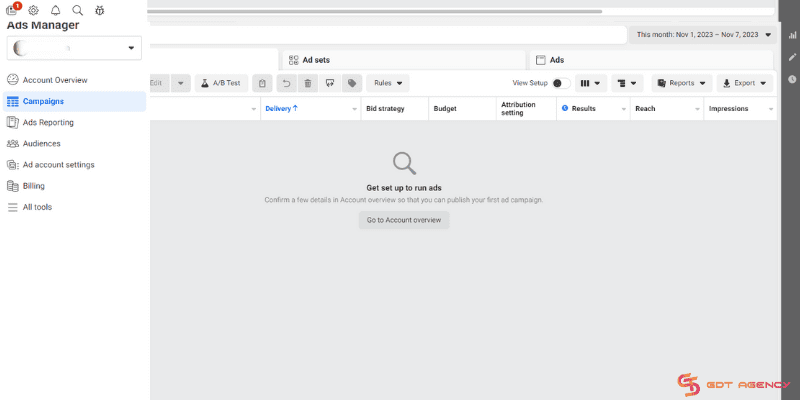
Key Features of Meta Ads Manager:
Meta Ads Manager is the command center for running ads on Facebook, Instagram, Messenger, or Audience Network. It’s a place where every serious marketer has access to explore the performance metrics and validate the things happens with their ads. With Meta Ads Manager, you can:
- Create Brand New Ads: You can select campaign parameters, like an advertising objective, to fit your business goals. You can also manage creative work: upload your ad creative, write ad copy, and review how your ads look on different devices.
- Choose Your Audience: You can define your audience for smarter ad targeting. Adjust your target audience to be as broad or well-defined as you like.
- Set up and manage your ad budget: From Ads Manager, you can set an overall budget for your campaigns.
- Run ads across multiple apps: You can extend your ad across Facebook’s family of apps and services with automatic placements to allow Facebook’s delivery system more flexibility to get you better results.
- Adjust Your Campaign: From Ads Manager, you can edit your budget, audience, placement options, and creative. You can always pause, duplicate, or relaunch your ad campaigns at any time.
- Improve performance with dynamic creative: From Ads Manager, you can deliver personalized ads with dynamic creative like images, videos, and text, and combine them in ideal ways for your audiences.
- Test with ad performance best: You can create an A/B test to determine the best target audience, delivery optimization, placements, creative, or product sets for each of your ad campaigns.
- Get real-time insights: From Ads Manager, you can see if your ads are driving their intended goal with reporting tools. By spotting trends over time, you can identify areas to adjust, like your image, budget, or audience, … to improve your campaign performance.
Pros of Meta Ads Manager:
- Very convenient for everyday monitoring and very easy to use.
- Displays all major metrics at a glance.
- Columns and segmentations can be changed according to needs.
- No cost and already included in your advertising account.
Cons of Meta Ads Manager:
After using it for a while, we realize that the ad reporting of Meta Ads Manager still comes with a few gaps that can affect the accuracy of the reports.
- The data performance can be inflated or delayed, especially when the system overcounts conversions through its default attribution windows, like 7-day click and 1-day view.
- Event tracking can also fire too early or misfire, which skews the numbers even further.
For us, this problem is quite common and can be managed through validation and adjustment. However, to be honest, for smaller businesses or advertisers with less experience, this issue can lead to wrong decisions and unnecessary spending.
Price: Free
AdExpresso by Hootsuite
This tool has been launched for a long time, but by 2025, it’s still maintaining as one of the leading tools in managing metrics on Facebook Ads. We used to have a client as a fashion brand on e-commerce named Palume. They performed several Facebook campaigns but could not effectively monitor performance. Reporting was manual, slow, and spread across ad sets.
We used AdEspresso to unite their reporting, keep track of ad performance, and compare the results with industry standards. The dashboards pointed out essential metrics such as ROAS, CTR, and the best-performing creatives.
The automation process cut down reporting time by 70 – 80%. They were able to get real-time insights, making it possible for GDT to optimize campaigns quickly. In 3 months, ROAS showed an improvement of about 25 – 30%, and the client, through GDT’s management, increased their ad budget.

Key Features of AdExpresso:
With AdExpresso, you will have:
- Powerful A/B testing allows you to evaluate changes in your ads and discover the most effective one.
- Optimizing ads automatically, where the poorly performing ones are paused, and the budget is transferred to the ones that are performing better.
- Campaign management for all platforms.
- Customizable dashboards allow performance monitoring to be a breeze.
- Agencies can have white label reporting to produce neat, client-ready reports.
- Collaboration and approval workflows that facilitate smooth cooperation between teams and clients.
- Integrations for CRM and lead management enable more straightforward lead tracking.
- Support for various campaign types
Pros of AdExpresso:
- User-friendly, even for beginners
- Great A/B testing functionalities
- Time-saving handy automation rules
- Neat dashboards and easy reporting
- Supported platforms are Facebook, Instagram, and Google Ads
Cons and Cons of AdExpresso:
Though we used to take full advantage of the power of this tool to help our customers, it’s hard to deny that Adexpresso still has limitations.
- It lacks highly detailed data, which will restrict customization of reports.
- Sometimes, this tool has users report occasional bugs and delays in data syncing, while their customer support for troubleshooting these issues is less responsive.
- The last one, we signed up for a free trial. However, we were still charged $49, though we had the free trial canceled. We tried to reach out to the customer service but received nothing except silence.
For us, these limitations do not affect us much, but we don’t like the way they act.
Price:
Subscription plans range from $49 to $259 per month, depending on the tier you choose.
AdStage
This is a very powerful tool for analyzing and automating the processing of reports from Facebook Ads. Some special features help you schedule and set up tasks on your ad account. Besides, the feature of automatically managing ads according to the performance of each campaign is also extremely good.

Key Features of AdStage:
With AdStage, you will have:
- Automate report creation and data insight
- Option to export data to Google Sheets
- Option to integrate with BI tools for better visualization
- Integrations with multiple other software
- Detailed Facebook insights and Facebook ad reporting
Pros of AdStage:
- White-label reports for ad agencies
- Customized reports suited to business goals
- Data visualization options
- Automatically pauses the campaign when the budget goes low
Cons of AdStage:
Though AdStage is well known for its ability to integrate multiple ad networks into one dashboard, we still realize some limitations after 14-day trial.
- Due to its extensive features, this platform may require a dedicated team or will require a lot of time to fully utilize AdStage capabilities.
- Besides, some integrations, like LinkedIn Lead Gen forms, are missing, which may affect specific campaign types.
For agencies or businesses that have technical expertise, these cons are quite easy to manage and acceptable. However, we think that for smaller teams or solo marketers, this pricing is relatively high to access.
Price:
You will have a 14-day trial of the tool before deciding on the best-fit paid option. After the trial process, you can contact them to choose:
- Report Plan: $149-159/mo – for analytics, unlimited dashboards, and up to $50k ad spend.
- Automate Plan: $199-200/mo – with automation features like campaign monitoring and optimization rules.
- API Plan: $699-700/mo – for data API access and advanced integrations.
Bundle options combine: ≥ $1,358/mo – for higher ad spends near $150k.
Superads
Superads sets the standard for Facebook ads reporting tools. It offers customizable, intuitive reports and dashboards, providing valuable insights for creative and marketing teams without missing a beat.
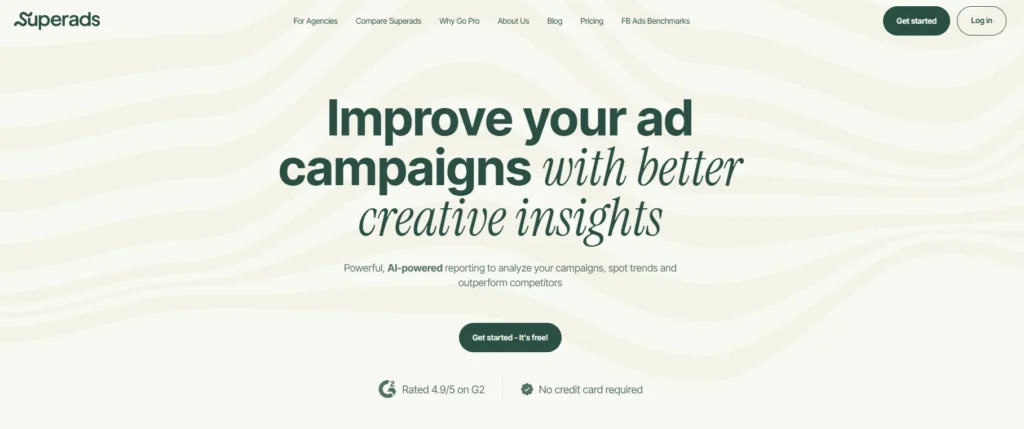
Key Features of Superads:
With Super ads, you can:
- Customizable dashboards to track key metrics, boosting response times.
- Dynamic Facebook ads reporting for easy collaboration across creative, marketing, and strategy teams, ensuring everyone can access essential information in a snap.
- AI-analyzed dimensions (beta) for deeper insights into themes, tones and CTAs, helping teams adjust their Facebook ad campaigns effectively.
- Multi-account reporting connects unlimited ad accounts from major platforms, enabling comprehensive campaign analysis in a single view.
- Over 15 detailed breakdown dimensions for Meta platforms provide unmatched insights.
Pros of Superads:
- Cross-platform reporting: Meta, TikTok, LinkedIn.
- AI-powered insights: Get creative analysis based on ads, hooks, tone, and performance.
- Superads Scores: Compare ad effectiveness
- Custom dashboards & breakdowns: Monitor by audience, product, or funnel.
- Benchmarks: Measure your advertisements against the general industry.
- Free plan available: Experience the principal features without any payment.
Cons of Superads:
Based on our experience with SuperAds for 3 months, here are some common limitations we realized from this tool:
- Superads mostly focus on creative insights and visual reporting. Therefore, it lacks comprehensive features for full campaign management.
- This tool has limited AI conversation or interaction capabilities, which can reduce flexibility in data interpretation and strategy adjustments.
- The setup process, especially the new grouping feature, is quite difficult.
Overall, though the difficulty during setup can be handled for the sophisticated insights offered, for agencies that need AI-driven analytics and quick visual reports or are seeking a full ad management solution, SuperAds might not be the proper choice.
Price:
Sign up for a free plan or go with the professional plan starting at $49 per month (free trial included).
AgencyAnalytics
Agency Analytics allows you to keep track of ads from different clients on multiple social media platforms, making it perfect for larger marketing agencies.
The platform allows you to keep track of the most important metrics, like your campaign’s CTR, impressions, and general ROI. Then, you can use it to generate and send reports to clients with your agency’s branding.
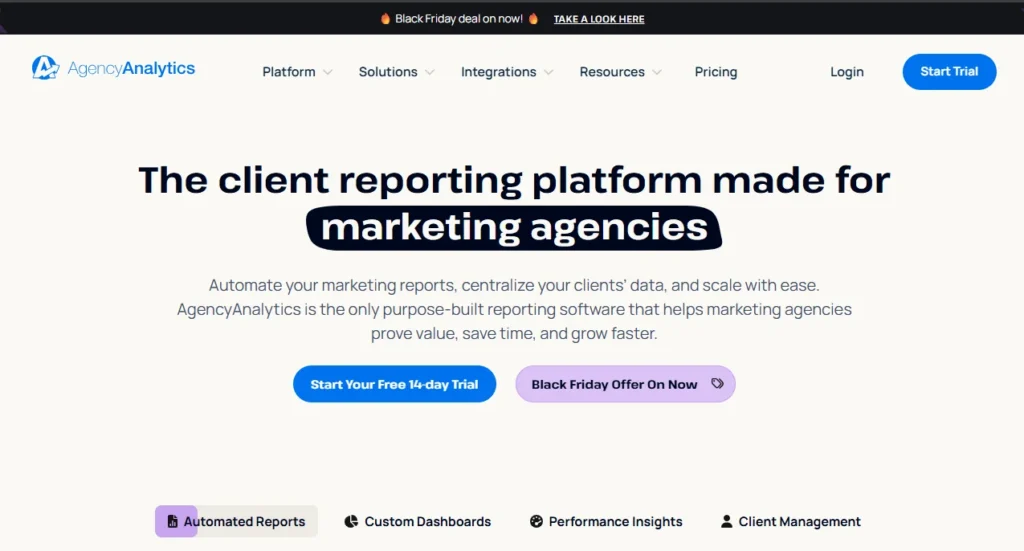
Key Features of AgencyAnalytics:
With AgencyAnalytics, you will have:
- Provides analytics on several PPC metrics like CTR, impressions, etc.
- Tracks and measures conversion metrics on ad and campaign levels
- Offer detailed audience demographics and analysis
- Calculates the ROI for each ad campaign
- Has an intuitive dashboard
- Offer multiple integrations
Pros of AgencyAnalytics:
- Works for both Instagram and Facebook ads
- Automates Facebook ad reporting by scheduling daily, weekly, or monthly reports
- Offers a risk-free 14-day free trial
Cons of AgencyAnalytics:
We have used AgencyAnalytics for a year, and we have to admit that though it is a popular reporting platform for marketing agencies, it still has some limitations, following the user reviews and our expert feedback.
- The platform is sometimes not stable in connection with certain integrations, which can lead to the lack of accurate or delayed data in the reports.
- API access and many advanced features are only for higher pricing options, which might be hard to access for smaller agencies or startups.
- Some features, like goal tracking and complex data modeling, are less powerful compared to other tools, which brings us the feeling that it will partly hinder agencies’ access to sophisticated analytics.
After using this tool, we believe that these cons can be acceptable for small to mid-sized agencies who seeking a quick setup, standard KPIs. But for agencies that require more customization or deeper data control, these cons might become more significant to consider.
Price:
Here are the pricing plans that it offers:
- Freelancer: $55/mo for 5 clients. This plan has basic features, including limited dashboards, only one account per integration, and no API access. It is suitable for solo users or small agencies beginning automated reporting, but has scalability limits.
- Agency: $167/mo for 10 clients. It unlocks full automation, expands account connections, and allows unlimited users, but still lacks API access and has some limits on accounts per integration. It’s designed for growing agencies needing white-label reporting.
- Agency Pro: $335/mo for 15 clients. This plan includes maximum features, advanced automation, API access, and more client capacity. It is built for larger agencies with extensive reporting needs.
Social Status
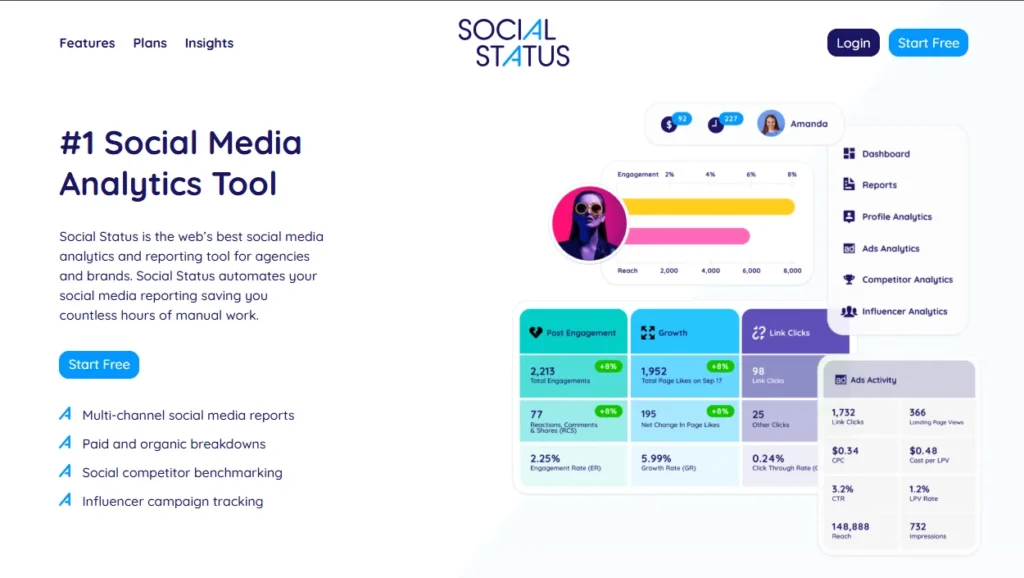
Social Status is one of the highly rated Facebook ads reporting tools since it offers in-depth insights into the performance of your paid ad campaigns on Facebook, Instagram, Messenger, and the Audience Network.
This tool offers deep insights into all 14 of Facebook Ad Manager’s campaign objectives, such as reach, brand awareness, lead generation, traffic, and more.
Key Features of Social Status:
With Social Status, you can:
- Complete Facebook ad reporting automation into a range of stakeholder-ready formats
- Support for all ad account currencies and campaign objectives
- See full ad creatives alongside performance metrics and ad targeting details
- View campaign, ad set, and ad details in sortable, nested tables
Pros of Social Status:
- Export reports to PDF, PowerPoint PPTX, and Google Slides to create presentations quickly
- Visualize ad creatives for faster identification of insights and top ads
- Ad data is pulled live on the Dashboard, so you’re always looking at the most up-to-the-minute metrics
- Customizable and white-labelled reports perfect for digital agencies
Cons of Social Status:
Social Status is a social media analytics and reporting platform designed for agencies and brands to track organic and paid social performance across multiple platforms. Based on our experience, here are some limitations:
- First, we can see that the loading times for generating reports are quite slow.
- Besides, the reporting features of this tool are less flexible. They have limited customization options for specific needs.
- Last but not least, we found that their customer support though responsive, but they have to wait for a long time to resolve complex issues.
In general, this tool brings a strong and centralized solution for agencies focused on social media performance tracking with an automated report. However, small businesses may find these cons restrictive.
Price:
Social Status offers a 14-day free trial plan and is one of the only Facebook ad reporting tools that also offer a free forever plan. You can upgrade to a paid plan to access more profiles, data history, and features:
- Bronze: $99/mo for 100 plan quota with 1 year of data history
- Silver: $199/mo for 200 plan quota with custom report
- Gold: $399/mo for 500 plan quota with 2 years of data history and API
- Platinum: $799/mo for 1000 plan quota with 3 years of data history and API
- Enterprise: $1,499/mo is designed for an unlimited plan quota and data history
Swydo
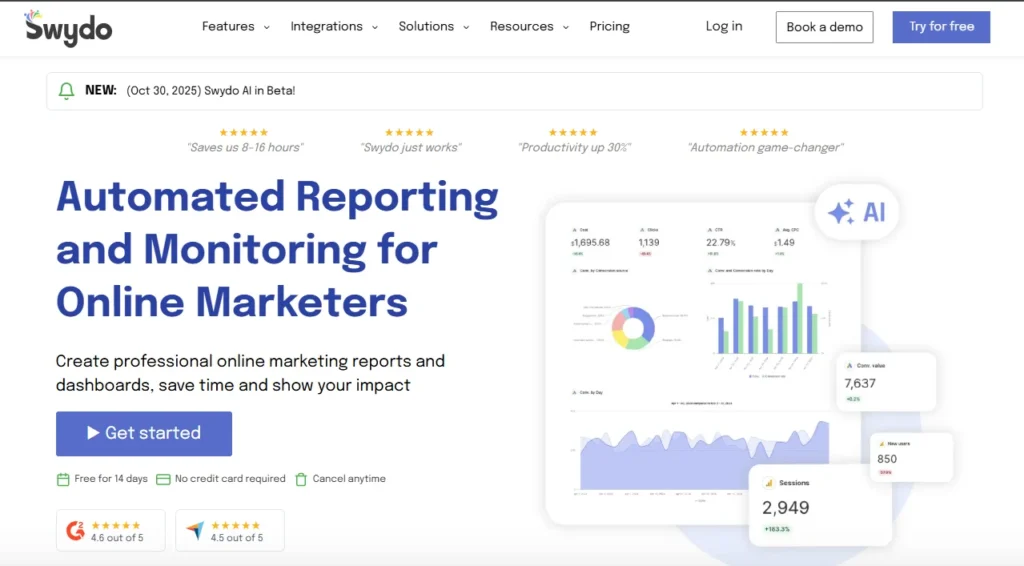
Swydo is one of the top Facebook ads reporting tools that has been used by over 2000 companies across 80 countries to generate instant reports and customizable dashboards for real-time monitoring and insight gathering. With this reporting tool, you can manage multiple campaigns simultaneously.
Key Features of Swydo:
With Swydo, you can:
- Option to integrate data from across channels into a single dashboard
- Ability to manage multiple campaigns or customers from a single dashboard
- Pre-defined templates to build reports and manage campaign tracking with ease
- Ability to identify bottlenecks, assign tasks and determine the deadlines for smooth workflows and effective ad campaign management
Pros of Swydo:
- Fast setup with templates and drag-and-drop builder
- Good integration with major ad and analytics platforms
- Automated reports (scheduled PDFs, live dashboards)
- White-label reports and branding options
- Responsive customer support
Cons of Swydo:
We appreciate Swydo’s time-saving features, but after experiencing this tool, we still found limitations, though it is a good reporting and analytics platform used to automate data collection and generate custom reports from multiple marketing channels.
- First of all, this tool requires an initial learning curve to customize dashboards and reports according to specific needs, and we evaluate it as quite difficult for beginners.
- Though the data integration of this tool is broad but sometimes syncing delays or incomplete data still happen, and this can affect the accuracy in real-time.
- The last thing that makes us unsatisfied is the customer support. Though they are helpful but they take a lot of time to deal with complex technical issues.
Price: Starting From $49/mo
Whatagraph
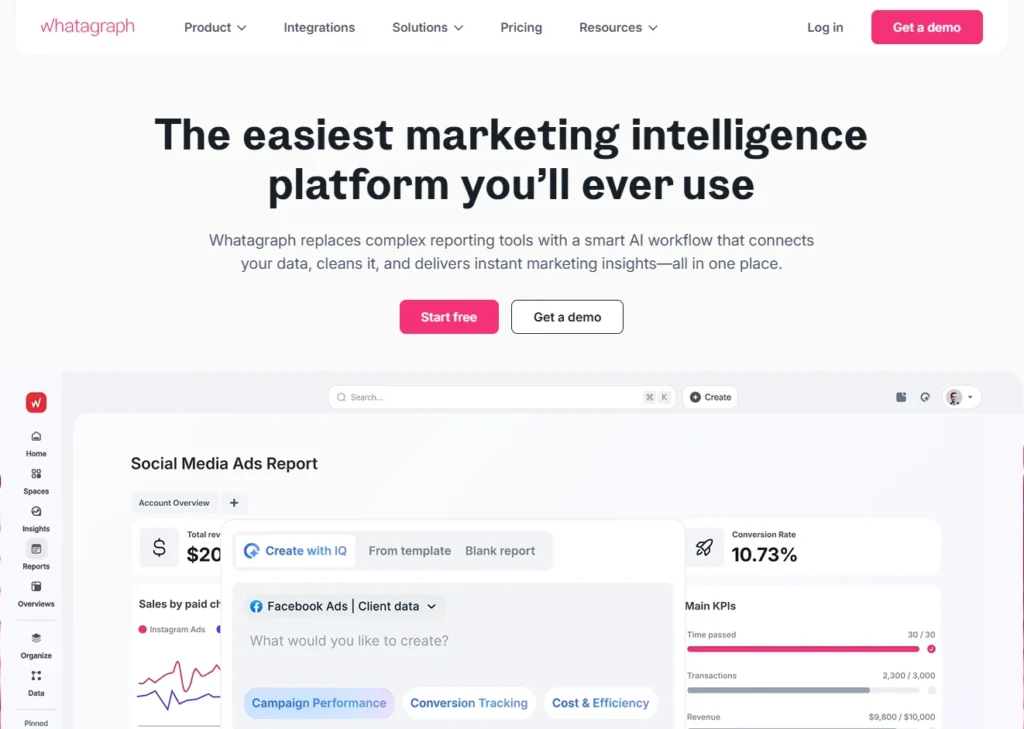
Whatagraph is a tool to monitor and report on your marketing performance, which allows you to replace multiple slow and complex tools with one marketing analytics platform.
Key Features of Whatagraph:
With Whatagraph, you can:
- Native integrations to popular marketing sources
- Connect any data source using Custom API, Google Sheets, or BigQuery
- Organize connected data without coding
- Cross-channel insights
- AI insights
- Overview (monitors the performance of all your clients or campaigns)
- Library of pre-made dashboard and report templates
- Custom branding and white-label features
- Automated report sharing
Pros of Whatagraph:
- All-in-one marketing analytics solution
- Easy to use by anyone on your team
- Engaging visual reports
- Fast campaign performance and insights
- Results easy to interpret
- Excellent live chat customer support
Cons of Whatagraph:
The thing that makes us love Whatagraph when we experience it is the ability to gather data from multiple sources into one centralized platform. Though it’s hard to deny that this visual dashboard is designed primarily for agencies, the tool itself also has limitations:
- When dealing with multiple users or complex date filters, we realize the glitches and lag in the tool.
- Next, we used to be interrupted by automated reporting flows due to the data source connections dropping, and we had to manually reconnection.
- Besides, we feel that Whatagraph lacks real-time unusual alerting, which is necessary for users who manually change data, though basic AI text summaries and its trend detection are quite helpful.
- The last one is their customer service. They have very poor customer service, we have to wait for hours, but receive nothing but silence.
Price:
- Start: $289 per month bill annually
- Boost: $579 per month bill annually
Quintly
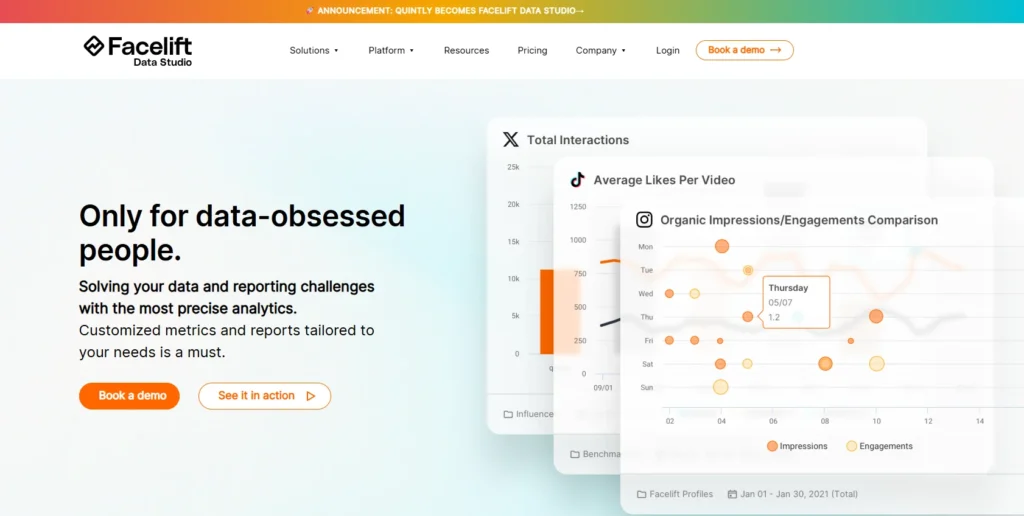
Quintly is ranked among the top-most comprehensive Facebook ads reporting tools, and this tool provides excellent and highly customizable features for quick and user-friendly decision-making. By using Quitly, it is possible to specify your metrics, personalize your dashboards, and generate your insights to be able to run the most efficient campaigns.
Key Features of Quintly:
With Quitly, you can:
- Customizable dashboards with the option to select metrics
- Automated and customized reports
- Option to export data into PDF, Excel, and PPT
- Option to capture data from all social media channels in one place
- Competitor data benchmarking
Pros of Quintly:
- Built-in metrics library that makes report creation and data analysis easy
- Easy to combine paid and organic reports for Facebook
- Goes beyond Facebook to analyze which channel is most effective
- Integrates with various software to enable enhanced data visualization
Cons of Quintly:
Quinty is a powerful and highly customizable social media analytics platform. However, after experiencing this tool for several months, we explored some limitations like:
- The learning curve is something that truly makes users invest time to configure dashboards and make sense of the metrics.
- One more thing that we found is that this tool lacks deep content-level analysis for engagement drivers, so users will difficult to see exactly which content generated engagement.
- This tool can not integrate with web analytics like Google Analytics. Therefore, users will not be able to view the overall traffic alongside social data in one place.
Price:
- Small plans: About $120 to $300/mo, include around 3 to 5 social media profiles and basic analytics features.
- The medium-tier plans: approximately $306/mo, and cover 15 profiles with more advanced features.
- Enterprise plans: $576/mo or more for up to 40 profiles, providing full feature access including API integration, white-labeling, customizable dashboards, and extensive reporting options.
Adzooma
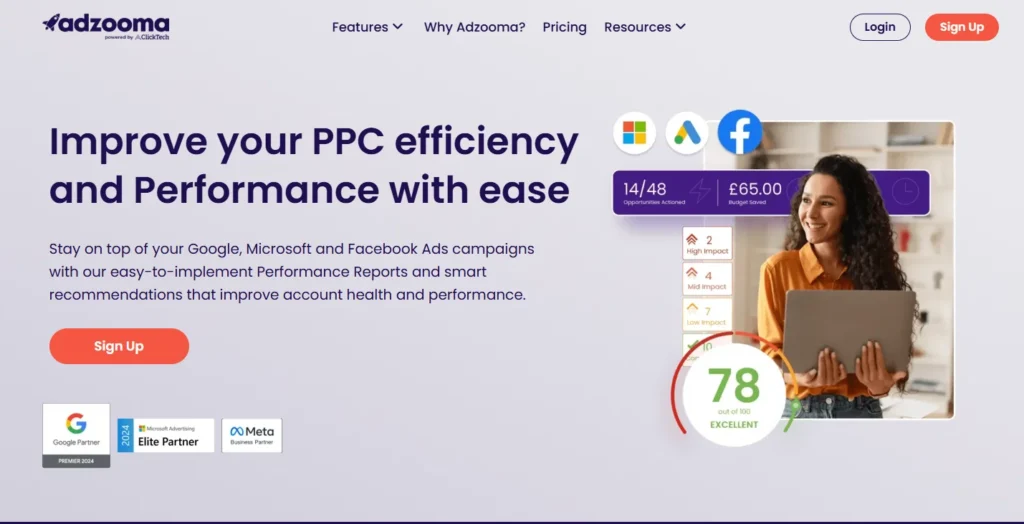
Adzooma is a simple-to-use tool for reporting and optimization that is specially designed for small businesses or individual marketers. The tool imports your Meta and Google Ads data, identifies the campaigns that are performing below average, and suggests changes to campaigns that have to be optimized with hardly any user set up.
Key Features of Adzooma:
With Adzooma, you can:
- Unified dashboard: View Meta and Google Ads data in one place.
- Built-in recommendations: Get optimization suggestions for quick improvements.
- Report builder: Create exportable summaries for basic reporting needs.
- Simple setup: Get started without complex configuration or technical knowledge.
Pros of Adzooma:
- Fast setup with minimal learning curve.
- Helpful for teams without dedicated analysts.
- Affordable starter plans with a free option available.
Cons of Adzooma:
Adzooma helps us optimize and manage Google, Facebook ad campaigns efficiently during the time of using it. However, in our opinion and our experience, this tool still has limitations that we think will affect the overall experience of users:
- First of all, this tool only provides the basic optimization metrics like bid adjustment, keyword pausing. Unlike other competitors, it lacks advanced features like quality score tracking or bidding strategies.
- Besides, we also realize this tool struggles when handling complexities like accounts grow larger or campaigns exceed simple structures.
- The last problem we found is the quality of reports when exporting is quite poor, and the inability to white-label reports is a downside for agencies.
Price:
Free basic plan available. Paid plans start at $69/month, depending on feature access and ad spend.
HubSpot Ads Software
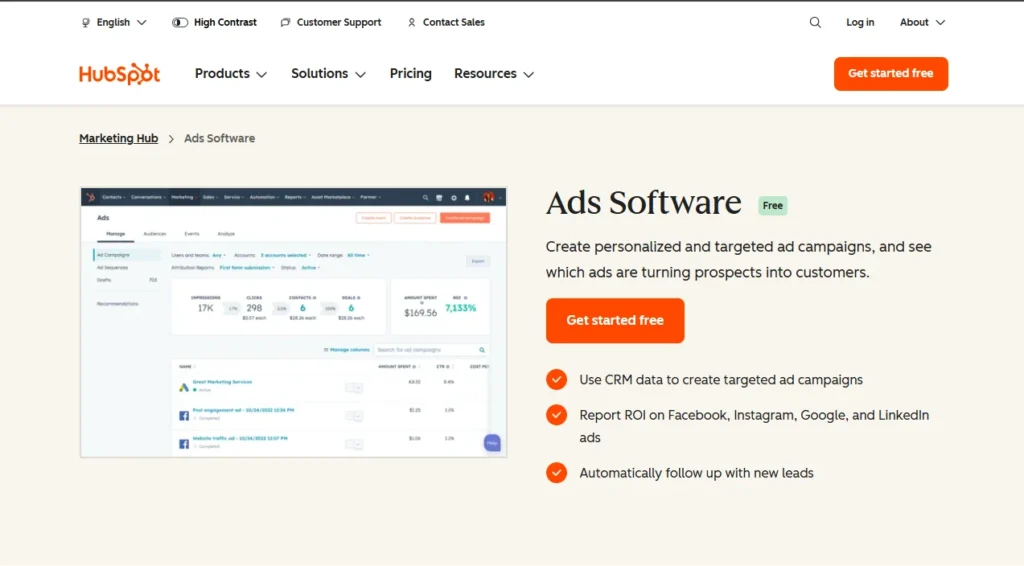
HubSpot Ads Software fits perfectly if you are looking for a way to have your Facebook Ads interact directly with your CRM. In HubSpot, you can run Facebook Lead Ads as well as each and every lead will be automatically flowing into your CRM for follow-up.
It is basically the power to be able to associate the performance of the ads with the results of the sales that is the main advantage. From a campaign, you can count the leads, track their progress in your pipeline, and even figure out the revenue they generated. On top of that, you can create custom audiences with the help of your CRM data, thus making sure that your ads reach the right people at the right time.
Key Features of HubSpot:
With HubSpot, you can:
- Create and manage Facebook Ads directly from HubSpot.
- Automatic syncing of leads into the CRM.
- Advanced audience targeting using CRM segments.
- ROI dashboards that connect ad spend to actual sales.
Pros of Hubspot:
- Uses CRM data for better targeting
- Manages multiple ad platforms in one place
- Tracks leads and revenue, not just clicks
- Automates follow-up with workflows
- Easy to use and integrates with HubSpot tools
Cons of Hubspot:
We used to try using this CRM and marketing platforms to offer a broad set of tools for sales, marketing, customer service, and content management. Though this tool has a lot of strengths, it still has limitations after the time we experienced.
- First of all, the user interface is quite laggy and complex in managing workflows.
- When we highlighted the problems, including the missed deadlines and the inaccurate information we were given, HubSpot’s response was dismissive. We were met with explanations rather than solutions.
- Finally, after we had not logged in for a while, when we came back, all our data had been deleted, and the worst thing is not have a support option available unless we change to enterprise tiers.
Price:
- Professional: $800/mo
- Enterprise: $3600/mo
ReportGarden
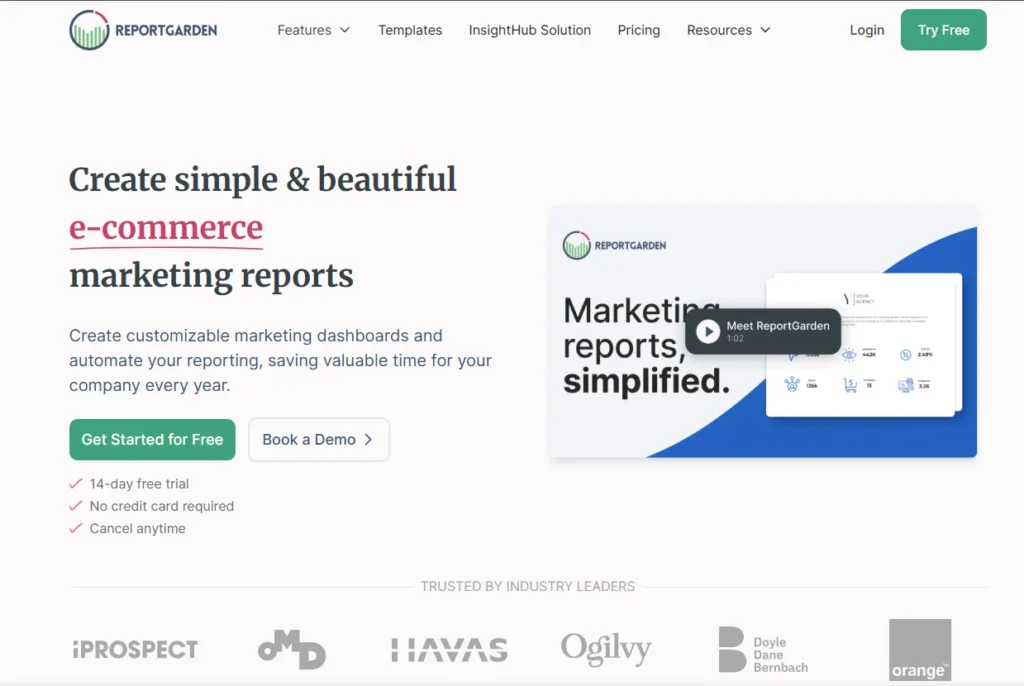
ReportGarden is a reporting tool that has been specifically created for the convenience of agencies. Its interface is essentially for the production of customer-friendly dashboards that have a good visual appeal and emphasize the most important metrics.
In the case of Facebook Ads, it provides live dashboards through which you can monitor reach, engagement, likes, comments, and other primary KPIs. The options are open either to creating reports from the beginning or to employing ready-made templates, and then clients can be sent the reports through an automated delivery process. The feature that allows for data to be broken down by location, audience interest, or some other targeting detail makes it possible for you to simply convert the data into useful insights.
Key Features of ReportGarden:
With ReportGarden, you can:
- Real-time Facebook Ads dashboards with detailed KPI tracking.
- Automated report scheduling so clients always get updates on time.
- Drag-and-drop customization for building reports that match client needs.
- Advanced segmentation by demographics or interest targeting.
Pros of ReportGarden:
- Automates report generation and scheduling
- Clean, white-label reports that look professional for clients
- Lots of integrations (Google Ads, Facebook, Analytics, call tracking, etc.)
- Easy-to-use drag-and-drop interface
Cons of ReportGarden:
After 2 months of experiencing ReportGarden, we found some limitations in here:
First of all, the data that syncs from certain integrations occasionally lags or requires manual refreshes. This impacts our real-time accuracy during fast-paced campaigns.
- Next, this tool lacks deep predictive analytics or AI-driven insights. We feel that they rely more on historical data presentation than proactive recommendations.
- The dashboards on mobile responsiveness are functional but not as polished as the desktop views.
- Finally, their customer support, though, is responsible for basic queries, but is slower for intricate customization or integration troubleshooting.
Price:
You will have a 14-day trial of the tool. After 14 days, the plans start from $75/mo.
>>>Related Article: Facebook Ads Reporting Full Detailed Guide For All Advertisers
Summary
Hopefully, this article will help you understand the big advantages of these tool as well as able to pick for your business the proper Faceboook ads reporting tool from our list. If you have any questions related to advertising or advertising accounts, feel free to contact us.
GDT Agency is one of the leading agencies that provides reliable Facebook agency accounts for rent, quick technical support, and clear guidance so businesses can stay active while waiting for appeals or handling unexpected problems. We are a practical partner for brands that can bring stability and consistent performance in their advertising. Our awesome support team is always here to assist you!

Follow if you find it useful


Was this helpful?
Thanks for your feedback!
You can contact us, with our experience in successfully deploying thousands of conversion advertising campaigns, GDT Agency confidently believes we can help you optimize effectiveness and maximize cost savings with advertising operations.