
When you move from a personal ad account to an agency account, it feels like the main problem is solved: higher spending limits, more stable payments, room to grow. But a few weeks later you find out that a campaign can be lost even without any limit issues. The cause is often not the account itself, but where the ad leads.
Let’s look at why an agency account covers only half of a campaign, what moderation checks on the landing page side, and how to cover the second half with cloaking, using Cloaking.House as an example.
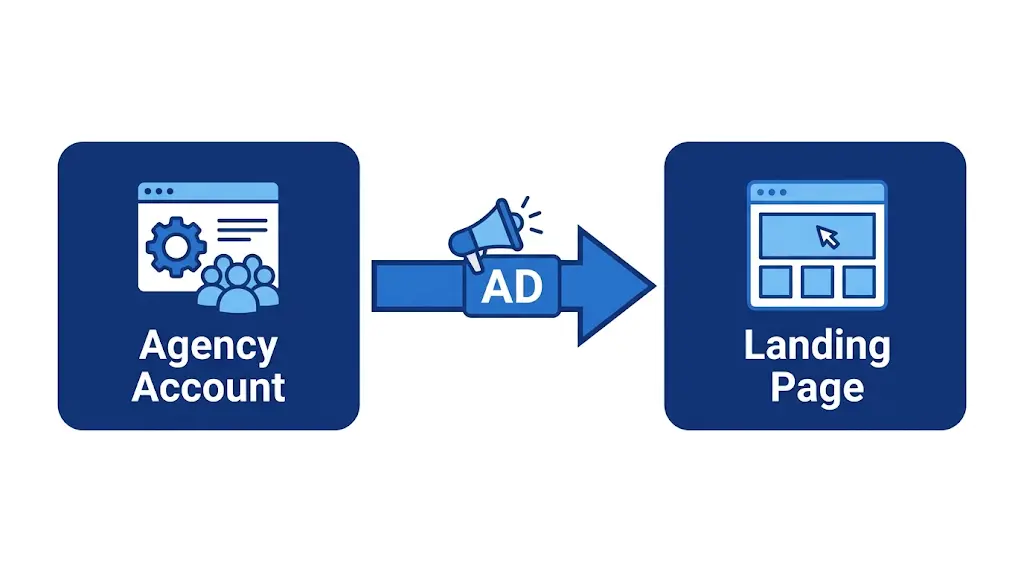
Two Halves of One Campaign
- The account: Who runs the ads: account reputation, spending history, payment profile. Agency infrastructure helps here with stable limits and access to support.
- The landing page: Where the ad leads and what a reviewer or bot sees when it follows the link.
If the second half is weak, even the best account can get a rejection, because the platform looks at the ad as a whole.
For advertisers looking to scale campaigns across multiple platforms, choosing the right advertising account infrastructure is an important part of the process. GDT Agency provides agency ad account rental services for Facebook, Google, and TikTok, helping businesses access advertising accounts with suitable billing arrangements and infrastructure for their campaign needs. However, a reliable agency account does not replace the need for compliant landing pages, accurate ad content, and proper campaign management. Advertisers should treat account infrastructure and landing page compliance as two separate but equally important parts of their advertising operations.
What Platforms Check on the Landing Page Side
Facebook, Google, and TikTok compare the ad with what is behind the link:
- Match between creative and page: The promise in the ad should match the content.
- Content and structure: Contact details, a privacy policy, a clear topic.
- Behavior across different visits: Automated checks open the link from different addresses and devices.
- Repeat reviews: The page can be checked again after launch.
Platforms do not disclose exactly which signals they use, so rely on your own logs.
This is also why a strong account is not a shield. An agency account gives you higher limits and a more stable billing setup, but a reviewer who lands on a weak or mismatched page does not care how trusted the account is. The ad can still be rejected, and repeated rejections put pressure on the account itself. Protecting the landing page side is part of protecting the account.
How Cloaking Helps
Cloaking splits traffic on a single link into two outcomes: a real user from the target GEO reaches the offer, while a reviewer or bot sees a safe page (a White Page). The decision is based on a set of signals: GEO, language, device, OS, browser, VPN or proxy, ISP, referrer, and click frequency from one IP.
One honest note: ad platforms do not encourage this practice, and no setup gives guarantees. Cloaking reduces risk and adds control, but it does not replace a careful launch.
Setting Up Cloaking.House: A Minimal Route
1. White Page: The topic matches the ad, there is a clear structure, contacts and a privacy policy, the page is unique and works on mobile. Cloaking.House has an AI White Page generator on every plan: choose a vertical, language, and theme, get an archive, upload it to your hosting, and rename the main file to site.html.
2. Flow: Set two pages: the White Page (site.html, Load method, so the browser address stays the same) and the Offer Page (your offer link; use Redirect for an external one).
3. Filters: GEO, device, OS, browser, language, VPN/Proxy, ISP, referrer, IPv6, click limit, and your own blacklists and whitelists. The principle: filters should repeat the targeting of your ad account, so real people are not lost.
4. Integration: We recommend the PHP integration: the check runs on the server, so there are no traces in the page code. Upload the integration file to the domain root next to site.html. Without hosting, you can use a ready-made cloaked link.
5. Testing: With your IP on the whitelist you should see the offer; without it (through a VPN or from another GEO) you should see the White Page. Only then add the link to your ad.
Platform-Specific Notes
Platform-Specific Notes
| Platform | What to watch |
| GEO, device, and language filters can usually be stricter. Check IPv6 blocking against your logs | |
| Do not block IPv6 blindly: part of the verification traffic may use it. The page should have real content | |
| TikTok | Clicks often pass through intermediate domains, so configure the referrer filter carefully |
Keep a separate set of settings for each platform instead of one for all.
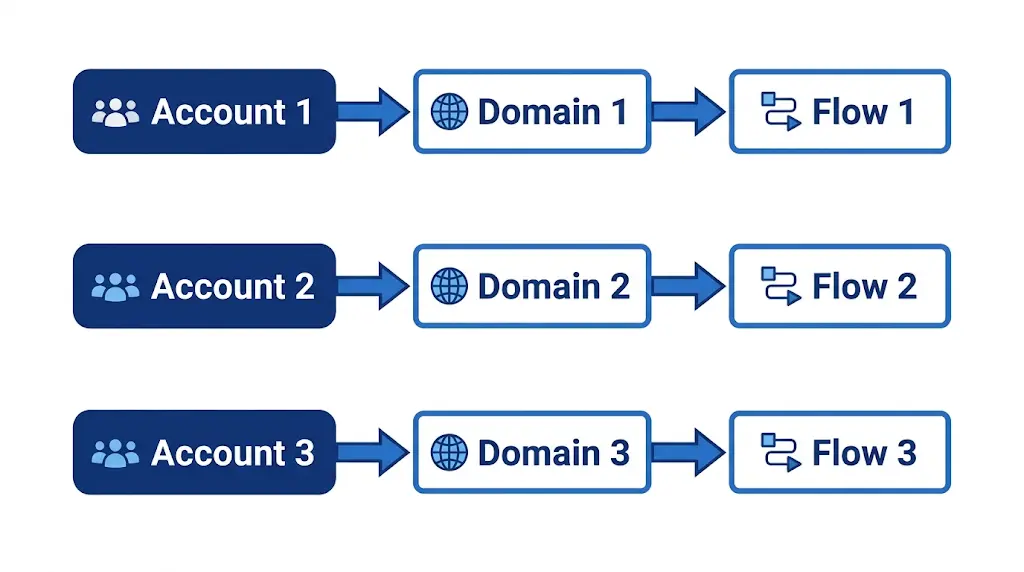
Scaling: One Account, One Domain, One Flow
With several agency accounts it is tempting to save money and use one page and one domain for all of them. Don’t: one White Page on several campaigns is more noticeable than it seems, and a shared domain links campaigns together.
A practical habit: name every flow with the account, offer, and GEO (for example, Acc3_OfferA_US). When you are running ten or more flows, clear names save more time than any other setting.
When you have many flows, it helps to manage them through the API. In Cloaking.House it is available on every plan, so flow creation can be built into your process for launching new accounts.
Reading Your Logs After Launch
The click section shows the result of each visit (White Page or Offer), the triggered filter, IP, GEO, language, device, and referrer. Look for three things:
- Real people on the White Page: Open the trigger reason and loosen that specific filter.
- Repeated suspicious visits: Close them with a blacklist or a click limit.
- Unexpected referrers: They help you understand where your ads are shown.
Example. You launch a mobile-only campaign for one country. After the first day, the log shows several real-looking mobile visits from that country that landed on the White Page, and the trigger reason is the ISP filter. That means the filter is too strict for this audience. Loosen only that rule, check the log again after the next batch of clicks, and avoid changing other settings at the same time, so you can see what actually made the difference.
Common Mistakes and a Checklist
Mistakes: looking only at the account; using a generic White Page; sharing one domain across accounts; setting filters too strict; using one preset for all platforms; skipping pre-launch tests; ignoring logs.
Pre-launch checklist:
- Each account has its own domain and flow
- The White Page matches the ad
- Filters repeat the targeting and are adapted to the platform
- Both scenarios tested: offer with whitelist, White Page without it
- Small starting budget, one GEO
- Logs checked after launch
FAQs
Why do I need cloaking if I have an agency account?
An agency account helps with limits and account stability, but it does not affect what a reviewer sees on your page.
Does cloaking guarantee moderation approval?
No. It reduces risk and gives control, but platforms change their rules, and there can be no guarantees.
Do I need my own hosting?
Not necessarily. You can park a domain inside the service and use a ready-made cloaked link, or integrate the PHP file on your own hosting.
Can one White Page be used for several accounts?
It is better not to. Use a separate page, domain, and flow for each account, so a problem with one campaign does not affect the others.
Can I test the service before paying?
Yes, Cloaking.House offers 7 days of free access with no feature limits.
Conclusion
Agency infrastructure covers the account side, cloaking covers the landing page side. Together they make a more resilient setup, provided it is configured carefully: a separate domain and flow for each account, filters tailored to the platform, testing before launch, and attention to logs.
You can try it for free: 7 days of Cloaking.House access.