
Octo Browser Reviews 2026: Is It Worth Paying For?

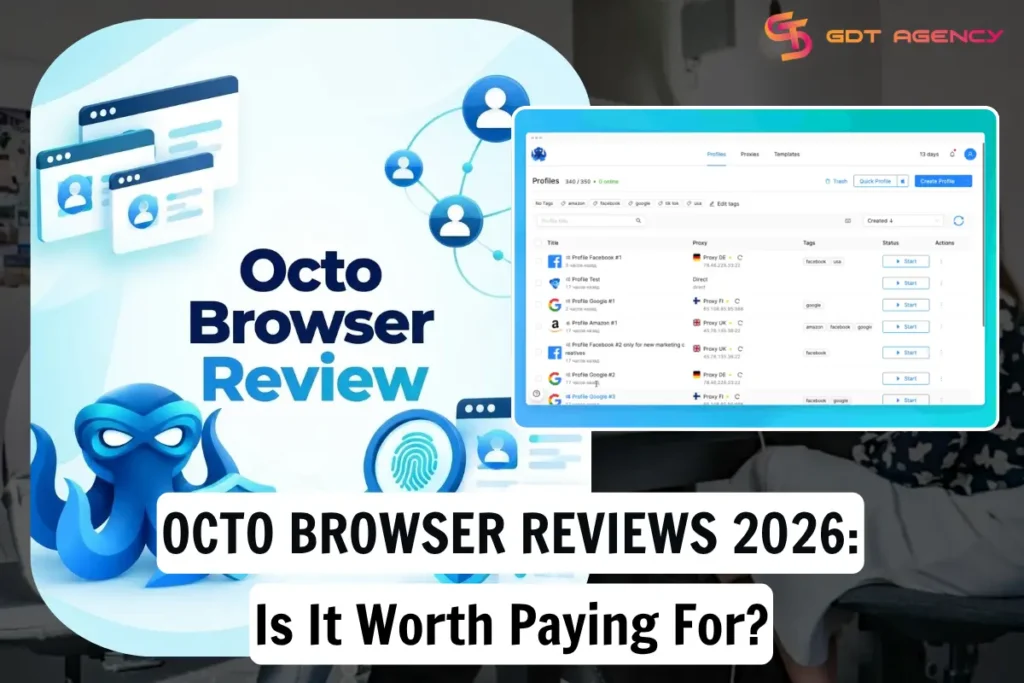
Octo Browser is worth paying for in 2026 if you manage many accounts for work. It earns that place for three reasons. The vendor offers downloads for Windows, macOS (Intel and M-series), and Linux, and it also promotes mobile apps for iOS and Android. It also offers a built-in proxy shop and encrypted cloud storage. Its higher plans add team seats and API access. Octo Browser is a secure and efficient anti-detect browser for multi-accounting on any platform using a single device. Octo Browser offers all the convenient and up-to-date tools for any multi-accounting task. Below, this review explains how Octo Browser works, what it costs, and what real users say.
Is Octo Browser Worth Paying For in 2026?
Yes, Octo Browser is worth paying for in 2026 if you run many accounts, because it offers realistic fingerprints, strong data protection, and built-in proxy, team, and API tools.
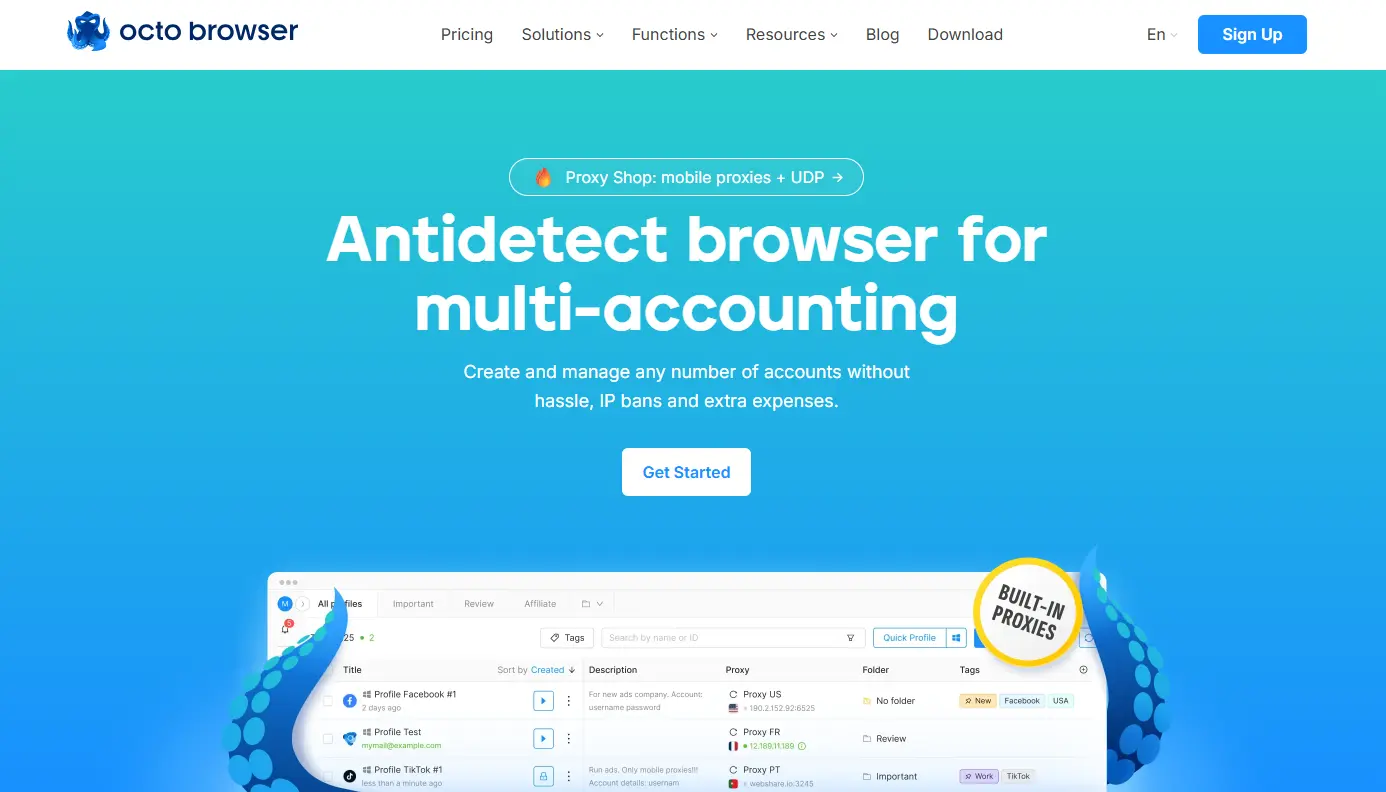
To see why, start with what the product is. Octo Browser is an antidetect browser that gives every profile its own digital identity. The tool targets people who lose money when an account gets flagged or banned. Here are the key advantages of Octo Browser:
- Best digital fingerprint spoofing available on the market (macOS, Windows, Android) that easily bypasses the most advanced security systems.
- Your data is safe thanks to the hack-resistant architecture we designed from the start. Profile passwords enable end-to-end encryption. Two-factor authentication protects your account even if your password is lost. We’ve had no data leaks throughout the whole of Octo’s history.
- Simple and convenient management of hundreds of accounts: Configure fingerprints, create multiple browser profiles using templates, and connect proxies in just a few clicks.
- Instant browser kernel updates: To ensure Octo profiles seamlessly blend in with the crowd of regular Google Chrome users, we always release kernel updates promptly.
- Stable software for enterprise-grade needs: When our users launch Octo at the start of their workday, they know that the browser will always function correctly. Data shows that Octo services are available 99.995% of the time.
- Choosing high-quality proxies can be challenging. For Octo Browser users, this is not a problem, as trusted proxy providers are available directly within the client, including residential and mobile proxies. The Octo Team carefully monitors their reliability, provides traffic bundles suitable for diverse needs, and offers significant discounts on purchasing large proxy traffic volumes. We’ve added UDP proxy support to close as many loopholes as possible for the most sophisticated anti-fraud systems.
As a result, the browser handles identity, storage, and sync, while you handle the proxy choice and account behavior. Octo cannot fix poor habits such as sharing one proxy across many profiles.
How Does Octo Browser Work?
Octo Browser works by giving each profile its own fingerprint, proxy, and storage, so every account looks like it runs on a different device.
Specifically, the process follows five steps:
- Create a profile. A Quick Profile gives you a realistic fingerprint in one click. Advanced users can set the CPU, GPU, user agent, system language, and hardware noise by hand.
- Attach a proxy. Octo supports HTTP, HTTPS, SOCKS5, SSH, and IPv6 proxies. Each profile should keep one fixed proxy.
Prepare cookies if needed. The Cookie Robot can generate cookies for a profile that has none to import. Every subscription includes it. - Launch the profile. The profile opens as its own isolated browser window. Websites still see a Chrome browser, which keeps the setup natural.
- Close the profile to sync. Octo uploads the current profile version to cloud storage when you stop or close it. You can then open the same profile from another device.
As a result, the browser handles identity, storage, and sync, while you handle the proxy choice and account behavior. Octo cannot fix poor habits such as sharing one proxy across many profiles.
Who Is Octo Browser For?
Octo Browser is not for everyone. Octo Browser is for media buyers, affiliate marketers, agencies, e-commerce sellers, and social media managers who need to run many accounts safely.
More specifically, each group uses the tool differently:
- Media buyers and affiliates keep one profile per ad account and per traffic source. Clean separation protects the whole operation when one account gets restricted.
- E-commerce sellers manage several store accounts without linking them through a shared fingerprint.
- Social media managers log into many client pages from one machine and share profiles with the team.
- Developers and data teams use the API for scraping and testing. Octo also lists bounty hunting and ticketing among its solution areas.
- Agencies manage assets for many clients at once.
In particular, agencies and advertisers who work with Facebook agency accounts have a strong reason to use a tool like this. GDT Agency, for example, provides rented agency-level ad accounts for Facebook, Google Ads, and TikTok to advertisers in more than 18 countries. An advertiser who handles several rented accounts, or a media buying team that shares them, needs clean separation between logins. Octo Browser gives each account its own profile and a clear activity log. Use any antidetect tool for legitimate business accounts and follow each ad platform’s rules.
Is Octo Browser Good for Multi-Account Management?
Yes, Octo Browser is good for multi-account management because it isolates each profile, syncs data to the cloud, and supports teams and automation.
Specifically, user reports back this up. One reviewer runs a team profile with 350 profiles alongside two teammates. Another says fingerprints look realistic enough that bans almost never happen. A third reviewer reports zero issues with Facebook after a week of use. A fourth reviewer describes stable profiles after three months.
However, the picture has limits. The official documentation says one or two devices fit comfortably on a single account. Too many requests from an account can lead to a temporary limit. Large teams should check the seat and API limits of each plan before buying. One 1-star reviewer reports profiles that fail to open and generic support replies. One complaint does not define the product, but it shows why a short trial matters.
In addition, the profile limits shape daily work. Each plan caps active profiles, so a growing operation will move up a tier. You can upgrade at any time, but you can only downgrade after the current subscription expires.
How Much Does Octo Browser Cost in 2026?
Octo Browser costs from €10 per month for Lite to €329 per month for Advanced, with Custom plans priced on request.
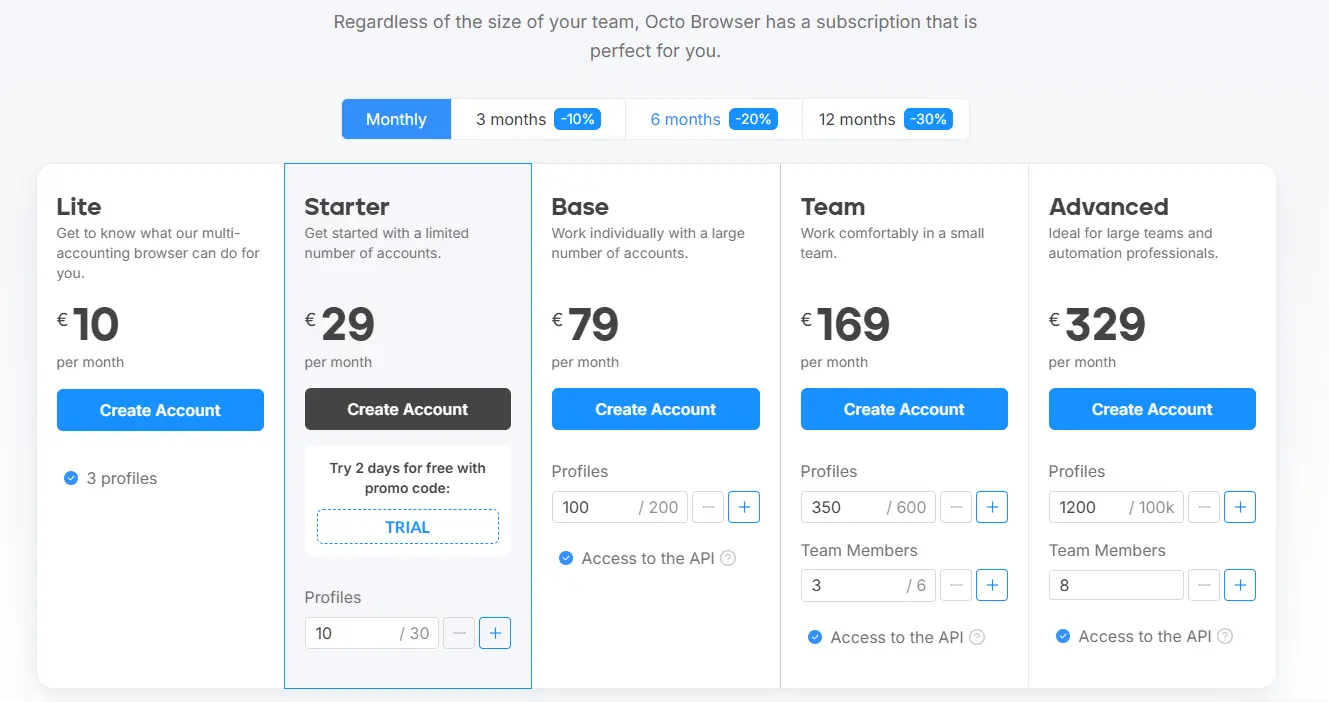
Below is a table of the five standard plans. It lists the monthly price, the effective monthly price on a 12-month plan, the included profiles, the team seats, and the API limits. Prices come from the official pricing page and exclude VAT.
| Plan | Monthly price | Per month on annual billing | Included profiles | Team members | API limit |
| Lite | €10 | €7 | 3 | None | None |
| Starter | €29 | €21 | 10 (up to 30 with add-ons) | None | None |
| Base | €79 | €56 | 100 (up to 200) | None | 50 RPM, 500 RPH |
| Team | €169 | €119 | 350 (up to 600) | 3 (up to 6) | 100 RPM, 1,500 RPH |
| Advanced | €329 | €231 | 1,200 (up to 100,000) | 8 | 200 RPM, 3,000 RPH |
Longer terms bring discounts of 10% for 3 months, 20% for 6 months, and 30% for 12 months. Each billing cycle lasts 30 days. Custom plans offer unlimited profiles, unlimited team members, and a personal manager. Payment options include Visa, Mastercard, UnionPay, and several cryptocurrencies.
In terms of value, the cost per profile drops as plans grow. Base costs about €0.79 per profile, Team about €0.48, and Advanced about €0.27. Lite and Starter cost near €3 per profile, so they work as test plans. Trustpilot reviewers often call the price high but fair for the quality. The tool pays off when account losses cost more than the subscription.
What Do Real Users Say About Octo Browser?
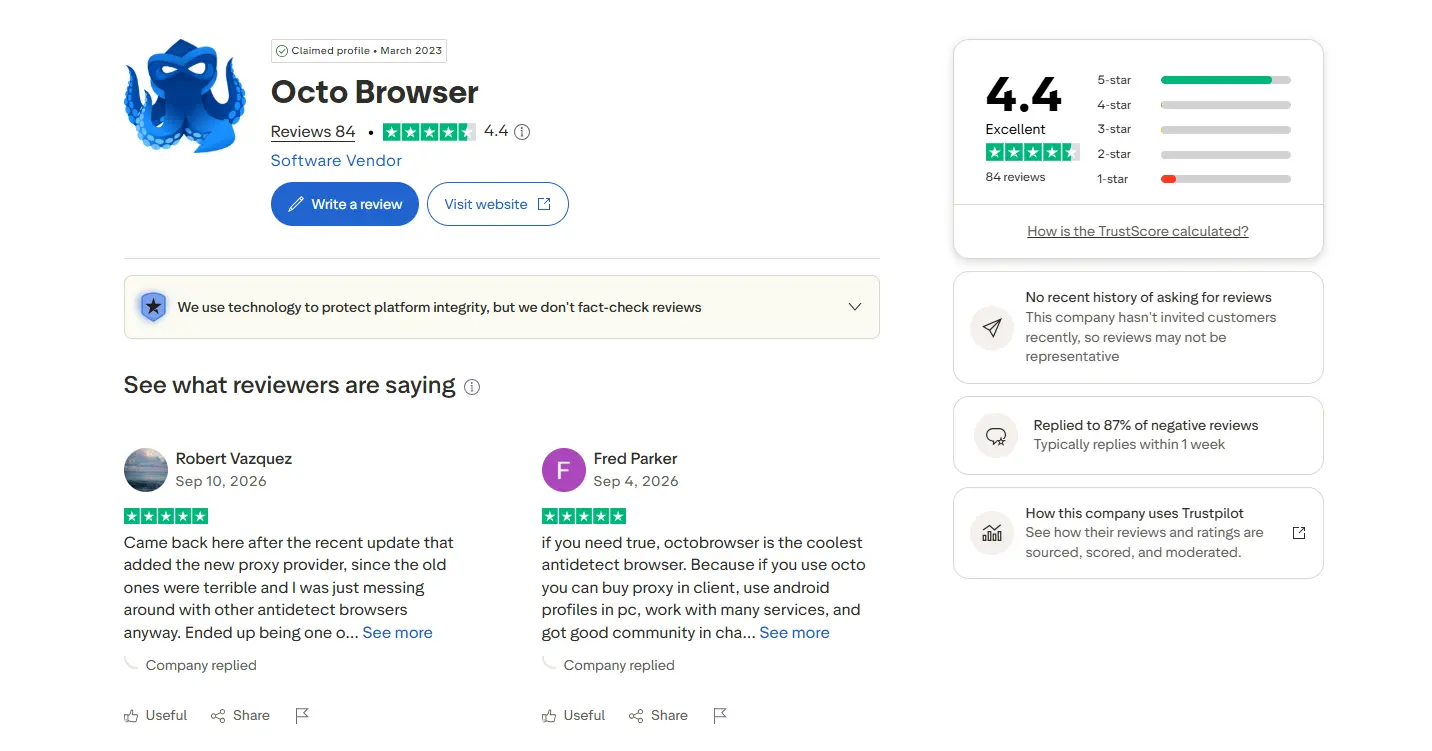
Real users rate Octo Browser 4.4 out of 5 on Trustpilot, based on 84 reviews. About 86% of those reviews give 5 stars, with the praise repeating around 5 themes:
- Fingerprint quality: One reviewer says the spoofing passed every major checker they tried.
- Built-in tools: Reviewers like the proxy shop and the Cookie Robot as time savers.
- Mobile access: A reviewer says the Android app lets them log into the same profiles they use on a PC.
- Interface updates: A July 2026 review says the new folders made sorting profiles much easier.
- Community: Several reviewers praise the active Telegram community for fast answers.
On the other hand, the criticism also has patterns. Reviewers call the price high. One reviewer says support answers feel scripted, and that the English chat is quiet compared with the Russian-speaking one. Another reviewer wanted folders on top of tags, a gap that a later update filled. The one detailed 1-star review reports daily problems opening profiles.
Keep in mind how to read these scores. Trustpilot says it does not fact-check individual reviews. The company has not invited customers to review recently, and it replied to 87% of negative reviews. Use the score as one signal, then test the browser with your own workflow.
Final Thought
In short, Octo Browser is worth paying for in 2026 if you manage many accounts and a ban costs you real money. Its strengths are realistic fingerprints, encrypted cloud profiles, a built-in Proxy Manager, team tools, and API access. Its weaknesses are a high price, scripted support replies, and limits on active profiles at each tier.
Choose Octo Browser if you run an affiliate, e-commerce, social media, or agency operation with 10 or more accounts. Start with a trial, then move to Base or Team once you need more profiles or API access. Choose a different tool if you only manage one or two personal accounts.
Ready to test it? Create an account and apply the code AGENCYGDT30 to get a 30% discount on the first subscription payment.
.