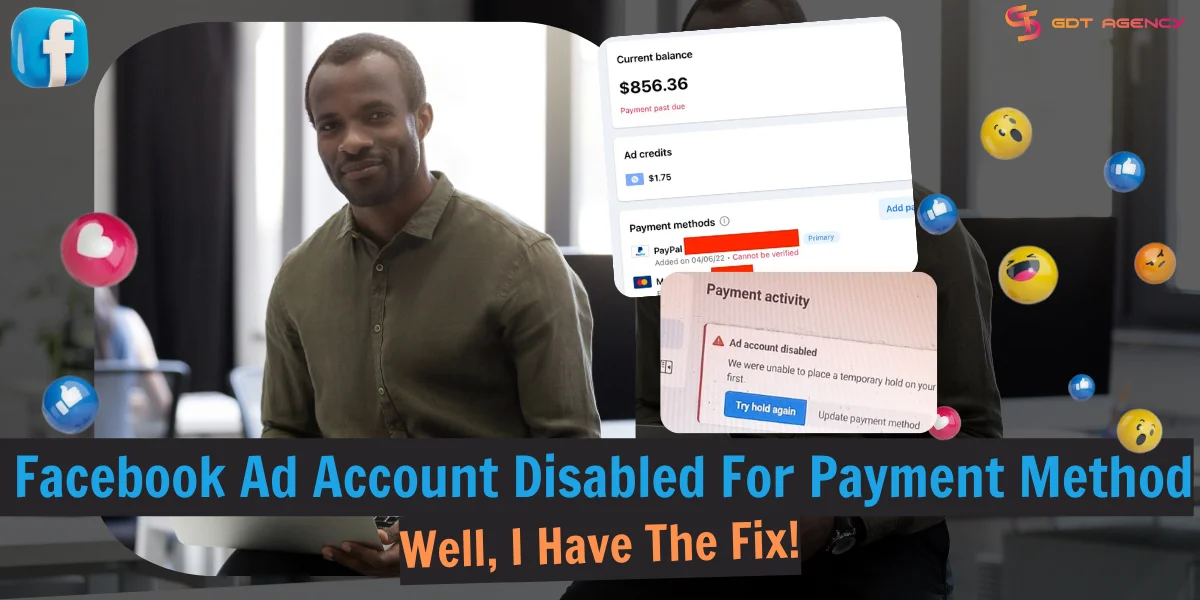
Facebook Ad Account Disabled For Payment Method? Well, I Have The Fix!


When your ad account gets disabled because of a payment method problem, your advertising activities will immediately be halted. Failed charges, expired cards, or billing activities – all of these are considered to be suspicious activities that will make Facebook flag you as risky. In this guide on a Facebook ad account disabled for payment method issues, I’ll show everything you need to know to help you understand the reasons why it happens, and also the effective measures that you can take in order to have your account operating again.
What Does Facebook Ad Account Disabled For the Payment Method Mean?
If your Facebook advertising account is disabled due to the payment method, it means that Facebook has found something unusual or high-risk payment activity in the way your ads are being paid for, such as insufficient funds or an expired card. In simple words, a Facebook ad account is disabled for payment issues when the ad account’s payment method fails.

As a result, the system temporarily disables the whole account as a precaution against fraud or charges that will not be paid. When a Facebook ad account is disabled due to payment method, Meta will restrict the advertiser’s ability to create ads or deliver ads altogether.
>>> Read Now: How To Fix Facebook Ad Account Disabled 2025
Why Is Your Facebook Ad Account Disabled For Payment Method?
In the last couple of years, Facebook has been trying to deal with an increasing number of advertising scams. A small group of fraudsters is constantly looking for technicalities to run ads without paying a cent. They usually make use of stolen credit cards, false business pages, or are able to advertise heavily through newly opened accounts. When the advertising is done and the charges appear, they will simply disappear and leave behind the unpaid balance.
As this problem keeps growing, Facebook has tightened its payment checks. If an account shows signs of unpaid charges, unusual billing behavior, or mismatched payment details, Facebook may place a temporary lock to protect the system. Below are several payment-related reasons that are common and may result in the disabling of an ad account:
Insufficient Funds
If your account’s payment fails because the account doesn’t have enough money, it will be disabled. Every time your advertising expenses reach the billing threshold or the billing cycle is over, Facebook will charge your card or account. If your card has no balance or has expired, it will be considered by Facebook as a failed payment. After a few attempts to charge from Facebook, if it still fails, your balance will be marked as overdue.
If Facebook notices multiple failed payments or an overdue balance, it will automatically disable the ad account to stop any further spending. Facebook considers failed payments to be risky even when it is just a matter of the account balance. The system then sees it as a potential inability to pay for ads, and thus it pauses or disables the account so as to protect itself.
Repeated Failure Payment & Using High-Risk Payment Method
Some high-risk payment methods, like prepaid cards, virtual cards, and temporary cards, are considered unstable or risky sources of payment for Meta Systems. High-risk payment methods also have a higher rate of failed payments, and if Facebook sees too many declines, it will consider it a financial risk and will disable your ad account. Besides, if Meta detects one card used on different unrelated businesses, it can even disable all connected accounts.
Chargeback or Disputes
Sometimes you may have sufficient, but Facebook cannot charge you due to card errors and other technical issues. For instance, you have reached your credit card limit, so the bank refuses to process the payment. If you dispute a Facebook charge with your bank, the system flags it as a fraud risk, and even a single chargeback can lead to disabling the ad account and sometimes the whole Business Manager.
Payment Profile Mismatch
One of the reasons your Facebook ad account might get disabled is that you have a payment profile mismatch. Meta uses the billing details to verify identity, reduce fraud, and confirm that the person paying is the same one who is running the ads. When there is something in that profile that doesn’t match, the system sees it as a potential risk. Below is the list of mismatches that advertisers may easy to happen:
1. Name on the card doesn’t match the account owner: if the ad account belongs to a business, but the card is under a personal name, Facebook will think the card is unauthorized.
2. Country mismatch: if the card is in one country but your ad account or business is set to another, Meta can consider you as trying to hide your identity or avoid proper billing rules.
3. Currency mismatch: When your card currency and ad account currency do not match, payments will fail constantly.
4. Previous flags linked to that payment identity: if you use the card or billing information that was used to link to a disabled account, Meta will block it right at the moment they detect the mismatch
Aside from payment issues, Facebook ad accounts can be disabled for multiple reasons. Read more: Facebook Ads Circumventing System: What It Means & How To Fix
How To Recover A Facebook Ad Account Disabled For Payment Method?
Now that you know about these related reasons for payment issues. From the section above, we understand that if you forget to top up your associated bank account and have an outstanding balance unpaid, you will be suspended, and your ad account will be disabled until you take action to either pay the balance owed or add a new, valid payment method to reactivate the account.
Fixing a Facebook ad account disabled for a payment method is not impossible. 3 months ago, a medium-sized e-commerce company based in New Jersey reached out to us after their Facebook advertising account was unexpectedly disabled due to Repeated Failed Payments. Their Visa credit card had a rather low monthly limit, and every time the ad spending surpassed that limit, Meta would make billing attempts that were all rejected.
Facebook’s billing system tried to charge the card repeatedly over the course of three days. The bank rejected each transaction because the limit on the card had already reached the maximum. The pattern was considered to be a payment risk by Meta’s system, and thus, the ad account was disabled to prevent further expenditure.
Through the appeal, the sales of the client dropped drastically since all the campaigns were put on hold. While waiting for Meta to make a decision on the case, GDT reused an agency account for the client and reconstructed the main campaigns. They managed to achieve 90% of the previous ROAS within 48 hours and kept the ad spend stable while the main account was being reviewed.
Eventually, when Meta reinstated the advertising account, the brand opted to switch permanently to GDT’s agency account since the higher spending limit and the payment trust built into the account would prevent any similar problems from occurring. Subsequently, the client increased his daily budget from 2,000 to 6,500 USD without facing any interruption due to payment failures.
There are 4 main steps we often take, and you should follow, as shown in the flowchart below.

Step 1: Review your balance
The first step is checking your current balance. Here’s how:
- Log into Facebook.
- Head to Ads Manager.
- Click Billing & Payments.
- Go to Payment activity.
- View the current balance.

If the due is more than the remaining amount in your associated payment method, top up your bank account and select Pay Now using the existing payment method.
Now, if the payment is processed and you settle the outstanding balance successfully, your ad account will be recovered, and your campaign will resume. You can skip other steps. But don’t forget to read further about the prevention tips to avoid future bans.
But if there are sufficient funds in your bank account or the added funds are not approved, move to the next step.
Step 2: Update/Add payment method
Maybe you cannot pay for ads because of incorrect bank account or card information.
Diligently double-check every detail including card number, bank information, account holder name, CVV, expiration date, and credit card limit. Correct the wrong inputs.
If you have reached your credit card limit or the card has already expired, you need to add another payment method.

You must select a payment method that is accepted for Meta ads in your country. For example, in the US, you can use:
- Credit or debit cards: American Express, Discover, MasterCard, Visa.
- Paypal
- Direct debit (online banking)
For the full list of accepted payment methods by country, visit Accepted Payment Options for Meta Ads.
If you are using a debit or credit card, ensure that the issuing country of your card is the same as your business location.
I recommend choosing a fresh new payment method. Don’t add a card that has been used for several ad accounts, especially violating accounts. Facebook uses payment info to identify advertisers with histories of scams and policy violations. Using cards linked to banned accounts will cause permanent suspensions.
Once you have updated a valid payment method with sufficient funds, select Pay Now and clear out your dues.
Step 3: Contact your bank
If a new card cannot solve your issue, call your bank or payment provider for help. Ask them to check what is wrong with your payment account.
There is a high probability that your bank considered Facebook a fraudulent charge and blocked the transaction, especially if you use cards from local banks to pay for Meta ads. Ask them to authorize Facebook to charge your money, then try to pay your due again.
If this still doesn’t help, you may need to contact Facebook to troubleshoot the Facebook ad account disabled for payment methods.
Step 4: Contact Facebook ads payment support
High-spending accounts can access contact support via live chat to get direct help. Better, if you have ever talked with a Meta representative, let them know your issue. Tell them it was an issue with the payment method, not your intention to avoid being charged.
For new advertisers, you can fill in this Payments Support form (https://www.facebook.com/help/contact/1937556639801443) and follow Facebook instructions to request a review by the human team.

Wait for the Facebook team to investigate your case. It usually takes 1 – 2 days. Once your request is accepted, you can get your Facebook ad account back. Persist to make another request if the first one fails.
Video: How to fix a Facebook ad account disabled for payment method issues
Source: Meta for Business.
Continue reading for proactive measures to prevent your Facebook ad account from being disabled for payment methods.
Tips To Prevent Facebook Ad Account Disabled For Payment Method in the Future

Implement these tips if you don’t want to get account suspensions due to payment issues again.
- Confirm that your payment methods are active and have not been restricted by your issuing bank.
- Add a backup payment method to your ad account so that your ads aren’t paused due to payment failures on your primary payment method.
- Check the expiry dates on your credit or debit cards to make sure that they remain valid for future charges.
- Confirm that your payment method is connected to the phone number where you may be expecting an OTP, and you have access to the phone.
- Regularly check that your card has enough funds, particularly close to your monthly billing date. Facebook automatically charges when you reach your payment threshold, and Facebook will charge you again on your monthly bill date for any leftover costs.
- Add money to your available funds up to the allowed prepaid balance limits. The available funds will be used first to cover your ad spend before you are charged on your payment method. This reduces the chances of potential failures of automatic payments.
- Some cards have limits for the maximum amount that can be charged in a single transaction. If you have a limit on your credit card, you can decrease your payment threshold to match this amount.
- If your ad account is set up for available funds only (and not automatic billing), you should set up auto-reload to avoid running out of available funds in the future.
- If you are eligible for monthly invoicing, apply for a monthly invoicing line of credit.
- Consider using Facebook agency ad accounts to avoid payment errors and get extra support for technical issues.
Conclusion
Having a Facebook ad account disabled for payment methods is not an apocalypse. By following the simple steps above, you can fix the issue and resume your campaign in the blink of an eye. Don’t forget to apply my tips to avoid future bans for happy and smooth advertising.
Keep in mind that another way to handle a situation if your ad account gets disabled is to rent a Facebook agency account, which can offer the steady, reliable reputation environment to continue your campaigns while resolving the payment problems of the original account. Many advertisers have considered it as a safety net to maintain their revenues, prevent downtime, and scale their businesses. Join in now to open free account and get back unlimited cash back today.

If you have difficulty at any step along this process, let us know. Our experienced and dedicated Facebook ad experts are just a few clicks away. Contact us anytime at your convenience to get support from GDT Agency.

Follow if you find it useful


Was this helpful?
Thanks for your feedback!
You can contact us, with our experience in successfully deploying thousands of conversion advertising campaigns, GDT Agency confidently believes we can help you optimize effectiveness and maximize cost savings with advertising operations.