
How do Facebook ad account and Business Manager differ?

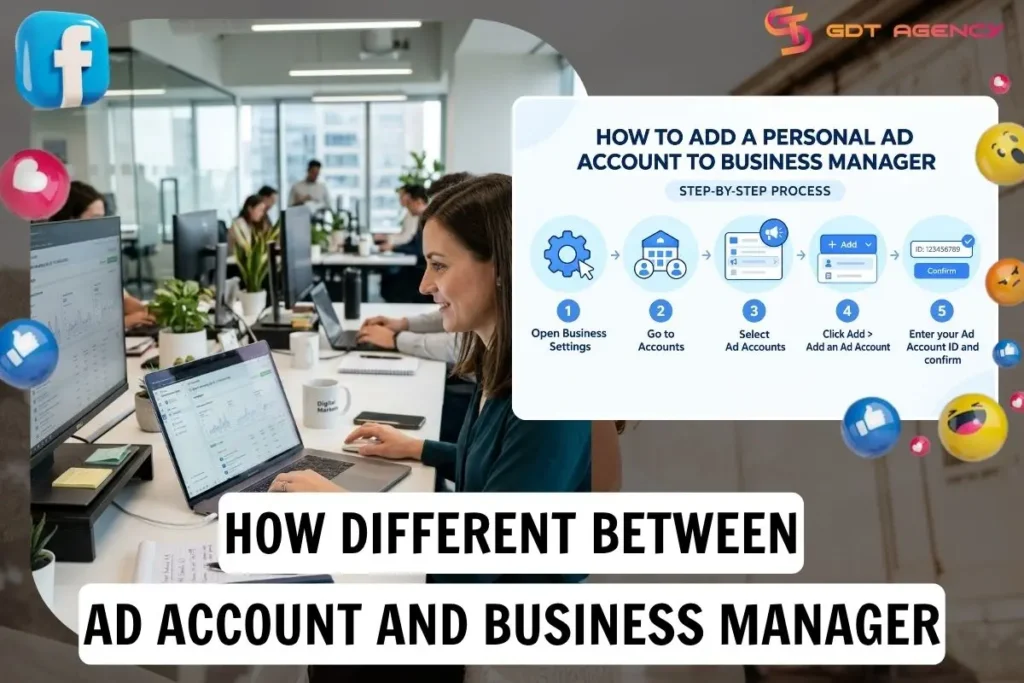
A Facebook ad account is the workspace where you create, pay for, and run ads, while Business Manager is the layer above it that owns ad accounts, Pages and team access. They differ in 5 ways: purpose, content, permissions, multi-account management and ownership. Below, this guide separates the two tools, shows how they connect, and explains the ownership rules behind most account-access problems.
- What is the difference between a Facebook ad account and Business Manager?
- What is a Facebook ad account?
- What is Business Manager?
- How do ad accounts and Business Manager work together?
- What should you know about ad account ownership in Business Manager?
- How do you move an ad account into Business Manager?
- What is the difference between sharing and claiming an ad account?
- What happens to an ad account when team members leave?
- Final Thoughts
- FAQs
- Can you have more than one Business Manager?
- Does moving an ad account into Business Manager change its ad account ID?
- Does having admin or full control mean you own the ad account?
- Can changing admin permissions interrupt your ads?
- Can you transfer or remove an ad account after claiming it?
What is the difference between a Facebook ad account and Business Manager?
A Facebook ad account and Business Manager differ in 6 aspects: primary role, contents, billing, ownership, access control and standalone use. The table below lists each aspect, so you can see which job belongs to which before you set up.
| Aspect | Ad account | Business Manager |
| Purpose | Runs paid campaigns | Organizes business assets and controls access |
| Contents | Campaigns, ad sets, ads and payment setup | Ad accounts, Pages, Instagram accounts, catalog and people |
| Permissions | Access is assigned per account | Manages people and their access across every asset it holds |
| Multi-account management | Covers a single ad account | Holds several ad accounts in one place |
| Ownership | Sits inside Business Manager | Owns the ad account and the other assets inside it |
With 10 years of experience working with Facebook Ads at GDT Agency across standard and Facebook agency account types in retail and ecommerce, I have seen advertisers treat the ad account and Business Manager as one thing. That mix-up leads to the wrong account structure, permissions handed to the wrong people and businesses losing control of their advertising assets. To avoid that confusion, Ads Manager is the interface for creating, editing and measuring ads, while Business Manager manages the assets and who can access them.
What is a Facebook ad account?
A Facebook ad account is a Meta advertising workspace, identified by a unique ad account ID, where you create campaigns, attach a payment method, and review performance. Every ad you run must live inside one.
An ad account may be individually owned or owned by Meta Business Manager. That ownership setup determines how people, partners, and related business assets are administered.
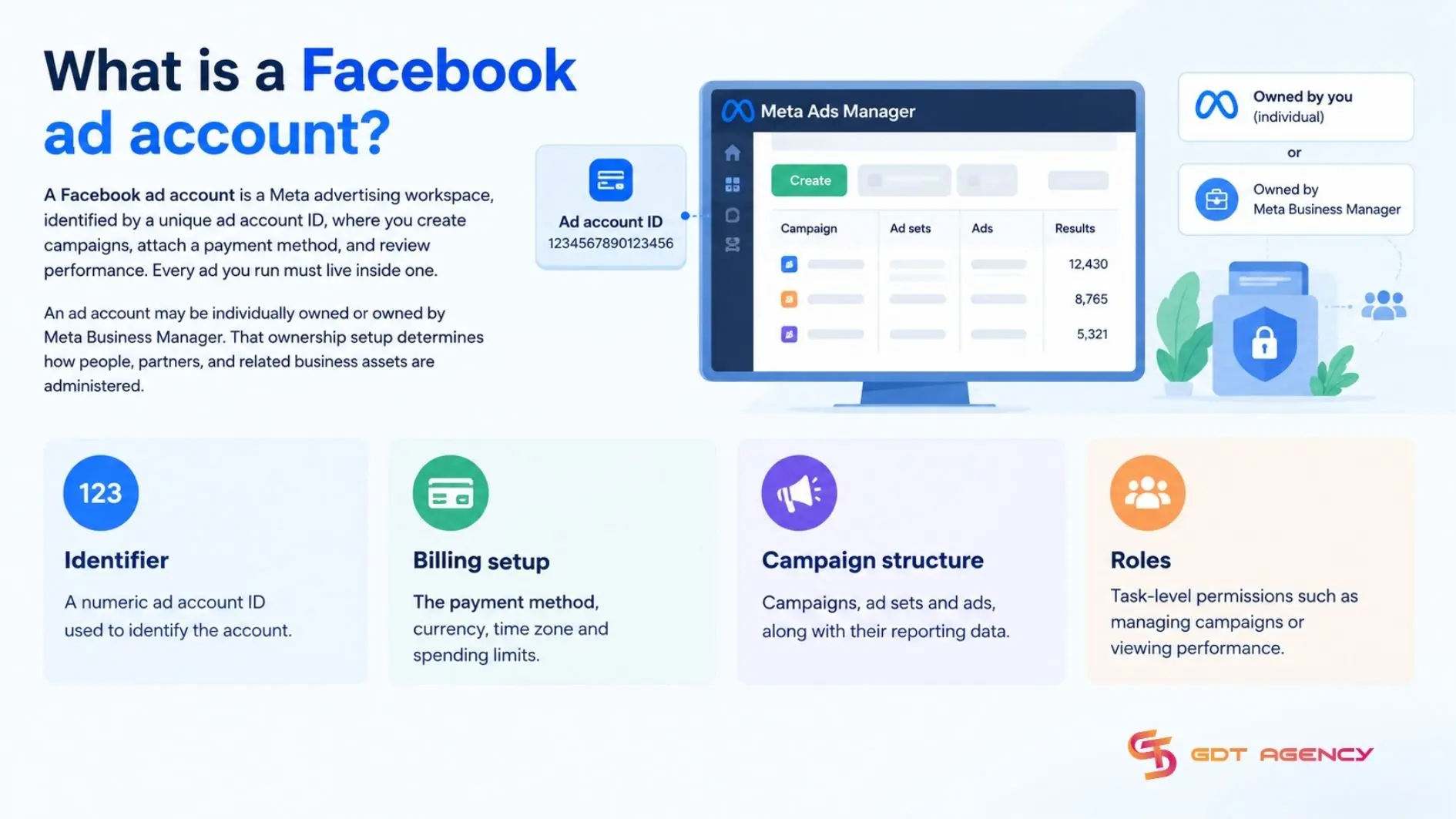
The key properties of an ad account are:
- Identifier: a numeric ad account ID used to identify the account
- Billing setup: the payment method, currency, time zone and spending limits.
- Campaign structure: campaigns, ad sets and ads, along with their reporting data.
- Roles: task-level permissions such as managing campaigns or viewing performance.
>>> To ensure these settings and permissions are configured correctly from the start, you may also follow our guide on How to Set Up a Facebook ad account before launching your first campaign.
What is Business Manager?
Business Manager is Meta’s tool for managing business assets and permissions. Meta now commonly calls it a Business Portfolio in Meta Business Suite. A Business Portfolio can hold assets the organization owns, such as ad accounts, Pages, datasets & catalogs and manage access to assets shared with it by another business.
Business Manager typically handles 4 jobs:
- Asset ownership: holding ad accounts, Pages, datasets and catalogs under one business.
- People management: adding employees and assigning them to specific assets.
- Partner access: granting agencies or other businesses controlled access without handing over ownership.
- Security layer: keeping business control independent of any single personal profile.
How do ad accounts and Business Manager work together?
Ad accounts and Business Manager work together as container and controller: the ad account runs the campaigns, while Business Manager holds the account and manages who can access it.
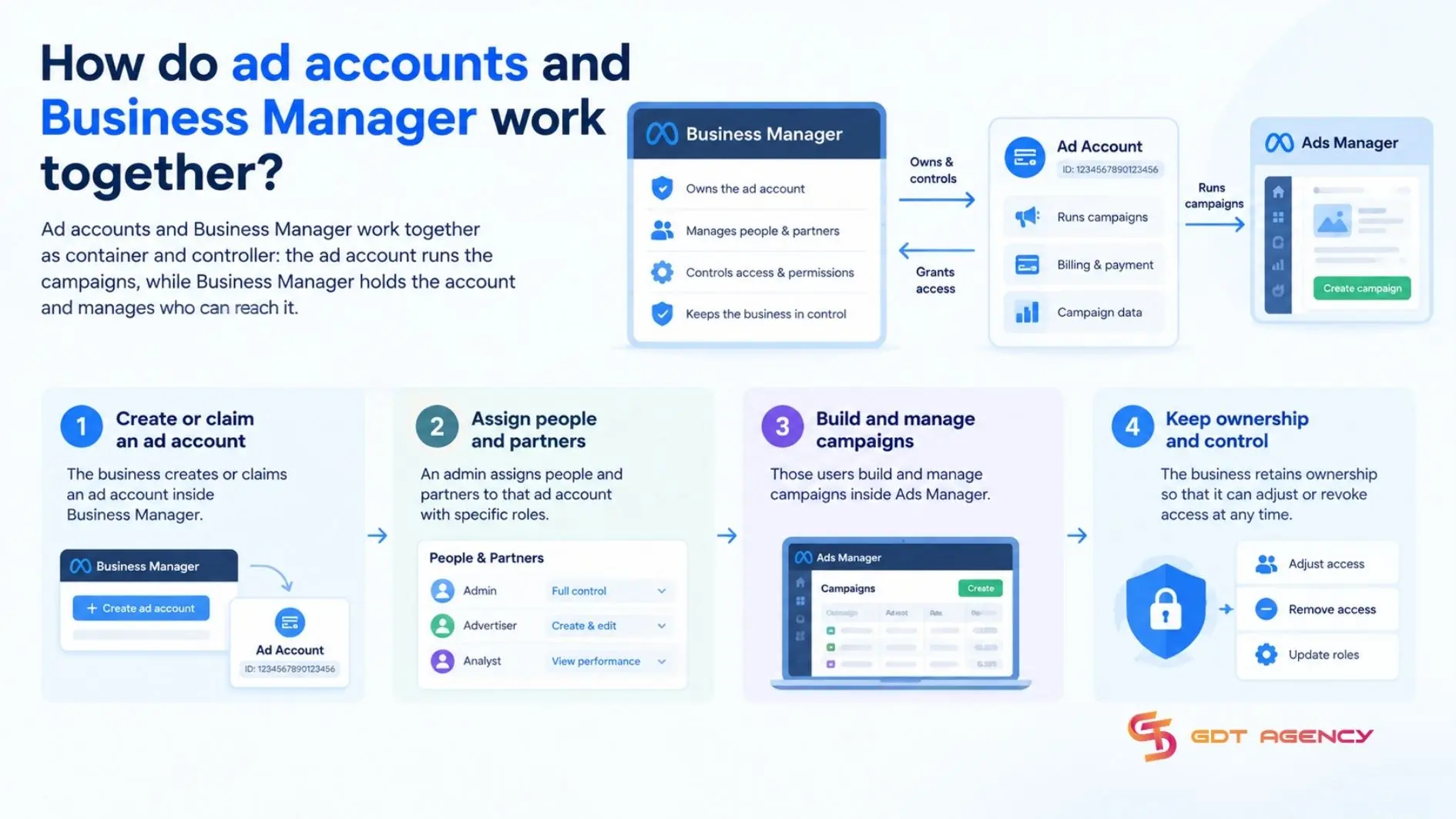
Put differently, Business Manager answers “who is in charge,” while the ad account answers “what is running.” An admin in Business Manager decides which people and partners can reach an ad account, and those people then use Ads Manager inside the account to build and optimize campaigns.
The flow typically looks like this:
- The business creates or claims an ad account inside Business Manager.
- An admin assigns people and partners to that ad account with specific roles.
- Those users build and manage campaigns inside Ads Manager.
- The business retains ownership so that it can adjust or revoke access at any time.
>>> After understanding how Facebook ad accounts and Business Manager differ, you may also read How Business Manager differs from Ads Manager
What should you know about ad account ownership in Business Manager?
Ad account ownership in Business Manager means that one business portfolio is the account’s owner, while other people or partner businesses may receive access. A business may also have shared access to an account owned by another portfolio.
Most ownership problems become visible during an employee departure, an agency transition or a dispute. The following 3 questions cover the situations advertisers meet most often.
How do you move an ad account into Business Manager?
To move an existing account into Business Manager, claim an existing ad account. Claiming brings the existing account into your portfolio as an owned asset. You claim it from Business Settings by going to Accounts, choosing Ad accounts and selecting Add an ad account, then entering the ad account ID.
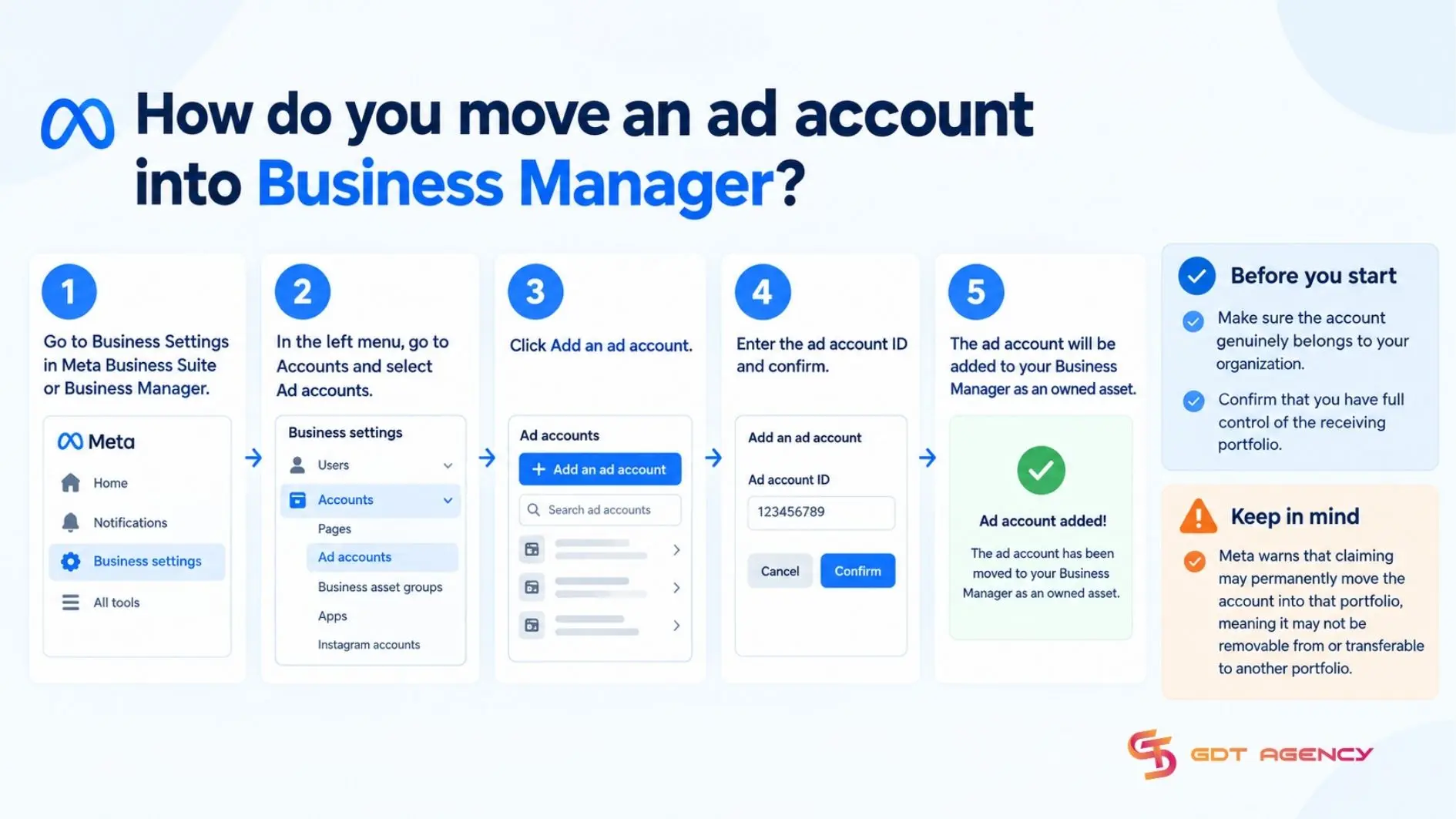
Before doing so, confirm that the account genuinely belongs to your organization and that you have full control of the receiving portfolio. Meta warns that claiming may permanently move the account into that portfolio, meaning it may not be removable from or transferable to another portfolio.
An ad account can belong to only one business portfolio, although the owner can share access with other businesses. If an account already belongs to another portfolio, you can’t claim it into yours, request shared access instead. Share access generally requires approval from the owner or someone with full control of the owning portfolio.
What is the difference between sharing and claiming an ad account?
Claiming and sharing an ad account in Business Manager differ across 7 aspects: function, ownership, control, reversibility, typical user, best-fit scenario and main risk. The table below places both methods side by side, so you can choose the right one before you run campaigns.
| Aspect | Claiming an ad account | Sharing an ad account |
| Function | Adds the ad account to your Business Manager as its owner | Gives another business or person access to the ad account |
| Ownership | Your business | Stays with the original owner |
| Control | Your admins set permissions for everyone | The partner works only within the permissions granted |
| Reversibility | Treated as a lasting change, confirm the rules in Meta’s Business Help Center first | Can be withdrawn by removing the partner |
| Typical user | A company that runs and pays for its own account | An agency, freelancer or retail partner |
| Best fit | Your business will run and fund the account long term | A collaborator needs to work inside the account but should never hold it |
| Main risk | Claiming into the wrong Business Manager can cost you control of the asset | Access lasts only as long as the owner keeps the permissions in place |
What happens to an ad account when team members leave?
When a team member leaves, an ad account owned by the company’s Meta business portfolio stays with that business. An administrator removes the departing person’s access through Meta Business Suite settings.
Before removing access, verify that the company retains the necessary permissions for every asset used by live campaigns, including the Facebook Page, Instagram account, dataset, catalog and any relevant payment or finance settings. Give the incoming employee or agency the right asset-level permissions first, then remove the outgoing person.
Final Thoughts
A Facebook ad account is the workspace where you build and run ads, while Business Manager is the layer that owns that workspace and governs who gets access. They differ in 5 ways: purpose, contents, permissions, multi-account management and ownership. To move an ad account into Business Manager, you can claim the ad account from Business Settings. Before you change access, check that the business holds the permissions for every asset your live campaigns use.
FAQs
Can you have more than one Business Manager?
Yes, you can have more than one Business Manager, although Meta limits how many you can create from a single personal profile. Check the current limit in Business Settings, and keep one Business Manager per legal entity where possible to avoid confusion over ownership.
Does moving an ad account into Business Manager change its ad account ID?
No, moving an ad account into Business Manager does not change its ad account ID. The ID stays with the account, and your campaigns, history and reporting remain attached to it.
Does having admin or full control mean you own the ad account?
No, admin or full control only permits you to manage the adaccount. Ownership belongs to the business or personal profile that holds the account, and an admin can lose access if the owner changes permissions.
Can changing admin permissions interrupt your ads?
No, because changing roles does not pause campaigns by itself. Problems appear when the change removes the only admin or breaks the payment setup tied to a person, so review both before editing permissions.
Can you transfer or remove an ad account after claiming it?
No, because Meta treats ownership of a claimed ad account as a lasting decision. You can still share access with partners and remove individual people, so confirm the current rules in Meta’s Business Help Center before claiming