Can you change country in Facebook ad account? How to edit?

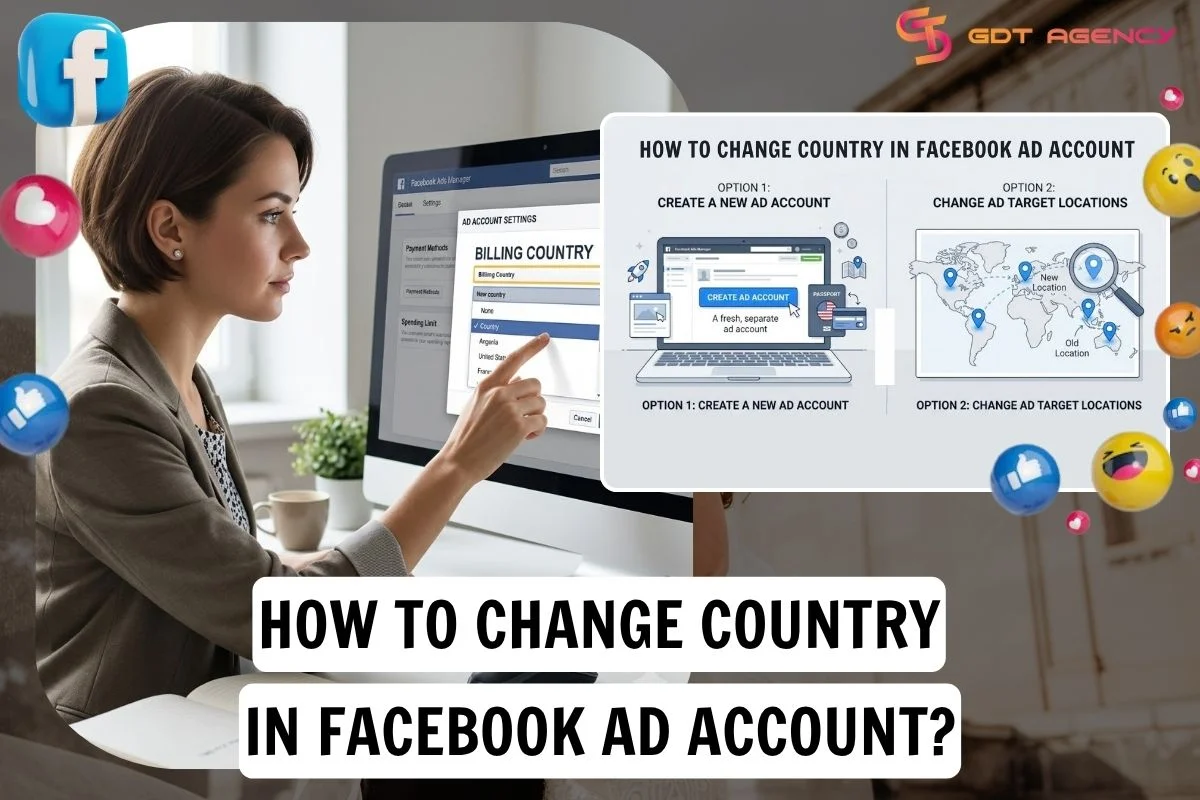
If you need to change country in Facebook ad account, the answer is no. The country is set when the ad account is created and tied to billing, tax, and payment setup, so the practical fix is a new ad account with the right country. It is a different setting from ad targeting, where the countries you advertise to can be edited at any time.
There are 2 options: create a new ad account with the correct country or change your ad target locations in 5 steps. Below, this guide breaks down both options, explains how a Facebook Page country differs from an ad account country, and answers the questions advertisers ask most often
- Can you change ad account country in Facebook?
- How to change country in Facebook ad account?
- Option 1: Create a new ad account
- Option 2: Change ad target locations
- How is a Facebook Page country different from an ad account country?
- Can you change country of a Facebook page?
- Does the Facebook page country affect in-stream ads eligibility?
- Final Thoughts
- FAQs
- Does changing targeting locations change ad account country?
- Can I change country if I haven’t run any ads?
- Can I use a payment method from another country in an ad account?
- Can I transfer all of my campaigns to a new ad account with a different country setting?
- Does the Facebook Page country have to match the ad account country?
Can you change ad account country in Facebook?
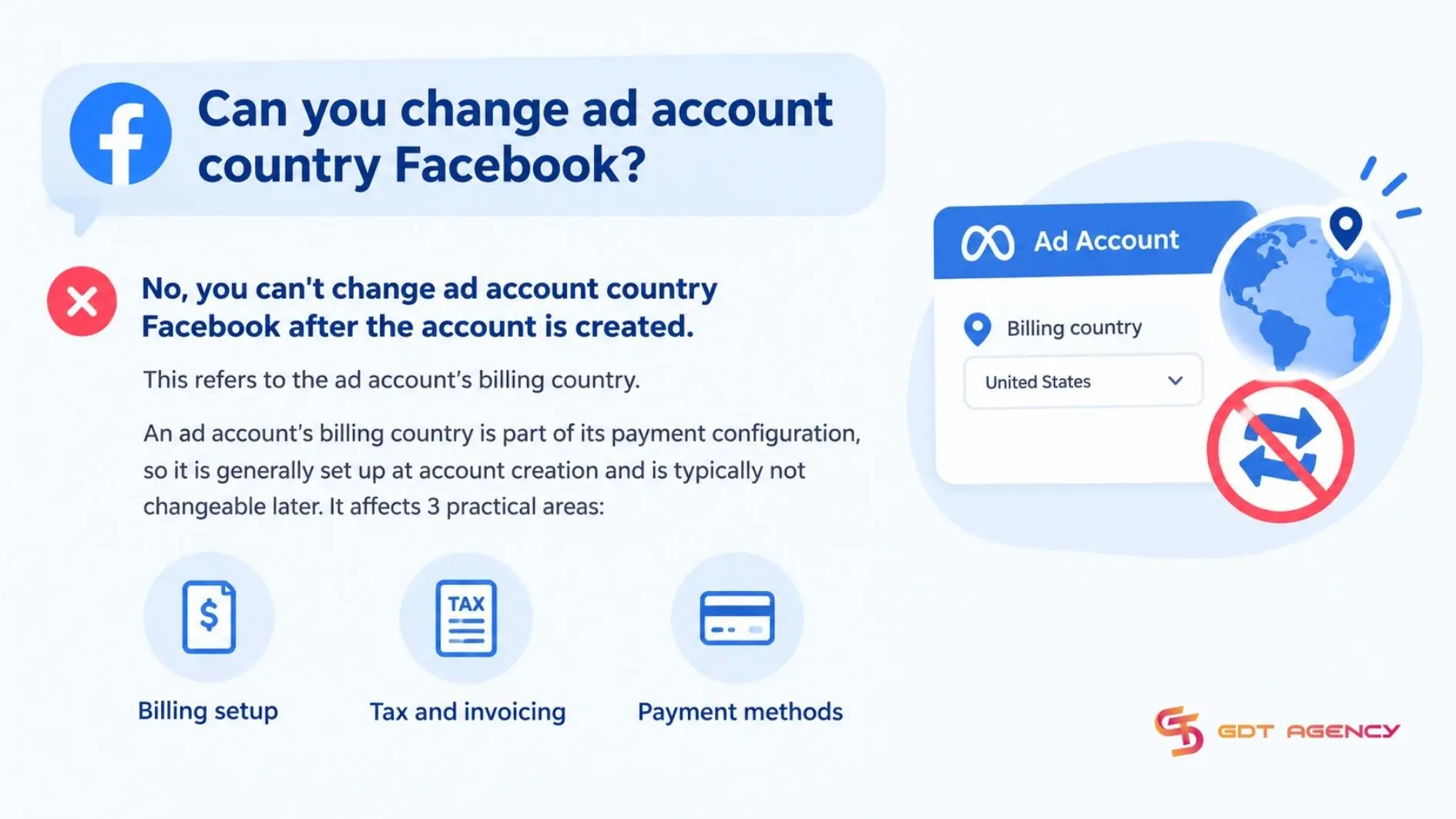
No, you can’t change country of a Facebook ad account after the account is created. This refers to the ad account’s billing country, not the country where your ads are shown. An ad account’s billing country is part of its payment configuration, so it is generally set up at account creation and is typically not changeable later. It affects 3 practical areas:
- Billing setup: the country is chosen when the account is created and becomes part of how the account is billed
- Tax and invoicing: the country determines which tax and invoicing details apply to the account.
- Payment methods: the methods available to you depend on your country and currency.
Because these settings are interconnected, if you need a different billing country setup, create a new ad account with the correct country, currency, timezone and payment setup.
Meta also places hard limits on some markets such as Brazil, India, and Poland. The ad account’s business country and currency must match, and an account created with any country other than Brazil can’t be switched to Brazil later.
As an expert at GDT Agency with nearly 10 years of working with Facebook Ads across standard and Facebook agency accounts in retail and ecommerce, I see the same mix-up again and again. Advertisers pick the ad account country based on the market they want to sell in, when it should reflect where they actually pay and file taxes. The result is a payment method Meta won’t accept, and an account that has to be rebuilt from scratch
How to change country in Facebook ad account?
Changing the country in a Facebook ad account requires one of 2 options, depending on what you mean: creating a new ad account with the right country or changing the target locations in an ad set. Here’s how each option works, starting with the one that changes the ad account country itself
Option 1: Create a new ad account
Creating a new ad account is the practical way to get a different ad account country, and it takes 5 steps: create the account, choose the correct settings, assign people, add a payment method, and rebuild your campaigns.
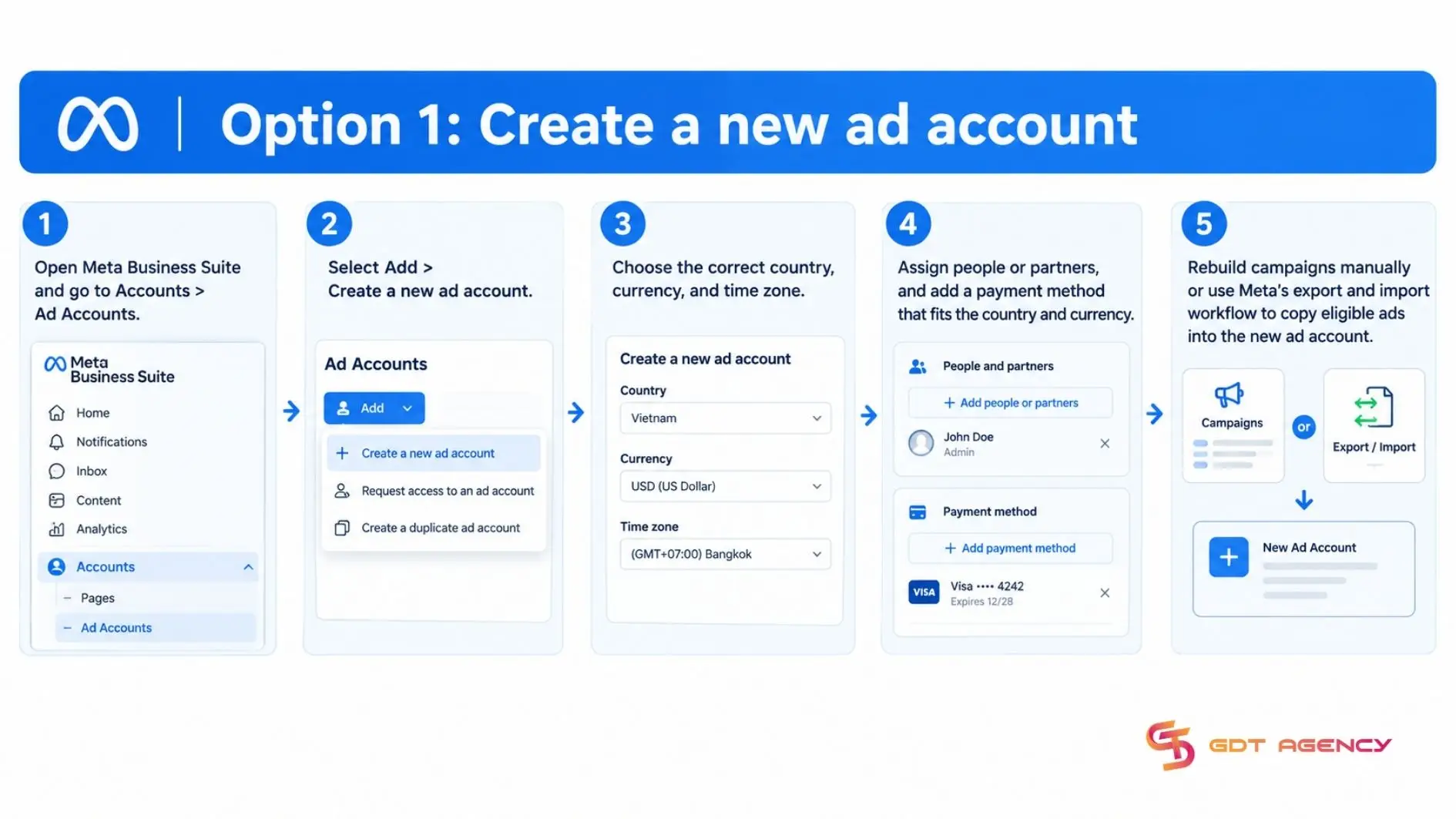
The steps are:
- Open Meta Business Suite and go to Accounts > Ad Accounts.
- Select Add > Create a new ad account.
- Choose the correct country, currency, and time zone.
- Assign people or partners, and add a payment method that fits the country and currency.
- Rebuild campaigns manually or use Meta’s export and import workflow to copy eligible ads into the new ad account
Campaigns don’t automatically migrate to a new ad account. Before stopping ads in the old account, confirm that the new account has active payment setup, correct asset permissions, approved ads, working conversion tracking and stable delivery. Then pause the corresponding old campaigns to prevent overlapping spend and duplicated audience delivery.
>>> If creating a new ad account is part of your setup process, reviewing How to Set Up a Facebook Ad Account can help configure the correct settings before launching campaigns.
Option 2: Change ad target locations
Changing ad target locations is the option when you want to reach people in a new market without changing ad account country. Location targeting is set at the ad set level, requires 5 steps in Ads Manager and does not touch the ad account country: open the ad set, edit the audience locations, add, remove or replace the country, review your settings, and publish.
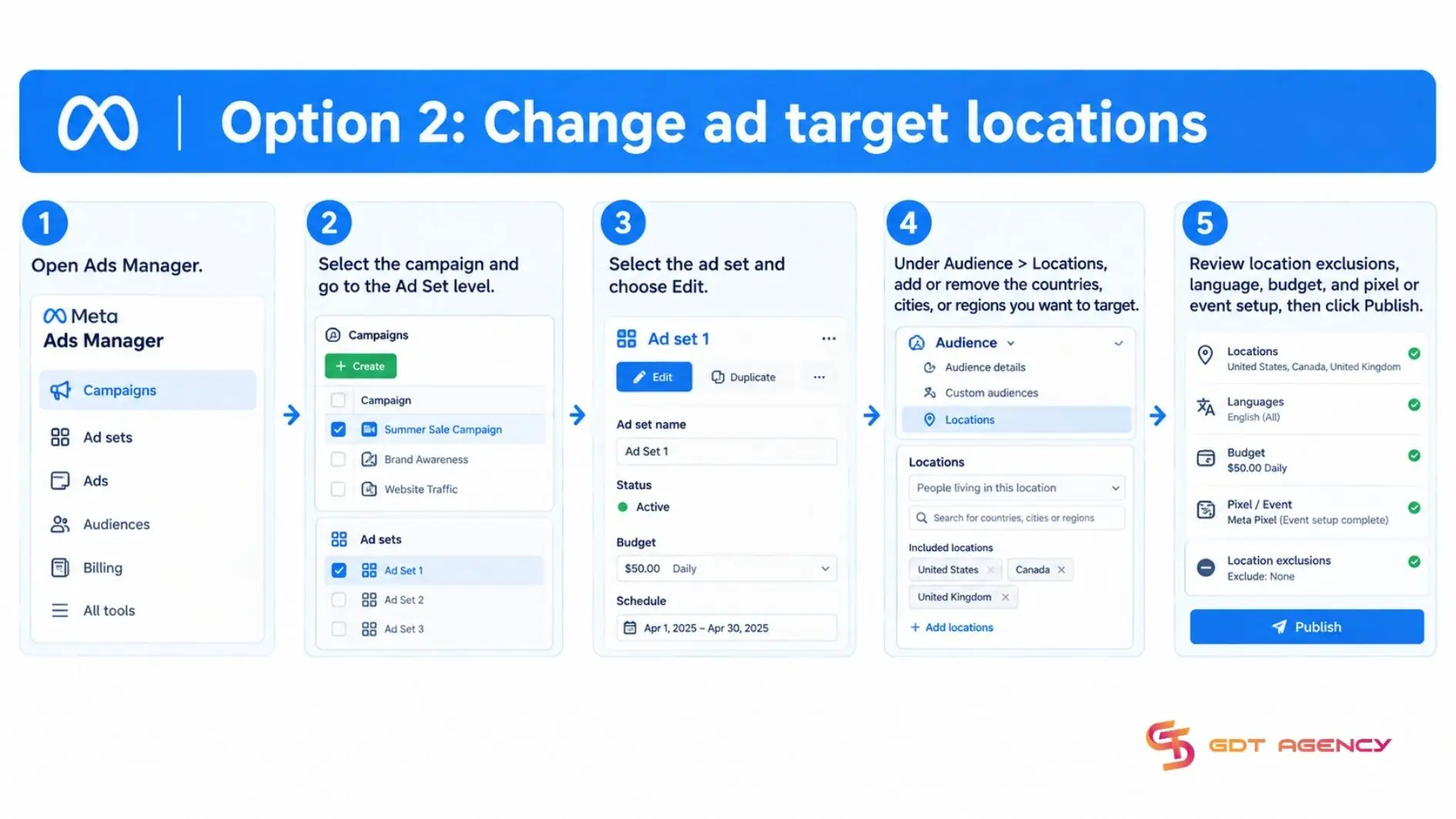
The steps are:
- Open Ads Manager.
- Select the campaign and go to the Ad Set level.
- Select the ad set and choose Edit.
- Under Audience > Locations, add or remove the countries, cities, or regions you want to target.
- Review location exclusions, language, budget, and pixel or event setup, then click Publish.
Use this option when your goal is to reach people in a new market. Meta supports targeting by country, region, state/province, city and postal code in many standard campaigns, subject to objective and market.
For example, a business with a United States ad account in USD can target California by adding California in Locations. The billing country, currency, and payment method remain unchanged. Location targeting can reach people who live in, recently visited or frequently visit the selected area, depending on the location audience options available for the campaign.
How is a Facebook Page country different from an ad account country?
A Facebook Page country is public location information on your Page, while an ad account country is a billing and tax setting fixed at creation, so editing one doesn’t change the other. The 2 are easy to confuse because both use the word country and both live inside Meta’s tools. A Facebook Page country, an ad account country, and target locations are 3 separate settings: the table below maps what each one controls, where you manage it, and whether you can edit it.
| Setting | What it controls? | Where you manage it? | Can you edit it? |
| Ad Account country | Billing, tax and payment setup | Set when you create the ad account | No |
| Page country | The location shown in your Page info | Page setup > Location, Address or Contact information | Yes |
| Target locations | Where your ads can be shown | Ad set > Audience > Locations | Yes |
Ad account details also don’t all behave the same way. You can change an ad account name whenever you like, but the country stays fixed. A Page country belongs to the Page, so it follows the Page’s own rules rather than the ad account’s.
Can you change country of a Facebook page?
Yes, you can usually change the country of a Facebook Page, because it is public location information in Page info rather than a billing setting, and editing it leaves the ad account untouched.
To update the Page’s public address, switch into the Page and go to About > Details > Address. Enter the new address, move the map pin so it matches the address and save. You need full control or Facebook access to edit a Page address.
However, a Facebook Page doesn’t have only one type of country. The country shown in Page Transparency may reflect where Page managers or a verified Page owner are based. It may not match the public Page address and you may not be able to change it simply by editing Page information.
If the goal is simply to advertise in another country, keep your Page and ad account settings as they are and change the ad set’s Location targeting instead. Countries are a targeting option in the ad creation Location fied.
Does the Facebook page country affect in-stream ads eligibility?
Not on its own. Meta requires you to live in an eligible country, publish videos in supported countries and languages, and follow Partner Monetization Policies, so the Page country field alone doesn’t decide eligibility.
In-stream ads are part of Meta’s monetization program for creators, separate from the ad account you use to buy ads. Meta’s eligibility rules consider your location and the countries and languages of the videos you publish, and they also require you to be at least 18 years old. Some community answers suggest updating the country field in Page info to become eligible. Meta’s own requirements indicate that changing the field is unlikely to help if the other conditions aren’t met. To check where a Page stands, use Meta’s in-stream ads eligibility page, which lists the supported countries and languages.
Final Thoughts
Change country in Facebook ad account usually isn’t possible on an existing account, because the country is locked in when the account is created. If the country is wrong, a new ad account with the right settings is the practical fix, and it takes 5 steps. If you only want to reach a different market, edit the target locations in your ad set instead, which takes 5 steps and leaves the ad account as is. A Facebook Page country is a separate setting again, so editing it never changes how your ad account is billed. Decide which of the 3 you actually mean before you change anything, and check the country, currency, and payment method together before you spend
FAQs
Does changing targeting locations change ad account country?
No, changing targeting locations doesn’t change the ad account country. Target locations decide who can see your ads, the ad account country is a billing and tax setting fixed at creation, and editing an ad set never touches the account’s billing setup.
Can I change country if I haven’t run any ads?
No, not directly. Meta sets the country when the ad account is created, and its published guidance doesn’t describe an exception for accounts without ads. An unused account is still the easiest to replace, because there are no campaigns to rebuild: create a new ad account with the right country and start there.
Can I use a payment method from another country in an ad account?
It depends on the payment method. For manual payment methods, the ad account’s country and currency must match the payment method’s country and currency. For cards and PayPal, the methods available depend on the currency you choose and on what Meta supports where you are, so confirm compatibility before you create the account.
Can I transfer all of my campaigns to a new ad account with a different country setting?
No, you can’t transfer campaigns in one move. Campaigns stay in the old ad account, the Ads Manager clipboard can’t paste ads across accounts, and new campaigns get new IDs without the old performance history. Use Meta’s guide for copying ads from one account to another, then pause the old campaigns
Does the Facebook Page country have to match the ad account country?
No, the two are separate settings. The Page country is public location information about the Page, while the ad account country is a billing and tax setting chosen at creation. What has to line up for payments is the ad account’s country, currency, and payment method.